
Lieferung heute & morgen

Qualitätsgarantie

Willkommens-Angebote freischalten: KOSTENLOSE Lieferung | Bis zu 80 % RABATT | Kostenlose 30-Tage-JoyPlus-Testphase
App herunterladen
A 1 TB SSD gives you plenty of space for your operating system, programmes, games, videos and documents. But capacity alone isn’t a reliable way to choose. An internal M.2 SSD for a gaming PC has different requirements from a portable SSD for your smartphone, camera or video projects.
Three common causes of a poor purchase are confusing advertised peak speeds with real-world performance, failing to check your device’s interface, and underestimating the importance of cooling and form factor. This buying guide explains what to look for in a 1 TB NVMe SSD, an external USB-C SSD and an SSD for PS5.
A PCIe 5.0 SSD can deliver significantly higher sequential data rates than a PCIe 4.0 SSD. But if your motherboard only supports PCIe 4.0, the SSD’s performance will be limited accordingly. The same applies to external SSDs: a USB 3.2 Gen 2x2 SSD rated at up to 2,000 MB/s needs a compatible port and cable. Connect it to a slower USB port and the actual transfer speed will drop.
High data rates generate heat. When choosing an internal M.2 SSD, check whether your motherboard has an M.2 heatsink. Some models come with a heatsink built in. This is particularly important for long write operations, video editing and installing large games.
An SSD for PS5 has additional size and speed requirements. An M.2 SSD must fit in the console’s designated slot and needs a compatible heatsink. Check the console and SSD manufacturers’ specifications before you buy.
Manufacturers typically calculate capacity using the decimal system. Operating systems may display available storage differently. Formatting, system files and over-provisioning also use a small amount of capacity. Even so, a 1 TB SSD is a practical size for a typical system and games library.
An internal SSD is installed directly in a computer, laptop or compatible handheld device. The widely used M.2 SSD in the 2280 form factor measures approximately 22 × 80 mm. Before installation, check the slot, M-Key, drive height and NVMe support.
An external SSD connects via USB. It’s useful for backups, transferring files, storing media and devices without a spare internal slot. Make sure a portable SSD is compatible with the operating system, smartphone, tablet or camera you plan to use it with.
Figures such as 2,000 MB/s SSD or 7,000 MB/s SSD usually refer to sequential transfers under specific test conditions. When starting programmes or games, access times, random I/O performance, the controller and the operating system also play a part. High sequential speeds are especially useful for large video files. For everyday office programmes, a much lower data rate is often enough.
Also check the TBW (terabytes written), if the manufacturer provides this figure. It indicates the specified amount of data that can be written; it doesn’t predict exactly when a drive will fail. Regular backups are essential whatever type of SSD you choose.
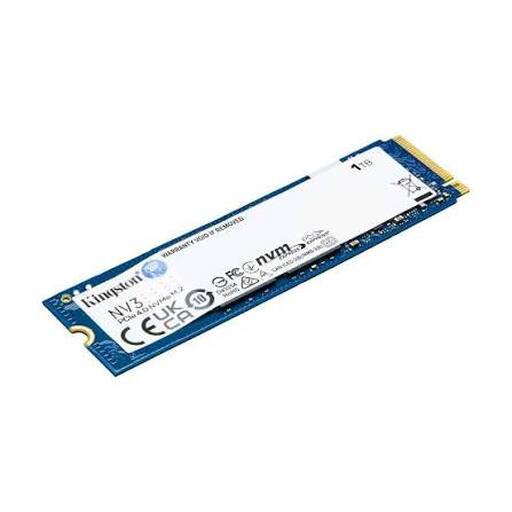
Why it suits this profile: This internal PCIe 4.0 NVMe SSD is designed for compatible PCs, laptops and compact systems, offering 1 TB of storage in the M.2 2280 form factor.
The stated PCIe 4.0 interface makes the system requirements clear. With read speeds of up to 6,000 MB/s, you can get a realistic idea of its performance.
M.2 2280 form factor, NVMe protocol and PCIe 4.0 x4; read speeds of up to 6,000 MB/s according to the product details.
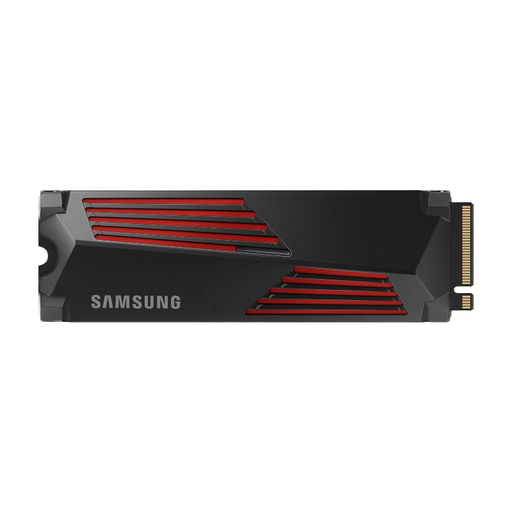
Why it suits this profile: Designed for gaming PCs, compatible consoles and video editing, this model combines PCIe 4.0 with an integrated heatsink.
The heatsink is already integrated. The product is also listed as supporting PCIe 4.0 x4 and NVMe 2.0, and as compatible with PCs and PlayStation 5.
Read speeds of up to 7,450 MB/s and write speeds of up to 6,900 MB/s according to the product description; integrated heatsink and management software.
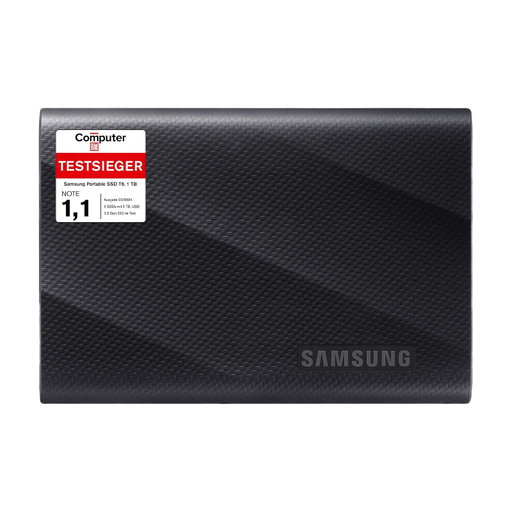
Why it suits this profile: This external USB-C SSD is aimed at users who need to move large files between a PC, Mac, smartphone, camera or compatible console.
USB 3.2 Gen 2x2, two included cables and information about compatible devices make it easier to check suitability before you buy. Speed still depends on the host port.
Read and write speeds of up to 2,000 MB/s, drop protection from heights of up to 3 metres according to the product details, and 1 TB capacity.
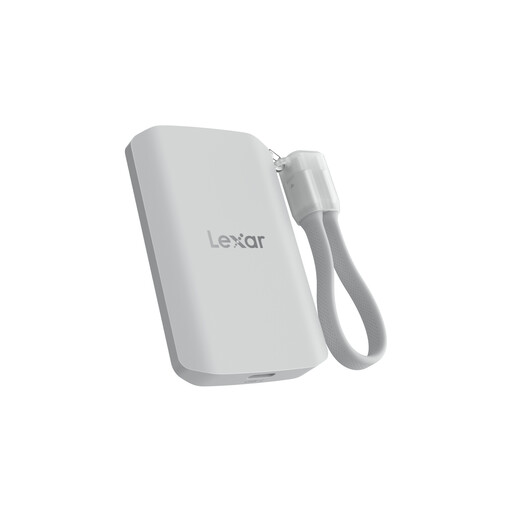
Why it suits this profile: This portable SSD is designed for USB-C devices, mobile video recording and everyday portability.
The product details explicitly state that speeds will be lower on devices without USB 3.2 Gen 2x2. This makes the impact of the interface and cable clear.
Read and write speeds of up to 2,000 MB/s, IP65 dust and water resistance, and a stated drop resistance of up to 3 metres.
We’ve put together a complete, regularly updated list of products that meet these strict selection criteria and fully comply with the safety regulations in force in the EU.
Before installing an internal SSD, shut down your computer completely and disconnect it from the mains. Check your motherboard manual and use a suitable spacer and the designated mounting point. Once you’ve started up, initialise and format the new SSD in your operating system.
For an external SSD, use the supplied cable or one that’s suitable for the interface. Eject the drive safely before disconnecting it. Unplugging it during a transfer can corrupt files.
1 TB may be enough for your operating system, applications and a rotating selection of games. However, large games can take up a lot of space. If you want to keep several sizeable game libraries installed at all times, check your available space regularly or consider adding a second SSD.
Lifespan depends on write volume, temperature, model and usage. Manufacturers sometimes provide TBW figures or warranty periods. These aren’t exact predictions. SMART data and the manufacturer’s management software can give you an indication of a drive’s condition. You should still keep a separate backup of important files.
An internal M.2 SSD uses more power when it’s active than when it’s idle. PCIe 5.0 models can generate extra heat and draw more power under heavy loads. External USB-C SSDs usually draw power directly from the connected device. For laptops and smartphones, the interface, power management and frequency of use all matter.