
Lieferung heute & morgen

Qualitätsgarantie

Willkommens-Angebote freischalten: KOSTENLOSE Lieferung | Bis zu 80 % RABATT | Kostenlose 30-Tage-JoyPlus-Testphase
App herunterladen
The search for a new USB-C cable seems simple at first glance. Yet, the market is flooded with products whose marketing promises often create more confusion than clarity. Many users invest in a supposed high-performance cable, only to find their laptop still charges slowly or data transfers take unexpectedly long. As a Joybuy Product Recommendation Officer, I'll help you navigate these pitfalls and make an informed decision based on objective criteria.
Before we dive into the technical details, let's highlight the most common issues that can lead to a bad purchase:
To avoid these traps, focus on three verifiable technical specifications. These determine the true performance and lifespan of your cable.
A 100W USB-C to USB-C cable is a solid baseline for most modern laptops, like a MacBook Pro or Dell XPS. This performance is enabled by the Power Delivery (PD) standard. Make sure the cable includes an E-Marker chip. This chip communicates between the power adapter and the device to negotiate the correct voltage and current, ensuring a safe and efficient charge. For future-proof setups or particularly powerful devices, 240W charging cables that use the newer PD 3.1 standard are already available. Always check the maximum charging power your laptop or smartphone can accept.
This is where the biggest difference lies between a simple charging cable and a true high-performance cable.
A good cable is an investment in reliability. A braided USB-C cable made of nylon offers significantly better protection against abrasion and fraying than a simple plastic jacket. The connector housings are just as important. Models made from an aluminum alloy are more robust than plastic ones. Another quality indicator is a reinforced strain relief directly at the connector, which reduces stress during daily use.
Based on these objective criteria, we have identified a few products that are particularly well-suited for specific user profiles in the UK.
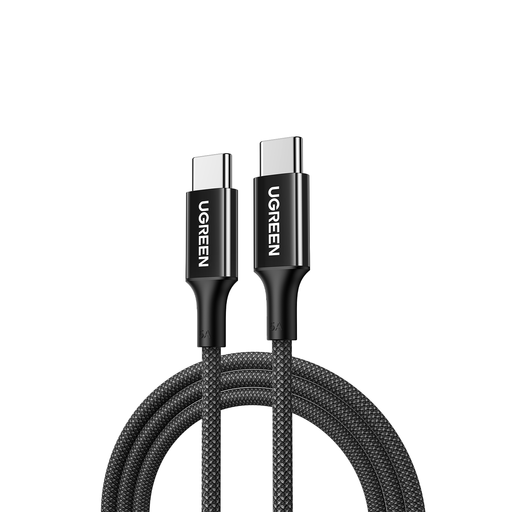
Why it's a good fit: Ideal for users who need a reliable and long 2m USB-C charging cable for their USB-C laptop charger (e.g., MacBook Pro) and smartphone (e.g., iPhone 15). The focus is on a robust charging solution for the office and home office.
This cable transparently avoids the "slow fast-charger" trap: it offers 100W charging power but clearly communicates a USB 2.0 data rate. This way, you don't pay extra for a high data speed you don't need.
The combination of 100W power, a 2-meter length, and a braided nylon jacket covers the core requirements for charging laptops and everyday use.
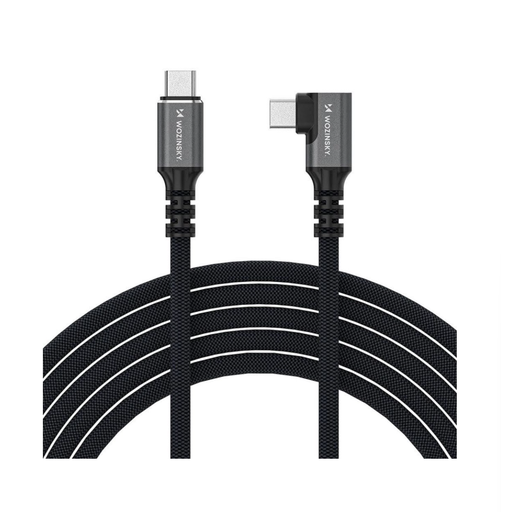
Why it's a good fit: For users who demand maximum performance. Video producers, designers, or gamers who move large amounts of data and want to connect external devices like 4K/8K monitors or fast SSDs without compromise.
This Thunderbolt 4 cable completely solves the data bottleneck problem. With a 40 Gbps data rate and 240W charging power, it delivers peak performance in both categories, eliminating any performance throttling.
Supports video output up to 8K@60Hz and features a practical 90-degree angled connector that reduces strain on the device's port and is beneficial in tight spaces.
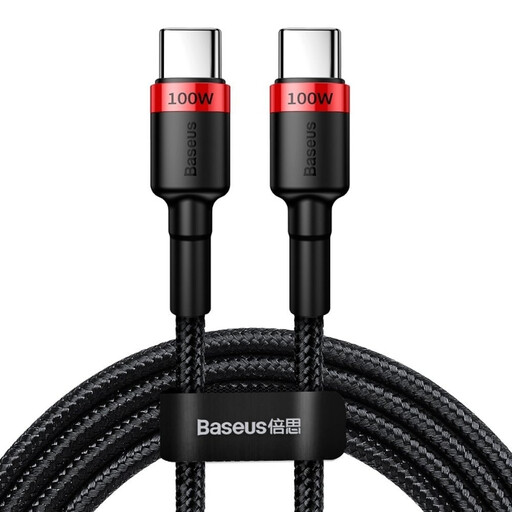
Why it's a good fit: An excellent choice for anyone looking for a durable and powerful 100W charging cable without paying for high-end features like Thunderbolt 4. It reliably meets the core requirements for fast charging.
This cable avoids the durability trap. The densely braided nylon jacket and aluminum connectors provide a level of robustness that is not a given in this price range.
With 100W charging power, a 2-meter length, and a high-quality material combination, it offers excellent value for money for daily use.
We have compiled a complete, up-to-date list of products that fully meet these strict selection criteria and UK safety regulations.
Yes, that is perfectly safe and possible. USB-C cables with Power Delivery are backward compatible. The integrated E-Marker chip ensures that only as much power is delivered as the charger and the end device can safely handle. However, you will only achieve a maximum charging speed of 60 watts.
The main difference lies in the internal wiring and supported protocols. A dedicated charging cable is primarily optimised for power transmission and often offers only a minimal data rate (e.g., USB 2.0 at 480 Mbps). A full-featured USB-C data cable or Thunderbolt 4 cable has additional wire pairs for high data rates, which qualifies it for connecting monitors or fast external storage.
Look for a dense nylon braid that feels firm and resilient. The connector housings should be made of metal (usually aluminum). A crucial detail is the transition from the connector to the cable: a long, flexible strain relief made of rubber or TPE distributes stress and prevents breaks at this critical point.