
Lieferung heute & morgen

Qualitätsgarantie

Willkommens-Angebote freischalten: KOSTENLOSE Lieferung | Bis zu 80 % RABATT | Kostenlose 30-Tage-JoyPlus-Testphase
App herunterladen
The search for a suitable 100W USB-C charging cable can quickly become overwhelming. The market is flooded with cables promising high charging speeds, but not every product delivers on its claims. Misleading specifications or subpar materials often result in expensive devices like a MacBook Pro or the latest Samsung S25 charging slowly, or the cable failing after just a few months. This guide will help you identify the crucial features and make an informed decision.
As your Joybuy Product Recommendation Officer, I'll filter the essential information for you and show you what to look for to avoid common purchasing traps.
Before you purchase a new cable, you should be aware of these widespread issues that often lead to disappointment and unnecessary expense.
To avoid these traps, you should check three core technical aspects before buying. These define the actual performance and durability of your cable.
For charging speeds up to 100W, the Power Delivery (PD) standard is crucial. A true 100W Power Delivery cable must be able to carry a current of 5 Amps (5A) at a voltage of 20 Volts (20V * 5A = 100W). Cables specified for only 3A will max out at 60W. Therefore, look specifically for the 5A rating in the product specifications. Only a 5A USB-C to USB-C cable with an integrated E-Marker chip can guarantee the full charging power for demanding devices, serving as a proper charging cable for a MacBook Pro.
The USB version determines how fast your data flows. Here are the differences:
Consider your priority for data transfer. For most users who are primarily looking for a powerful charging cable, a model with USB 2.0 is a pragmatic and cost-effective choice.
A cable's durability is determined by its physical build.
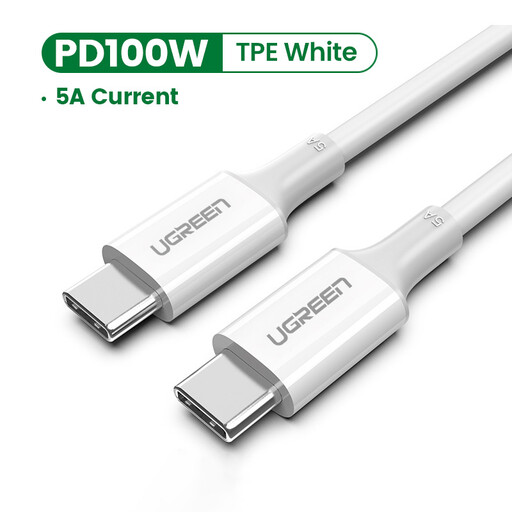
Why This Fits Their Persona: Ideal for owners of high-performance laptops like the MacBook Pro or Dell XPS who need maximum charging speed to stay productive. This cable is optimised for pure charging power.
This cable is explicitly specified as a 5A cable and includes the necessary E-Marker chip for 100W PD. It bypasses the trap of the empty 100W promise.
Supports PD 3.0 with up to 100W (20V/5A) for maximum charging speed. Universal compatibility with laptops, tablets, and smartphones.
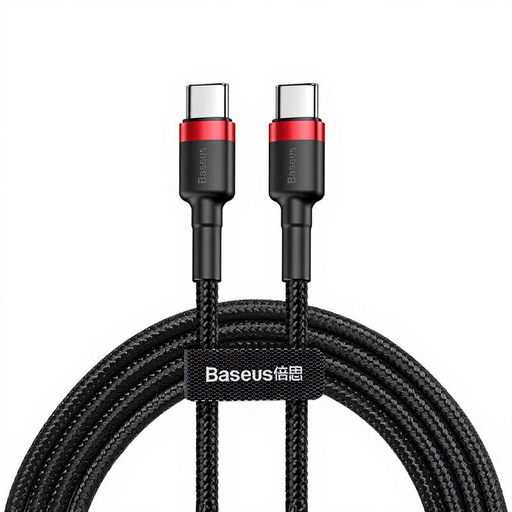
Why This Fits Their Persona: Perfect for users who carry their cable daily and frequently plug and unplug it. The robust construction minimises the risk of wear and tear and defects in a mobile lifestyle.
This cable avoids the poor material quality trap with its high-density nylon-braided sheath and aluminium housing, making it more resistant to bending and abrasion.
Supports 60W PD charging, sufficient for most laptops and all smartphones. Includes a Velcro strap for easy storage.
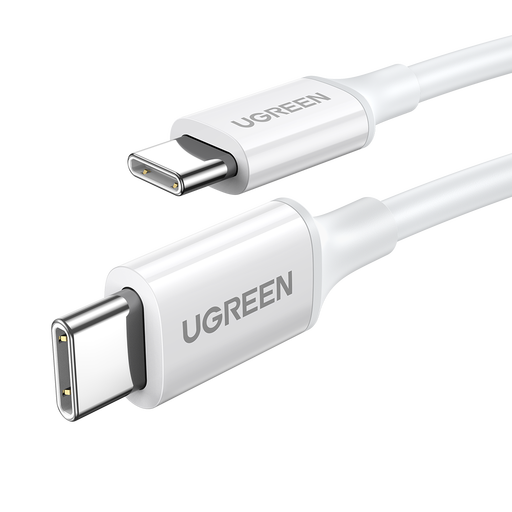
Why This Fits Their Persona: A reliable and cost-effective solution for users who primarily want to fast-charge their smartphone, tablet, or console. The 60W power is more than sufficient for these devices.
This UGREEN USB-C cable provides clear specifications: 60W charging power and a USB 2.0 data rate. It avoids confusion between charging and data performance, delivering exactly what it promises.
Supports PD, QC, and AFC fast-charging protocols for broad compatibility. Reinforced connectors for an extended lifespan.
We have compiled a complete, real-time updated list of products that fully meet these strict selection criteria and safety standards.
1. Do I need a special power adapter for 100W charging? Yes, absolutely. To achieve the full 100W charging speed, all three components—the device (e.g., laptop), the charging cable, and the power adapter—must support the 100W Power Delivery standard. A 100W cable connected to a 30W adapter will only charge your device at 30 watts.
2. Can I use a 100W USB-C cable for my smartphone? Yes, it's perfectly safe. The Power Delivery protocol ensures that the device only draws as much power as it can safely handle. A 100W cable will only charge a smartphone that supports 25W charging at 25W. There is no risk of overloading.
3. What is the difference between a 3A and a 5A cable? The difference lies in the maximum current the cable can safely carry. A 3A cable is limited to 60 watts at 20V (20V x 3A). For power levels above that, like the full 100 watts, a 5A USB-C to USB-C cable is mandatory, as only it can handle the required 5 amps at 20 volts (20V x 5A).