
Lieferung heute & morgen

Qualitätsgarantie

Willkommens-Angebote freischalten: KOSTENLOSE Lieferung | Bis zu 80 % RABATT | Kostenlose 30-Tage-JoyPlus-Testphase
App herunterladen
A 1080p mini projector promises a big-screen experience at home without the footprint of a TV. However, the market is flooded with devices boasting tempting specifications that often fail to deliver in practice. Before you make a decision, it's crucial to understand the typical pitfalls that can lead to buyer's remorse.
Many buyers are swayed by exaggerated marketing claims and invest in a device that disappoints. The most common problems include:
To avoid these disappointments, you should focus on the core technical features that truly matter.
To find a device that meets your needs, you should check three crucial parameters. These significantly determine the image quality and user experience.
Image sharpness depends on the native resolution. Many models advertise that they support 4K, but this only means the projector can process a 4K signal—the image is then downscaled to the device's lower native resolution.
Therefore, always look for the "Native 1080p" specification in the product details.
Brightness is crucial for determining whether you can use the projector only in complete darkness or also in slightly lit rooms. The only reliable and standardized unit of measurement for this is ANSI Lumens. Terms like "Light Source Lumens" or "Marketing Lumens" are often several times higher and are not comparable.
Modern mini projectors offer more than just an image. Smart features and stable connections make the difference between a cumbersome setup and instant movie enjoyment.
Based on the criteria above, we have identified some models that are well-suited for specific user groups.
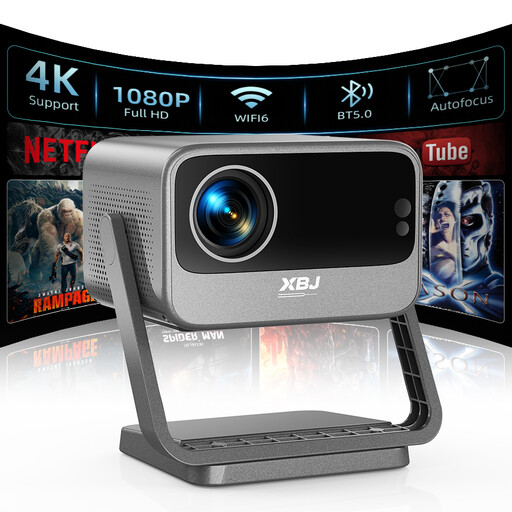
Why This Fits Their Persona: Ideal for users looking for a flexible solution for different rooms. The integrated, rotatable stand allows for easy ceiling projection, perfect for movie nights in bed. Its high brightness and smart correction features make it a versatile all-rounder.
With 700 ANSI Lumens, it delivers a clear image even with ambient light, avoiding the trap of misleading brightness claims. The Linux system with pre-installed apps like Netflix and YouTube provides a functional smart experience without needing additional devices.
Advantage: The combination of autofocus, automatic keystone correction, and obstacle avoidance ensures a setup that is both instant and hassle-free. The rotatable stand is directly integrated.
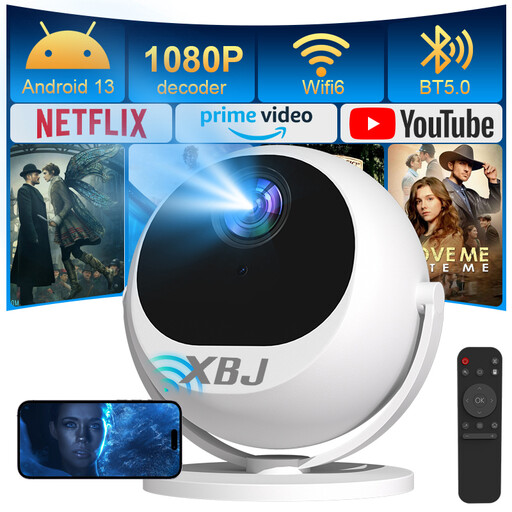
Why This Fits Their Persona: Perfect for users who want to use the projector in various locations—from the living room to the bedroom, or even in a tent while camping. The 360° design allows for projection onto any surface without needing a separate stand.
The automatic 5-second focusing and ±30° keystone correction solve the problem of cumbersome manual setup. Thanks to WiFi 6 and Bluetooth 5.2, the connection for streaming and audio is stable and fast.
Advantage: The unique 360° design offers maximum placement flexibility. It can project onto ceilings, walls, or even the floor without any additional accessories, adapting to any environment.
We have compiled a complete, real-time list of products that fully satisfy these strict selection criteria and UK safety regulations.
For a good home cinema experience in a darkened room, 300 to 700 ANSI lumens are generally sufficient. If you also want to use the projector in daylight or in a room that isn't completely dark, you should consider a model with 700 ANSI lumens or more.
Native resolution indicates the actual number of pixels that make up the image. A native 1080p (Full HD) resolution ensures a sharp picture. "4K supported" simply means the projector can receive and process a 4K video signal. However, it will downscale the image to its lower native resolution (e.g., 1080p). The result is not a true 4K image.
The operating noise of a mini projector is caused by its fan and is measured in decibels (dB). A quiet projector should produce a noise level below 35 dB, which is roughly equivalent to a whisper. Models under 30 dB are barely perceptible and won't interfere even during quiet scenes. Pay attention to this specification in the technical data if quiet operation is important to you.