
Lieferung heute & morgen

Qualitätsgarantie

Willkommens-Angebote freischalten: KOSTENLOSE Lieferung | Bis zu 80 % RABATT | Kostenlose 30-Tage-JoyPlus-Testphase
App herunterladen
Choosing the right PC fan is a decision that significantly impacts both the performance and aesthetics of a system. A 140mm RGB fan offers a great balance of high airflow and moderate noise levels. However, the market is filled with options that vary widely in performance, lighting, and compatibility. This article serves as your guide. We'll break down the key technical specifications and present a selection of models to make choosing the right one for your PC system easier.
Before making a decision, it's helpful to understand a few fundamental technical aspects. These criteria determine how well a fan is suited to your specific needs.
These two metrics are crucial for cooling performance.
A quiet PC fan is a must-have for many users. This is where the PWM function comes in. A PWM fan has a 4-pin connector that allows the motherboard or a fan controller to precisely and dynamically adjust its speed based on system temperature. Under light loads, the fans spin slower and are barely audible, while delivering their full performance when needed. This ensures efficient and low-noise operation.
Lighting is a central feature of RGB fans. There are two main types:
Based on the criteria above, we have compiled a selection of models that cover different needs.
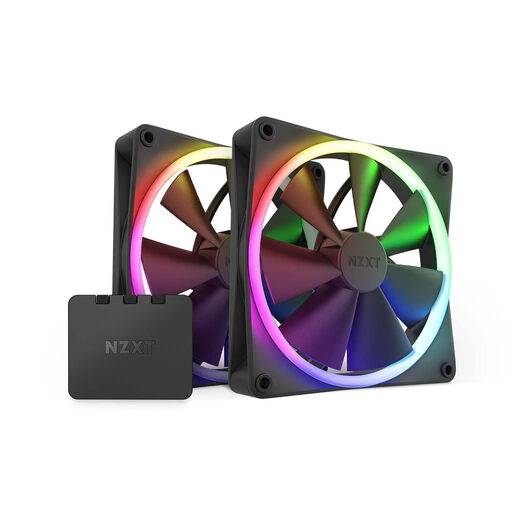
What makes this model stand out: This PC fan kit is an all-in-one solution for anyone looking to equip their system with synchronized RGB lighting. The package includes two F140 RGB fans and the necessary RGB controller. This simplifies installation and ensures all components are perfectly matched. Control is centralized via the NZXT CAM software.
Advantages:
Who is this model for? Ideal for PC builders setting up a new system or planning a comprehensive visual and technical upgrade. The kit offers a straightforward entry into the NZXT ecosystem.
View details for the NZXT F140 Twin Pack
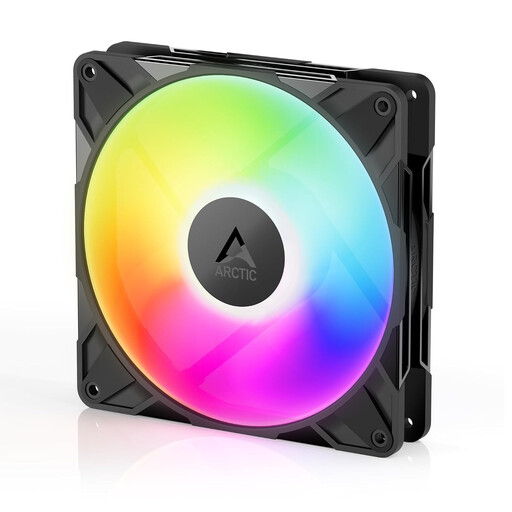
What makes this model stand out: The Arctic P14 Pro A-RGB focuses on high performance. With a maximum speed of 2500 RPM and an airflow of up to 186 m?/h, it is designed for demanding scenarios where maximum cooling power is required. The A-RGB connector ensures broad compatibility with most motherboard lighting systems.
Advantages:
Who is this model for? Suitable for enthusiasts and users who need uncompromising cooling performance, for example, for overclocked systems or in cases that require high air exchange.
View details for the ARCTIC P14 Pro A-RGB
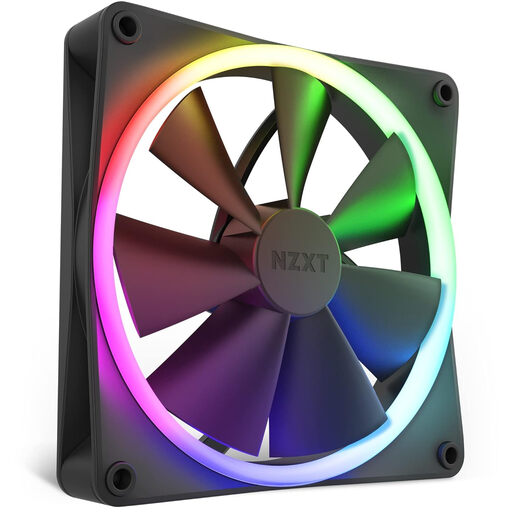
What makes this model stand out: This model is the perfect addition to an existing NZXT system. It is the same high-quality NZXT F140 fan as in the Twin Pack, but as a single unit and without a controller. It offers the same 18 customizable LEDs and quiet, powerful performance.
Advantages:
Who is this model for? For users who already own an NZXT RGB controller and want to add one or more fans to their system, or who need to replace a single fan.
View details for the NZXT F140 Single Pack
The models presented here cover common use cases, but the market offers an even greater variety. If you are looking for different sizes, designs, or specific performance features, it's worth taking a look at our wider selection.
Discover our full range of RGB Case Fans and find the perfect match for your system.
A PWM fan uses a 4-pin connector that enables pulse-width modulation (PWM) to control the motor speed. This allows for very precise and dynamic speed adjustments by the motherboard. Standard 3-pin fans (DC fans) are controlled by adjusting the voltage, which is less precise and often results in a smaller control range. PWM is advantageous for quiet and efficient operation.
Technically, it is not recommended to run RGB (12V, 4-pin) and A-RGB (5V, 3-pin) fans on the same controller or motherboard header. They use different voltages and signal protocols. An incorrect connection can damage the LEDs or the controller. Ensure that all components of your lighting system are compatible.
The optimal number depends on the size of your case, the components installed, and your desired airflow configuration. A common setup for a mid-tower is to use two 140mm fans at the front as intake and one fan at the rear as exhaust. This creates positive pressure, which helps reduce dust buildup.