
Lieferung heute & morgen

Qualitätsgarantie

Willkommens-Angebote freischalten: KOSTENLOSE Lieferung | Bis zu 80 % RABATT | Kostenlose 30-Tage-JoyPlus-Testphase
App herunterladen
For many gamers, the ability to enjoy demanding, high-frame-rate games not just at a desk but anywhere is a major advantage. A 144Hz portable gaming monitor promises exactly that: fluid, responsive visuals in a compact form factor. However, the market is flooded with models whose marketing promises often suggest more than the technology can actually deliver. Before making a purchase, it's crucial to understand the common pitfalls that can lead to an unsatisfying gaming experience.
Two of the most common problems are:
To make an informed decision, you should focus on objective technical parameters rather than vague marketing claims. Three features are crucial for a high-quality mobile gaming experience.
The refresh rate, measured in Hertz (Hz), indicates how many frames the monitor can display per second. For competitive gaming, 144Hz on the go offers a noticeable advantage over the 60Hz standard. Motion appears significantly smoother and sharper, improving responsiveness in fast-paced games. In conjunction with this, look for an IPS gaming display. Compared to older TN panels, this technology offers far superior colour accuracy and more stable viewing angles. This ensures colours remain accurate even when you're not sitting perfectly centred in front of the screen.
Colour gamut coverage, usually expressed as a percentage of the sRGB colour space, is a measure of colour accuracy. A value of around 100% sRGB or more ensures that colours are displayed as the game developers intended. Models with lower coverage (e.g., 65% sRGB) often look dull and lifeless. Furthermore, a portable HDR monitor can expand the contrast range, resulting in deeper blacks and brighter highlights, making details in very dark or bright game scenes more visible.
A modern external gaming screen should offer versatile connectivity options. A full-function USB-C port is particularly convenient. With compatible devices (many laptops, MacBooks, and even some smartphones), it can transmit video, audio, and power through a single cable. For consoles like the PS5 or Xbox, an additional Mini HDMI port is essential. Before buying, check if the monitor requires a separate power supply via a second USB-C or a dedicated power port when using HDMI. A good USB-C monitor for PS5 or a laptop minimises cable clutter and maximises portability.
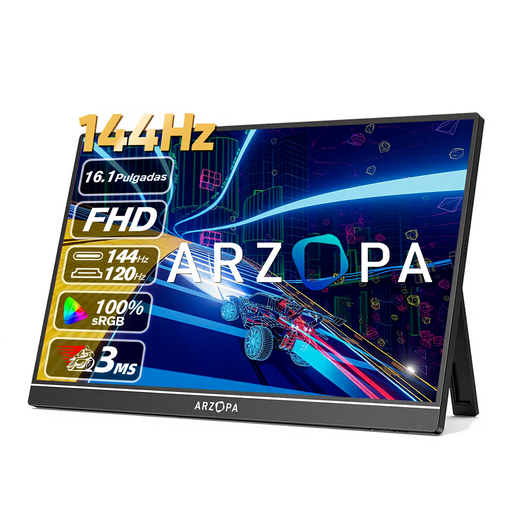
Why This Fits Their Persona: This model is aimed directly at gamers for whom a high refresh rate and colour accuracy are non-negotiable, even on the go. The Arzopa Z1FC is ideal for esports enthusiasts who need a fluid display for their gaming laptop or console.
The monitor avoids the pitfall of pale colours with a specified 106% sRGB colour gamut. Its integrated kickstand provides a stable setup without needing extra accessories.
The combination of a 144Hz refresh rate, a 16-inch portable monitor IPS panel, and high colour accuracy offers a complete package for demanding gaming.
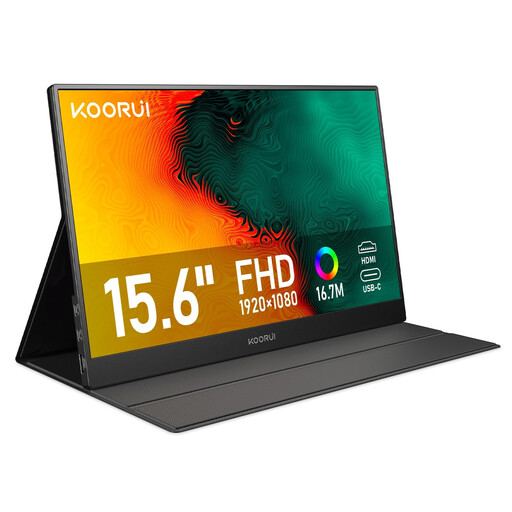
Why This Fits Their Persona: Ideal for professionals and students looking for a reliable second screen for their laptop to boost productivity, but who also occasionally watch movies or play casual games. The focus is on practicality and image quality for office applications.
This model features a stable, 3-stage tilting stand that enables ergonomic work and solves the problem of wobbly builds. The matte surface prevents distracting reflections.
Its plug-and-play functionality with comprehensive accessories (HDMI and USB-C cables) makes the monitor ready to use out of the box. The high 2,000:1 contrast ratio ensures crisp text and graphics.
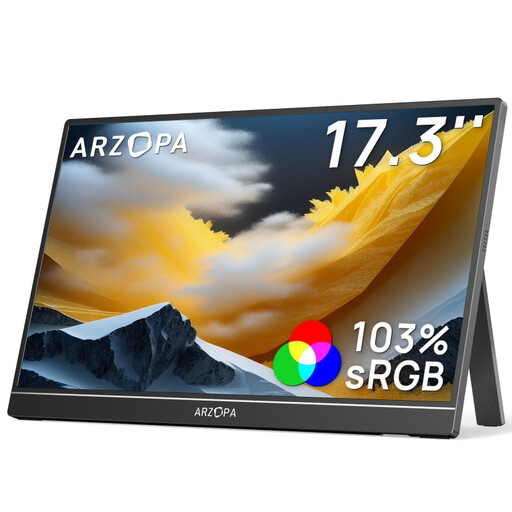
Why This Fits Their Persona: For gamers who want to use their PS5 or Xbox in different locations without sacrificing a large screen. The 17.3-inch screen size offers a more immersive experience than smaller models, yet it remains easy to transport.
The monitor offers both USB-C and HDMI ports, ensuring hassle-free connection with all major consoles. The integrated kickstand provides a solid base for the large screen.
The large 17.3-inch diagonal of the IPS panel with 1080p mobile monitor resolution is its main advantage. The 103% sRGB colour gamut coverage ensures a vibrant depiction of game worlds.
We have compiled a complete, real-time list of products that fully satisfy these strict selection criteria and UK safety regulations.
Yes, in most cases. While some laptops can supply enough power via a USB-C port to run a 60Hz monitor, the 144Hz mode typically requires an additional power source. Often, a second USB-C port on the monitor is used for this purpose, connected to a power adapter. This ensures the high refresh rate is achieved stably.
Not directly. Consoles like the PS5 and Xbox Series X/S primarily output their video signal via HDMI. Therefore, you need a portable monitor with an HDMI (or Mini-HDMI) input. A USB-C-only monitor without an HDMI port is not compatible. Make sure the monitor has the appropriate port and check how it is powered when using HDMI.