
Lieferung heute & morgen

Qualitätsgarantie

Willkommens-Angebote freischalten: KOSTENLOSE Lieferung | Bis zu 80 % RABATT | Kostenlose 30-Tage-JoyPlus-Testphase
App herunterladen
A 1TB M.2 NVMe SSD can help a desktop PC, laptop or mini PC access files, programmes and games much faster. However, a high MB/s rating doesn’t automatically mean a drive is right for your system. The key factors are the interface, form factor, cooling and how you plan to use it.
When buying an internal 1TB SSD, three common mistakes are worth avoiding:
The PCIe generation, together with the number of lanes, determines the theoretical bandwidth. A PCIe 4.0 SSD with an x4 connection is a well-balanced choice for many gaming PCs, work computers and recent laptops. Models such as the Lexar NM790 and KIOXIA EXCERIA PLUS G4 use PCIe 4.0 x4.
A PCIe 5.0 SSD can reach much higher transfer speeds, but requires a compatible M.2 slot and suitable heat dissipation. It will generally work at reduced speeds on a PCIe 4.0 motherboard. So, check your motherboard manual or laptop specifications before you buy.
The M.2 2280 designation refers to a width of 22 mm and a length of 80 mm. This form factor is common in desktop PCs and many laptops, but it still needs to match the M.2 slot in your device.
It’s also important to check whether the slot supports NVMe over PCIe. An M.2 slot for SATA SSDs isn’t automatically compatible with an NVMe SSD. For compact devices, check the maximum clearance too, particularly if the SSD has an integrated heatsink.
For gaming and everyday applications, solid read and write speeds are usually enough. Content creators, developers and professional users should also check TBW (the manufacturer’s stated write endurance) and temperature limits.
An SLC cache can provide high write speeds for short periods. However, speeds may drop once the cache is full, especially when writing very large amounts of data continuously. Figures such as 600 TBW or 750 TBW are manufacturer ratings and serve as a guide, but they’re no substitute for a backup. Always keep an additional copy of important files.
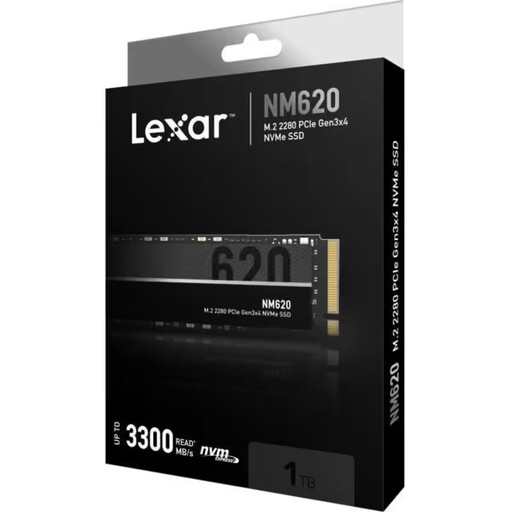
Why it suits this user: This PCIe 3.0 x4 SSD is a good fit for compatible PCs and laptops when you’re looking for a solid storage upgrade without a PCIe 5.0 platform.
Its clearly stated PCIe 3.0 interface means you won’t pay for PCIe 5.0 performance that your system can’t support.
M.2 2280, read speeds of up to 3,300 MB/s, write speeds of up to 3,000 MB/s and 500 TBW according to the product information.
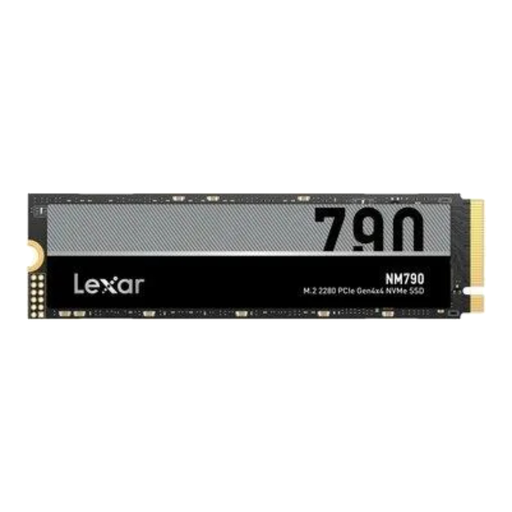
Why it suits this user: This PCIe 4.0 SSD is designed for users who need fast transfer speeds for games, large projects and demanding applications.
Its PCIe Gen4 x4 connection is suited to systems that support this platform. The integrated heatsink helps manage heat under heavy loads.
Read speeds of up to 7,400 MB/s, write speeds of up to 6,500 MB/s and random read performance of up to 1,000,000 IOPS according to the manufacturer.
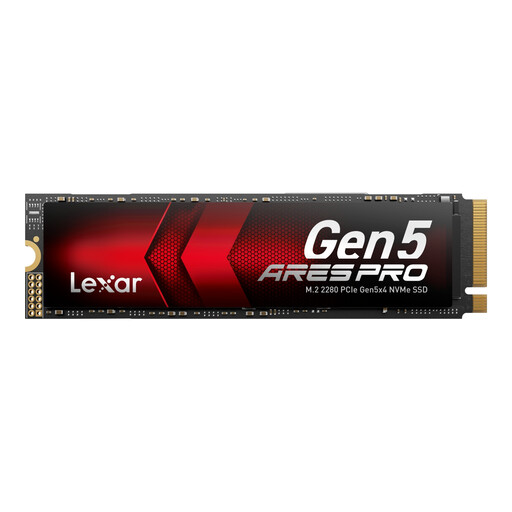
Why it suits this user: This model is suited to current desktop systems with PCIe 5.0, handling large file transfers, video editing and performance-intensive applications.
Maximum performance requires a PCIe 5.0 slot and suitable cooling. Check that your system meets these requirements before buying.
PCIe 5.0 x4, read speeds of up to 14,000 MB/s, write speeds of up to 7,500 MB/s and 750 TBW according to the product specifications.
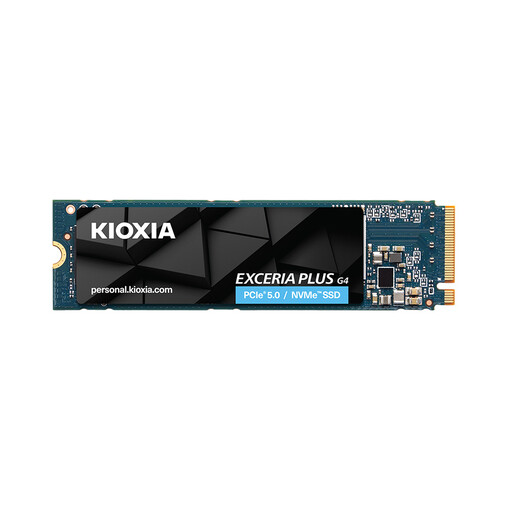
Why it suits this user: This M.2 2280 SSD is designed for compatible gaming PCs and systems that need fast PCIe 4.0 storage.
Its single-sided design may make it easier to fit in compatible devices. Before using it as an SSD for PS5, check the installation dimensions, firmware and whether a suitable heatsink is fitted.
PCIe 4.0 x4, read speeds of up to 7,300 MB/s and write speeds of up to 6,400 MB/s according to the product description.
We’ve put together a complete, regularly updated range of products that meet these strict selection criteria and the safety regulations in force across the EU.
When starting the operating system, copying large files and during certain loading processes, an NVMe SSD can offer shorter access times than older SATA drives. Actual gaming performance also depends on your processor, graphics card, memory and game software.
Lifespan depends on write volume, temperature, power supply and usage. Manufacturers provide ratings such as TBW or MTBF as a guide. These figures don’t give an exact lifespan, so regular backups are still essential.
An M.2 SSD doesn’t need a separate power supply. Power consumption depends on the model and workload. PCIe 5.0 models can produce more heat under heavy loads and may need better cooling. This can increase the cooling requirements for your case fans and motherboard heatsink.