
Lieferung heute & morgen

Qualitätsgarantie

Willkommens-Angebote freischalten: KOSTENLOSE Lieferung | Bis zu 80 % RABATT | Kostenlose 30-Tage-JoyPlus-Testphase
App herunterladen
A 1TB NVMe SSD can make a PC, laptop or PlayStation 5 feel noticeably more responsive. However, choosing the right drive is not simply about the stated MB/s. The interface, form factor, thermal management and actual system compatibility all determine whether it will be worthwhile in everyday use.
That is why the Joybuy Product Recommendation Officer selection focuses on clear, verifiable technical specifications and common purchasing pitfalls – rather than relying solely on marketing claims.
Manufacturers usually quote the sequential read speed. This describes large, contiguous data transfers, such as copying video files. Operating systems and games, however, often access many small files. In these situations, 4K IOPS, access times, the controller and cache management are also important.
An SSD rated at 7,000 MB/s can be significantly faster than an older 3,300 MB/s model when handling large files. During normal Windows start-up or when loading individual games, however, the difference is not always proportional.
A PCIe 4.0 SSD needs a compatible M.2 slot with PCIe 4.0 x4 to deliver its intended speed. In many systems, it will also work in a PCIe 3.0 slot, but its performance will be limited accordingly.
Conversely, a PCIe 5.0 SSD will not provide a speed advantage in an older device. Before buying, check the motherboard manual, laptop specifications or console requirements.
The widely used M.2 2280 SSD is 22 millimetres wide and 80 millimetres long. This size fits many desktop PCs and laptops, but it is not automatically compatible with every M.2 slot. Some notebooks only accept certain drive heights or do not have enough room for an additional heatsink.
A SSD for PlayStation 5 is subject to specific requirements. In addition to sufficient performance, a compatible heatsink is generally needed. High-performance PCIe 5.0 models also require good airflow inside the PC.
NVMe is a protocol for fast flash storage over PCI Express. For a modern internal SSD for a PC or laptop, PCIe 4.0 x4 and NVMe are a common combination. PCIe 3.0 remains an appealing option for budget-conscious upgrades when the existing device does not support a newer generation.
Sequential figures should always be considered together. A model offering 7,000 MB/s read speeds may be considerably slower when writing. Write speed is particularly important for video editing, large project files and frequent installations.
Random IOPS describe the processing of many small data accesses. They are also important for operating systems, applications and games. Manufacturer figures usually apply under specific test conditions and do not guarantee sustained performance in every application.
The NAND type, such as TLC or QLC, affects write behaviour and endurance, among other things. TBW stands for “Terabytes Written” and describes the write volume specified by the manufacturer within the technical specifications. It is not a promise of a particular service life.
An SLC cache can enable higher write speeds for short periods. During very long write operations, performance may drop once this cache has been used. If you regularly work with large video files, do not focus solely on the peak speed.
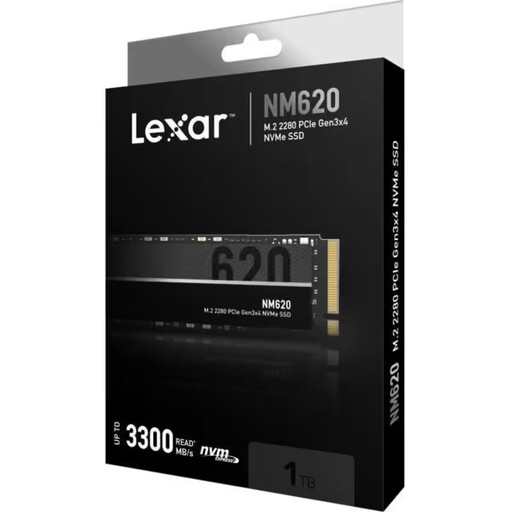
Why this product suits this profile: This PCIe 3.0 x4 SSD is suitable for older or budget-focused PCs and laptops with a compatible M.2 slot.
The stated speeds of up to 3,300 MB/s read and 3,000 MB/s write clearly place this drive in the PCIe 3.0 class, so they should not be confused with Gen4 figures.
M.2 2280, 3D NAND, NVMe 1.4 and a stated TBW of 500 TB.
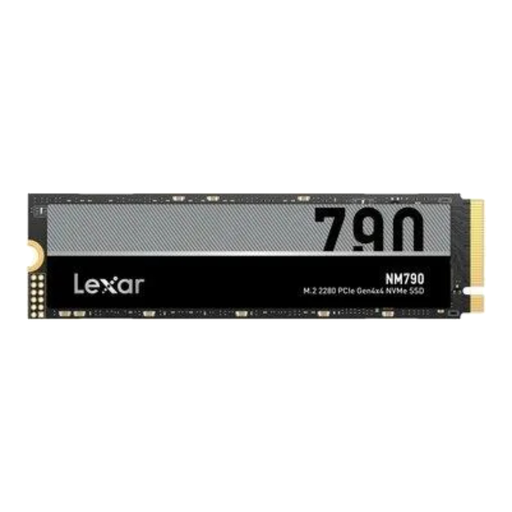
Why this product suits this profile: For modern gaming PCs and workstations with a PCIe 4.0 slot, this model delivers high sequential data rates.
The combination of PCIe Gen4x4, NVMe 2.0 and an integrated heatsink addresses interface and temperature concerns. The cooling solution must still fit the specific device.
Up to 7,400 MB/s read, 6,500 MB/s write and up to 1,000,000 IOPS for random reads, according to the product specifications.
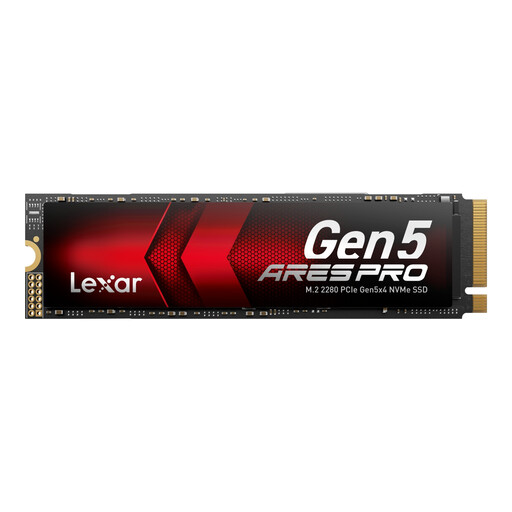
Why this product suits this profile: Suitable for users with a compatible PCIe 5.0 system who work with large files, AI applications or demanding projects.
The Gen5 specification can only be used with a suitable PCIe 5.0 x4 slot. For older systems, a PCIe 4.0 SSD is often the more suitable choice.
Up to 14,000 MB/s read, 7,500 MB/s write, 750 TBW and a graphite heat spreader, according to the product data.
We have put together a complete, regularly updated list of products that fully meet these strict selection criteria and the safety regulations applicable in the EU.
Before installation, the PC should be completely switched off and disconnected from the mains. With a laptop, the battery should also be disconnected in accordance with the manufacturer’s instructions. Do not touch the contacts, and protect the components from electrostatic discharge.
Once inserted at a 30-degree angle, secure the SSD with the designated screw. It must then be initialised and formatted in Windows, macOS or Linux. For a system drive, an up-to-date UEFI configuration is advisable. Even with a new SSD, it is still essential to back up important data.
For the PlayStation 5, check the official requirements for capacity, form factor and heatsink. An M.2 SSD advertised as an SSD for PlayStation 5 is not automatically ready to use without an additional heatsink.
Service life depends on the amount of data written, temperature, power supply and usage. The TBW figure serves as the manufacturer’s technical guideline. Important data should be backed up regularly to a separate storage medium.
For current gaming PCs with PCIe 4.0, this speed can be useful, particularly for large installations and files. However, actual loading times also depend on the game, processor, memory and operating system. In a PCIe 3.0 system, performance will be limited.
Power consumption varies depending on the controller, NAND, temperature and workload. A fast SSD can generate more heat during longer transfers. In laptops, power requirements, drive height and cooling are therefore just as important as the maximum transfer rate.