
Lieferung heute & morgen

Qualitätsgarantie

Willkommens-Angebote freischalten: KOSTENLOSE Lieferung | Bis zu 80 % RABATT | Kostenlose 30-Tage-JoyPlus-Testphase
App herunterladen
A 1TB SSD provides enough space for your operating system, programmes, games, photos and large video files. However, choosing the right one is not simply a matter of storage capacity. The connection, form factor, speed, heat generation and compatibility with your device are all crucial.
As a Joybuy Product Recommendation Officer, I’ll explain the most important features objectively and show you which models suit different usage profiles. This helps you avoid common buying mistakes, such as choosing an SSD that is too fast for an unsuitable connection or an external SSD whose advertised performance cannot be reached by your own device.
Figures such as 7,400 MB/s or 14,000 MB/s generally refer to sequential maximum speeds under suitable conditions. An older motherboard with PCIe 3.0, a laptop with a limited M.2 connection or a USB port with a lower transfer rate will reduce the actual speed.
Even with an external USB-C SSD, the plug alone is not the deciding factor. USB-C initially describes the shape of the connection. To achieve high data rates, the port, cable and device must support the appropriate USB standard.
An M.2 SSD 1TB is a form factor. It can use different interfaces. For modern systems, a NVMe SSD 1TB with PCIe connectivity is standard. Before buying, check your laptop or motherboard manual:
For short file transfers, maximum speed is often less important than it is during lengthy write operations. An internal PCIe 4.0 or PCIe 5.0 SSD can become considerably warm during these tasks. Without sufficient airflow or a heatsink, the electronics may automatically reduce the speed.
A PS5 SSD has additional requirements. The drive must fit into the expansion slot and should be used with a suitable M.2 heatsink, unless one is already integrated. Check the manufacturer’s compatibility information before installation.
A PCIe 4.0 SSD is a well-balanced choice for many current PCs, laptops and gaming systems. Models such as the Lexar NM790 or Samsung 990 PRO use four PCIe 4.0 lanes and, according to the product specifications, achieve sequential read speeds of more than 7,000 MB/s.
A PCIe 5.0 SSD can offer significantly higher peak speeds. However, the system needs a compatible PCIe 5.0 M.2 slot. In a PCIe 4.0 system, it will generally operate at a reduced interface speed. For typical office programmes or occasional gaming, the added benefit therefore depends on your individual workflow.
An external SSD 1TB connects via USB. USB 3.2 Gen 2 can reach around 1,000 MB/s with suitable hardware, for example, while USB 3.2 Gen 2×2 can enable speeds of around 2,000 MB/s. If your computer only supports USB 3.2 Gen 2, a Gen 2×2 SSD will not reach its maximum manufacturer rating.
A nominal capacity of 1 TB does not correspond entirely to the free storage shown by the operating system, as some space is used for formatting and system reserves. You should also allow spare capacity for games, media projects and backups.
For frequent write operations, the TBW rating is relevant. It describes a write volume specified by the manufacturer, not a guaranteed service life for every use case. Important data should always be backed up to a second storage medium.
Internal drives in the M.2 2280 format require a suitable slot and secure mounting. An integrated heatsink can be helpful during lengthy transfers, but it will not fit in every notebook.
A portable SSD 1TB, on the other hand, can be used immediately via a cable and is suitable for switching between devices, backups or large project files. Protection ratings such as IP65 or a specified drop height should be interpreted realistically: they do not replace data backups or careful handling of the connection.
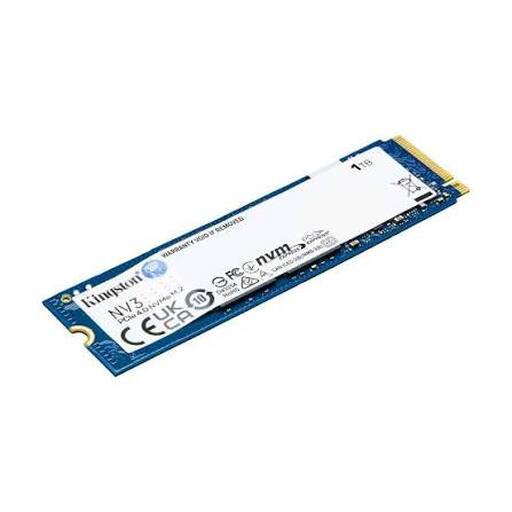
Why this product suits the profile: This internal PCIe 4.0 NVMe SSD is designed for compatible PCs, laptops and compact systems and offers read speeds of up to 6,000 MB/s according to the product data.
The clear M.2 2280 form factor makes it easier to check compatibility. Nevertheless, you should check your device’s specific M.2 slot before buying.
PCIe 4.0 x4, NVMe support and compact dimensions of 22 × 80 mm.
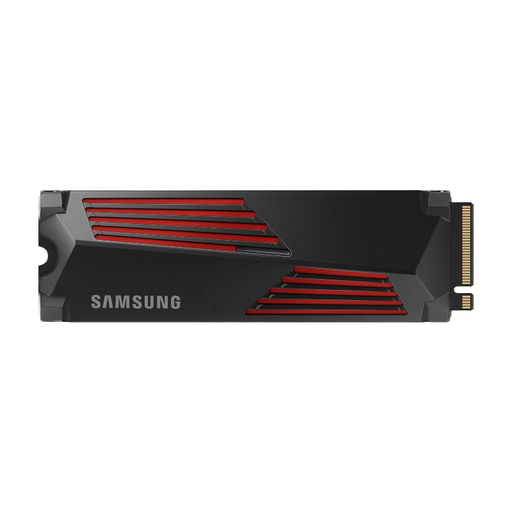
Why this product suits the profile: This PCIe 4.0 SSD is aimed at users who work with games, large project files or applications with high storage requirements.
The integrated heatsink helps manage heat during longer workloads. However, the drive’s height must still be compatible with your PC or console.
Up to 7,450 MB/s read speed, up to 6,900 MB/s write speed and PlayStation 5 support according to the product specifications.
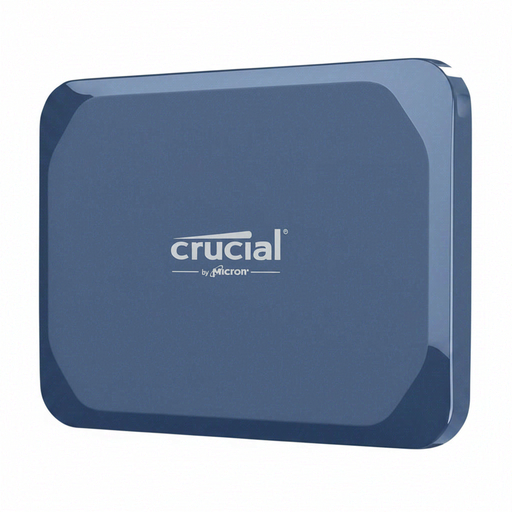
Why this product suits the profile: As an external SSD, it is suitable for video editing, backups and transporting large files between Windows, Mac, Android, iPad or Linux devices.
The IP65 rating and specified drop resistance provide concrete protection data. To achieve full performance, USB 3.2 Gen 2×2 and a suitable cable are required.
Up to 2,100 MB/s read speed, up to 2,000 MB/s write speed, AES hardware encryption and a weight of 32 g.
We have put together a complete, regularly updated list of products that fully meet these strict selection criteria and the safety regulations applicable in the EU.
For gaming, an internal NVMe SSD with PCIe 4.0 and a suitable M.2 slot is often sufficient. Models with a heatsink can help dissipate heat during longer loading sessions and installations. For a PS5, you need to check the dimensions, Sony compatibility and cooling.
Service life depends on write volume, temperature, power supply and usage. Manufacturers often specify figures such as TBW or MTTF. These figures are technical guidelines rather than an individual guarantee of durability. Firmware updates, sufficient free storage space and regular backups are recommended.
An external SSD is normally powered via USB and does not require a separate power supply. Consumption depends on the interface and workload. With a laptop, a fast transfer may put more strain on the battery than a brief access. For correct operation, use certified cables and a compatible USB port.