
Lieferung heute & morgen

Qualitätsgarantie

Willkommens-Angebote freischalten: KOSTENLOSE Lieferung | Bis zu 80 % RABATT | Kostenlose 30-Tage-JoyPlus-Testphase
App herunterladen
A 1TB SSD is a popular storage choice for games, software, videos and backups. But capacity alone tells you little about whether a drive will work with your PC, laptop, smartphone or console. The key factors are the connection, form factor, cooling and how you plan to use it.
If you focus only on a high MB/s figure, you could end up buying a drive whose performance your system can’t make use of. And an M.2 SSD 1TB that looks like the right fit won’t necessarily be compatible with every laptop. The following points can help you avoid common buying mistakes.
Manufacturers usually quote maximum sequential read and write speeds. These figures are achieved under ideal conditions and often relate to large, continuous files. When starting software or loading lots of small files, random access, the controller, operating system and processor also play a part.
A PCIe 5.0 SSD can show much higher figures on its spec sheet than a PCIe 4.0 SSD. But if your motherboard only has a PCIe 4.0 slot, the SSD will generally be limited to the speed your system supports.
“M.2” describes the form factor and slot. Depending on the model, an M.2 SSD 1TB may use SATA or PCIe/NVMe. Before buying, check your motherboard or laptop manual to find out:
Fast internal SSDs can get hot during longer write operations. A motherboard heatsink or compatible SSD heatsink may be useful for performance-focused models. For a PS5, the M.2 storage drive must meet the console’s size and cooling requirements.
With an external SSD 1TB, the drive itself isn’t the only thing that affects speed. The USB port, cable and host device also matter. A USB 3.2 Gen 2x2 SSD may perform much more slowly when connected to a slower USB port.
An internal SSD 1TB in M.2 format is installed directly in your PC or laptop. It’s suitable for your operating system, software, games and large work files. However, installation requires a compatible slot and some basic hardware knowledge.
A portable SSD 1TB connects via USB and can be used with several devices. It’s handy for backups, video files or transferring data between a PC, Mac, smartphone and console. Look for a suitable USB-C port, and check whether your device supports USB-C natively or only via an adapter.
For a gaming SSD, fast loading times and a compatible system platform matter more than the highest possible peak speed. For an SSD for PS5, you should also check the official requirements for form factor and heat dissipation.
TBW stands for “Terabytes Written” and describes the write endurance specified by the manufacturer. It’s a point of comparison, not a guarantee of a particular lifespan. Regular backups are still essential, as even an SSD can fail unexpectedly.
Also check the statutory consumer rights that apply in Germany and any manufacturer’s warranty offered. Software for monitoring drive health and managing firmware can make maintenance easier, but it’s no substitute for a backup.
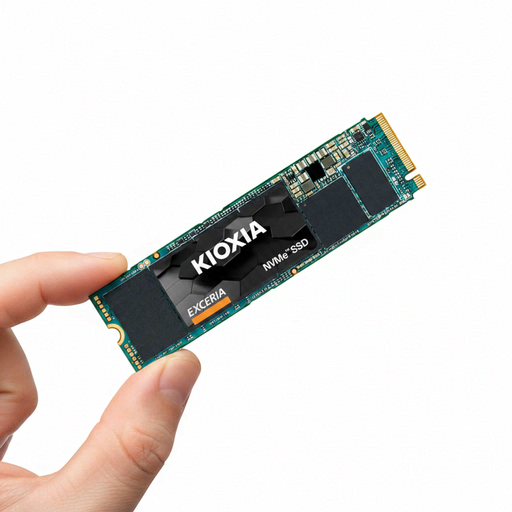
Why this product suits this user: This PCIe 3.0 NVMe SSD in M.2 2280 format is designed for compatible desktop PCs and laptops, with 1TB of storage for everyday use.
Its interface is clearly specified as PCIe Gen3 x4 and NVMe 1.3c. This makes it easier to check compatibility, rather than buying based on the M.2 label alone.
Read speeds of up to 1.700 MB/s, 400 TBW for the 1TB version and a slim M.2 2280 design.
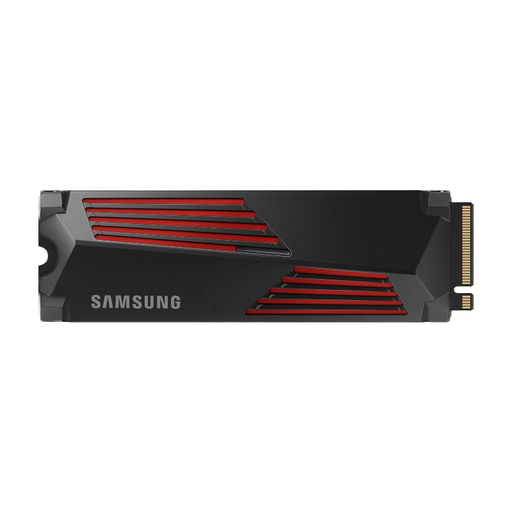
Why this product suits this user: This PCIe 4.0 SSD is designed for users with a compatible PC, or anyone looking for an M.2 solution with an integrated heatsink for gaming and video editing.
The integrated heatsink helps manage heat during longer transfers. Before installation, however, check that there’s enough room in your M.2 slot.
Read speeds of up to 7.450 MB/s, write speeds of up to 6.900 MB/s and, according to the product details, compatibility with PC and PlayStation 5.
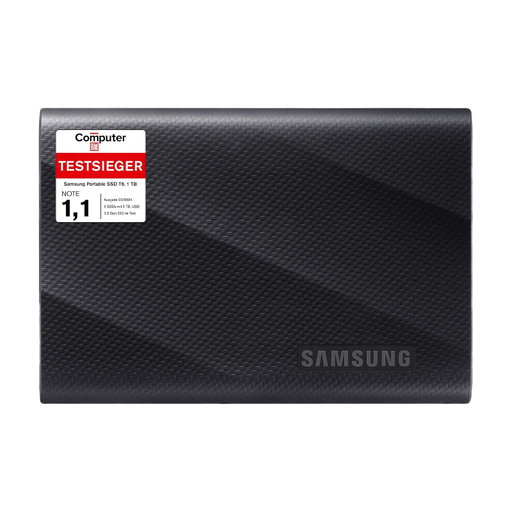
Why this product suits this user: For mobile workstations, camera files, backups and switching between devices, this external USB-C SSD offers a flexible solution with no installation required.
The maximum speed of 2.000 MB/s requires USB 3.2 Gen 2x2. A clearly specified interface makes it easier to understand that a slower port, rather than an SSD fault, may be limiting performance.
Read and write speeds of up to 2.000 MB/s, two USB cables and a casing rated to withstand drops of up to 3 metres.
We’ve put together a comprehensive, regularly updated list of products that meet these strict selection criteria and the safety requirements in force in the EU.
A 1TB SSD may be enough for an operating system, several applications and a few games. However, modern games can take up a lot of storage space. Check the size of your games library and leave some free space for updates and system functions.
An internal NVMe SSD must meet Sony’s requirements for PCIe interface, form factor, capacity and cooling. Many models need a compatible heatsink. External SSDs are mainly suitable for storing and transferring games; what you can do with them depends on the console’s features.
There’s no single answer. The TBW rating, write workload, temperature, power supply and usage all affect how long an SSD lasts. Whatever type of SSD you use, plan to keep an additional copy of important data on another storage device.