
Lieferung heute & morgen

Qualitätsgarantie

Willkommens-Angebote freischalten: KOSTENLOSE Lieferung | Bis zu 80 % RABATT | Kostenlose 30-Tage-JoyPlus-Testphase
App herunterladen
A 1 TB SSD provides ample storage for your operating system, applications, games and larger media libraries. However, choosing a drive does not automatically mean choosing the right one. High speed figures are often assumed to apply to every everyday situation, while interfaces may be overlooked. If you do not check the form factor, connection and cooling requirements, you could end up with a drive that does not fit your laptop, cannot be used optimally in a PlayStation 5 or performs considerably more slowly than expected.
A figure such as 7,000 MB/s or more usually describes the maximum sequential read speed under specific conditions. Actual performance may be lower when starting applications, working with small files or using a drive that is almost full. The computer’s connection also limits data transfer speeds.
A PCIe 4.0 SSD requires a compatible PCIe 4.0 connection to achieve its intended performance. A PCIe 5.0 SSD is designed for suitable PCIe 5.0 slots and often requires better heat dissipation.
“M.2” primarily refers to the form factor. NVMe protocol and PCIe interface are also crucial for performance. Before buying, you should check:
An internal SSD may fit mechanically, but still be unusable because of an incompatible protocol or a different height.
During long write operations, video editing or large game installations, temperature can affect performance. An SSD with a heatsink is worth considering for compatible desktop PCs and certain consoles. With laptops, however, you need to check the drive’s height particularly carefully.
You should also plan to keep some storage free. A drive should not remain permanently filled to its capacity limit, as this can make it harder to manage free storage blocks. Important files should also be copied to a separate backup medium.
For many current PCs, notebooks and mini PCs, an M.2 SSD in the 2280 format is suitable. A 2.5-inch SATA SSD, on the other hand, requires cables and a suitable installation bay. For the PlayStation 5, you need to consider the requirements for M.2 NVMe drives, dimensions and cooling. A model without suitable heat dissipation is not automatically compatible.
Theoretical performance can be broadly categorised as follows:
A USB-C SSD can work with a range of devices, but USB-C only describes the connector type. Actual speed depends on the USB standard supported by the device, cable and drive.
The TBW (Terabytes Written) figure indicates the nominal amount of data that the manufacturer rates the drive to write. It is not an exact expiry date. With a 1 TB SSD, you should also check the warranty terms, the manufacturer’s software for firmware updates and the available diagnostic functions. No SSD replaces regular backups.
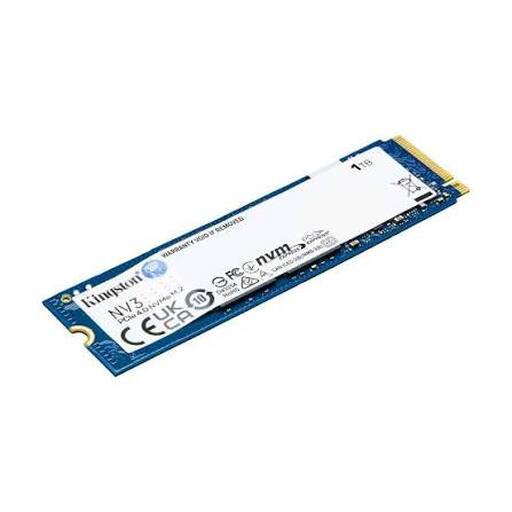
Why this product suits this profile: This internal 1 TB NVMe SSD in the M.2 2280 format is designed for compatible PCs, laptops and compact systems, and supports PCIe 4.0.
The quoted read speed of up to 6,000 MB/s and write speed of 4,000 MB/s are clearly linked to PCIe 4.0 compatibility, rather than being advertised independently of the system.
M.2 2280, 3D NAND, NVMe and compact dimensions of 22 × 80 mm.
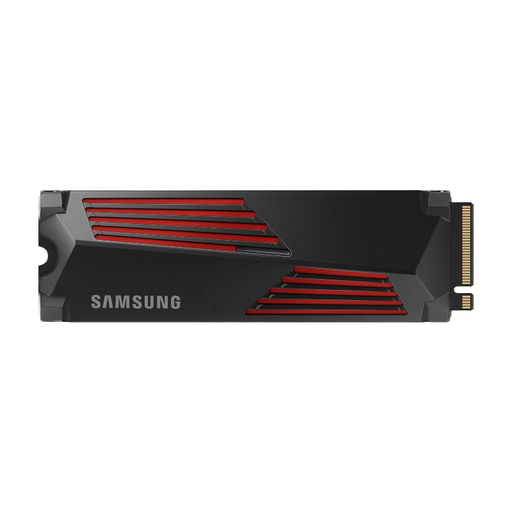
Why this product suits this profile: Designed for gaming PCs, video editing and compatible PlayStation 5 systems, this model combines PCIe 4.0 with an integrated heatsink.
The heatsink is already integrated. Even so, you should check the installation height, slot and available clearance of your particular device before buying.
Read speeds of up to 7,450 MB/s and write speeds of up to 6,900 MB/s; compatible with PC and PlayStation 5 according to the product details.
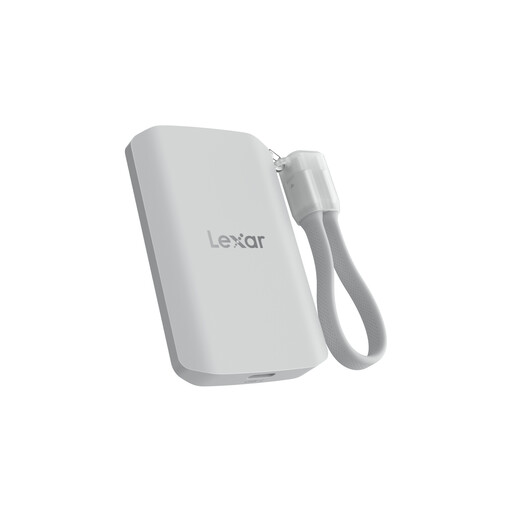
Why this product suits this profile: This portable SSD is aimed at content creators and mobile users with USB-C devices, MagSafe-compatible smartphones and demanding transport requirements.
The product details specify USB 3.2 Gen 2x2, IP65 and a drop height of up to 3 metres. Speeds may be lower on devices without Gen 2x2.
Read and write speeds of up to 2,000 MB/s, IP65-rated dust and water protection, plus MagSafe support.
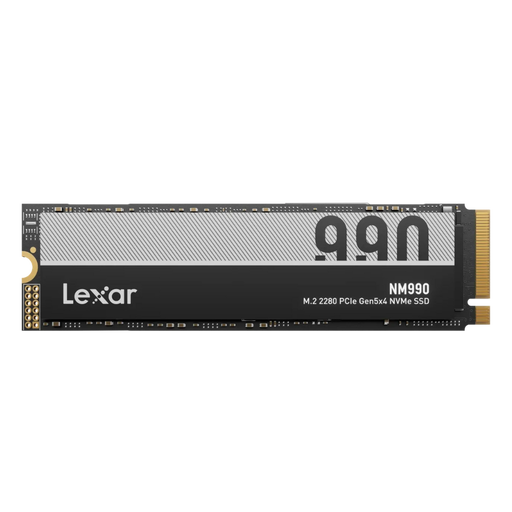
Why this product suits this profile: Designed for data-intensive PC workstations, large project files and compatible PCIe 5.0 systems, this internal drive offers high sequential transfer rates.
Use with PCIe 5.0 is expressly required. For extended periods of heavy use, a motherboard heatsink or comparable cooling solution is recommended.
Quoted internal data transfer speeds of up to 14,000 MB/s, M.2 2280 and backwards compatibility with PCIe 4.0 at reduced performance.
We have put together a complete, regularly updated list of products that fully meet these strict selection criteria and the safety regulations applicable in the EU.
For many users, 1 TB is enough for a system and games drive. However, several large games can quickly use up the available storage. You should therefore check installation sizes and leave enough free space for updates and additional applications.
Compatible internal M.2 NVMe SSDs can be used with the PS5. PCIe support, height, dimensions and a suitable cooling solution are crucial. An external 1TB SSD, on the other hand, is primarily suitable for moving or archiving games, rather than as an equivalent replacement for the internal expansion storage.
A portable SSD is normally powered via USB. Power consumption depends on the interface, write workload and connected device. A model with USB 3.2 Gen 2x2 may have higher power requirements than a slower USB SSD. With mobile devices, you should also consider battery life and the cable being used.