
Lieferung heute & morgen

Qualitätsgarantie

Willkommens-Angebote freischalten: KOSTENLOSE Lieferung | Bis zu 80 % RABATT | Kostenlose 30-Tage-JoyPlus-Testphase
App herunterladen
A 1TB SSD provides enough space for your operating system, applications, games, photos and video projects. However, capacity alone is not a reliable selection criterion. If you focus only on high MB/s figures or a low price, you could end up buying a drive that is not compatible with your connection, device or intended use.
Three common pitfalls occur particularly often:
Before buying, you need to establish whether you require an internal or external drive. An internal M.2 SSD in the 2280 format is installed directly on the motherboard. Your PC or laptop must therefore have a suitable M.2 slot with an M-key and NVMe support.
A 2.5-inch SATA SSD, on the other hand, uses a SATA data cable and a power connection. It typically delivers lower transfer rates, but can be a suitable upgrade option for older PCs.
A portable SSD connects via USB. With a USB-C SSD, the connector itself is not the only important factor: the host device’s USB standard and the cable being used also matter. A USB 3.2 Gen 2x2 SSD can only reach its maximum speed when connected to a compatible port.
The quoted sequential read speed mainly describes performance with large, contiguous files. This is relevant for an SSD for video editing, large backups or media archives. When launching programmes and games, access times and random read operations also play a role.
Some examples from the selection:
For an SSD for gaming, fast loading times and compatibility with your PC or console are more important than the highest possible peak figure. With a games console, you should also check whether the SSD can be used as internal expansion storage or only as external storage for certain games.
An external 1TB hard drive with HDD technology contains moving parts and should be transported with greater care. The Western Digital My Passport 1TB Black, for example, is a portable mechanical hard drive with USB 3.0 and weighs 122 grams. It may be suitable for occasional backups, while an SSD is less susceptible to knocks and vibrations when carried around frequently.
Protection ratings and the casing are also important for mobile workstations. The Crucial X10 and the Lexar ES5 1TB Portable SSD are advertised with IP65 protection against dust and water jets, as well as drop protection. IP65 does not, however, mean that the drive is suitable for submersion.
For confidential documents, check whether the drive has a built-in encryption function. The Samsung T7 features optional 256-bit AES hardware encryption. However, a password is no substitute for a separate backup. Important files should be stored on at least two separate storage media.
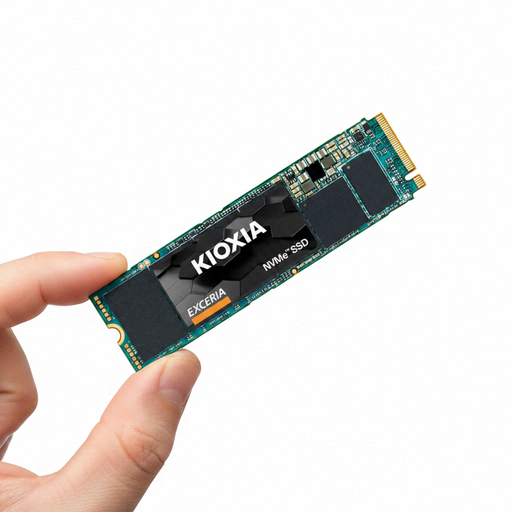
Why this product suits this profile: This M.2 NVMe SSD is designed for compatible desktop PCs and laptops, providing a compact upgrade solution without the need for an additional external enclosure.
The product details explicitly specify M.2 2280, PCIe Gen3 x4 and NVMe 1.3c. This makes it easier to check compatibility before buying.
Up to 1.700 MB/s read speed, 400 TBW for the 1TB version and a five-year manufacturer’s warranty according to the product details.
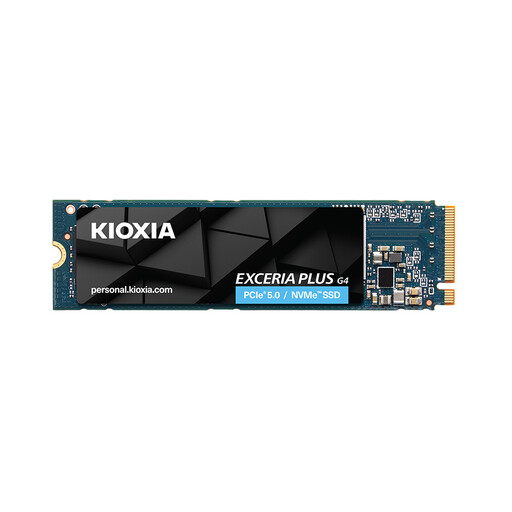
Why this product suits this profile: For high-performance PCs and compatible laptops, this 1TB NVMe SSD offers high quoted sequential transfer rates for large files and demanding applications.
The quoted figures should not be considered in isolation: the motherboard, PCIe generation and cooling system must be able to support this performance.
Up to 7.300 MB/s read and 6.400 MB/s write speeds according to the product description; M.2 2280 form factor for compatible systems.
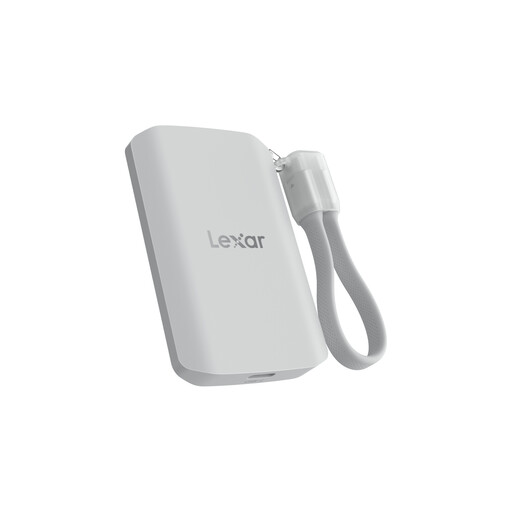
Why this product suits this profile: This USB-C SSD is aimed at mobile video creators and users who want to use storage with a laptop, smartphone or compatible device.
The product description points out that systems without USB 3.2 Gen 2x2 may achieve lower speeds. Checking the connection helps prevent unrealistic expectations.
Up to 2.000 MB/s read and write speeds, IP65 protection and drop protection from heights of up to three metres according to the manufacturer’s specifications.
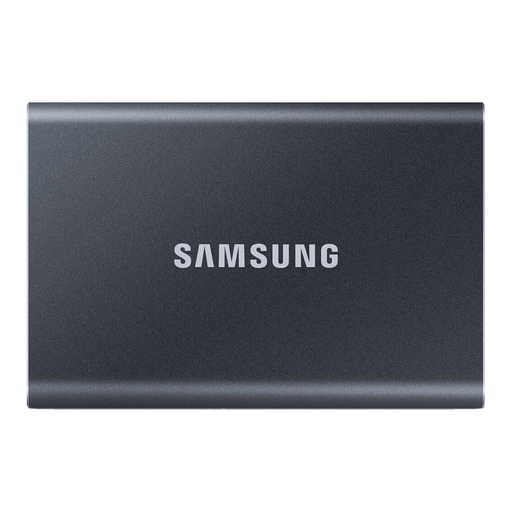
Why this product suits this profile: This compact external SSD is ideal for users who want to move files between a PC, Mac, Android device or compatible games console.
USB-C-to-C and USB-C-to-A cables are included. Nevertheless, you should check before buying which speed the target device actually supports.
Weight of 58 grams, aluminium casing, quoted drop protection from up to two metres and optional 256-bit AES hardware encryption.
We have put together a complete, regularly updated list of products that fully meet these strict selection criteria and the safety regulations applicable in the EU.
For many users, 1TB of storage is enough for the operating system, applications and several games. However, modern games can take up considerable amounts of data. If you install many titles at the same time or also store video files, you should check the available storage regularly or plan for a larger drive.
Service life depends on the flash memory, write volume, temperature and usage. Manufacturers quote TBW figures for this, among other things, meaning the total guaranteed amount of data that can be written. A model rated at 400 TBW does not automatically become unusable once it reaches this figure, but the rating provides an objective point of comparison. Regular backups remain essential, regardless of the type of drive.
This depends on the iPhone model, connection, cable and app being used. For USB-C-compatible devices, specialist solutions such as the Lexar ES5 or the DigiEra Magnetic Portable SSD may be suitable. When recording video, you must also check the file format, power supply and the functions supported by the smartphone. Magnetic attachment does not automatically mean that every iPhone is compatible.