
Lieferung heute & morgen

Qualitätsgarantie

Willkommens-Angebote freischalten: KOSTENLOSE Lieferung | Bis zu 80 % RABATT | Kostenlose 30-Tage-JoyPlus-Testphase
App herunterladen
Large photo libraries, 4K videos and local backups need more space than many internal drives can provide over the long term. A 2 TB external SSD can be a compact, fast solution. However, not every product with SSD in its name uses SSD technology: a 2 TB external hard drive with magnetic platters usually offers more storage for less money, but is inherently slower and more vulnerable to knocks.
Three common mistakes can often lead to extra costs when buying:
That’s why the models below are grouped by specific use cases, rather than being compared on headline maximum speeds alone.
For many users, a USB-C SSD is a practical choice. But the connector alone tells you little about speed. What matters is the USB standard supported by the drive, the port on your computer and the cable you use.
According to product specifications, selected USB 3.2 Gen 2 SSDs can reach sequential speeds of up to around 1,000 MB/s. USB 3.2 Gen 2x2 can deliver up to around 2,000 MB/s on compatible devices. If your computer only supports a slower standard, however, actual transfer speeds will be lower.
Before buying, check:
A model supplied with both USB-C to USB-C and USB-C to USB-A cables gives you more connection options day to day.
An SSD has no moving magnetic platters. This allows for a compact design and makes it less susceptible to everyday knocks and vibrations. A portable SSD is therefore a good fit for working on the go, photography assignments and frequent file transfers.
A traditional HDD such as the WD Elements runs at 5,400 U/min and uses USB 3.0. It can be a good option for large backups, documents and extensive media libraries, but it’s slower when accessing data at random and handling lots of small files. If you regularly edit videos or move large project files, a fast external SSD is likely to suit you better.
For an SSD for PC and Mac, the file system should suit how you plan to use it. NTFS works natively with Windows, while macOS may need an adjustment if you want to write to the drive. exFAT is often chosen when you want to use a drive with both Windows and macOS without reformatting it.
For an external SSD for iPhone, there are a few other things to consider:
If you’re choosing an SSD for PS5, check that the specific model is compatible with your console. Depending on the system, external drives may mainly be used to store games; not every setup lets you launch all titles directly from external storage.
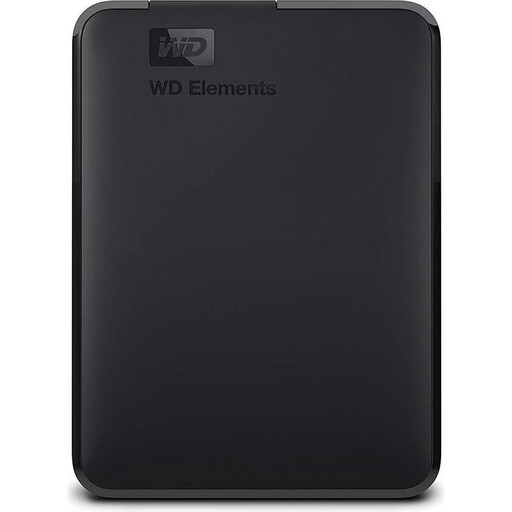
Why this product suits this profile: This USB 3.0 hard drive offers 2 TB of storage for documents, photos and backups, and is powered directly via USB.
The product specifications clearly state USB 3.0, 5,400 U/min and a weight of 230 g. That means it won’t be mistaken for an SSD with NVMe speeds.
2 TB capacity, USB-powered and backwards compatible with USB 2.0.
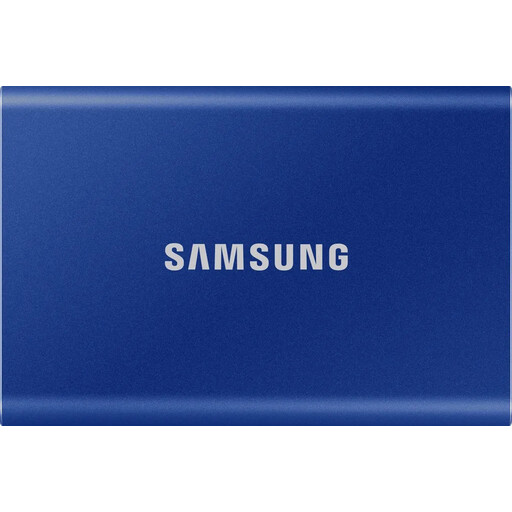
Why this product suits this profile: This 2 TB SSD combines USB 3.2 Gen 2, an aluminium casing and optional password protection for regular work and backup tasks.
The advertised speed is listed as ‘up to’ 1,050 MB/s read and 1,000 MB/s write. Actual performance depends on the host device and cable.
256-bit AES hardware encryption with password protection, plus USB-C to USB-C and USB-C to USB-A cables.
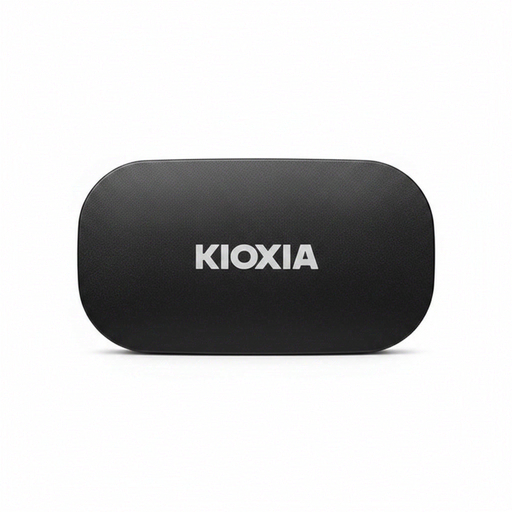
Why this product suits this profile: According to the product specifications, this portable SSD is compatible with Windows, macOS, iOS, iPadOS, Android, PS4, PS5 and Xbox Series X/S.
The compatibility information specifies supported systems and firmware versions. Both cable types are included, making it easier to connect older USB-A devices too.
Up to 1,050 MB/s read and 1,000 MB/s write, weighs 42 g and offers optional 256-bit AES hardware encryption.
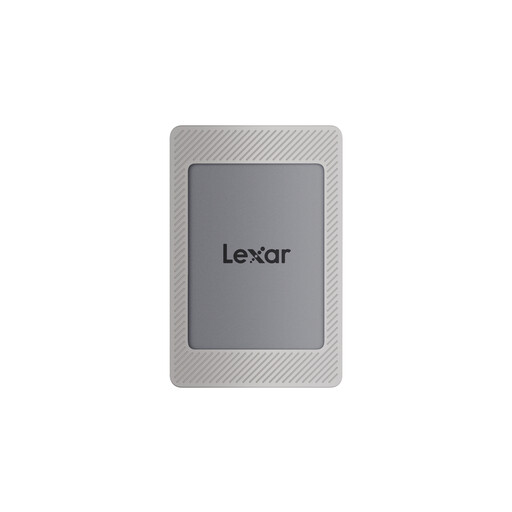
Why this product suits this profile: The magnetic set is designed for compatible iPhone 15/16 models and can support mobile photography and video workflows.
The specifications clearly state that iPhone 14 and older models aren’t supported, and that the magnetic set doesn’t enable wireless MagSafe charging.
Up to 1,050 MB/s read and 1,000 MB/s write, 2 TB of storage and Lexar DataShield with 256-bit AES software encryption.
An external SSD isn’t a substitute for a backup plan. For important photos, work files and tax documents, the 3-2-1 rule is recommended: keep three copies on at least two different storage media, with one copy stored elsewhere.
You should also:
We’ve put together a complete, regularly updated list of products that meet these strict selection criteria and fully comply with the safety regulations in force in the EU.
2 TB is often enough for documents, photos and several smaller projects. But large collections of 4K or 8K video files can quickly use up the available space. Remember to leave room for file versions and future projects too.
There’s no single answer. Lifespan depends on factors such as how much data you write, temperature, usage and storage conditions. Regular backups are still essential, even with an SSD.
Most portable models are powered via USB and don’t need a separate power supply. Power consumption depends on the drive and host device. When connected to a smartphone, an SSD can drain the battery faster, particularly during long video recordings or large file transfers.