
Lieferung heute & morgen

Qualitätsgarantie

Willkommens-Angebote freischalten: KOSTENLOSE Lieferung | Bis zu 80 % RABATT | Kostenlose 30-Tage-JoyPlus-Testphase
App herunterladen
The search for a monitor that is equally suited for smooth gaming and productive work in a home office can quickly become overwhelming. Especially in the 24-inch, 120Hz curved monitor segment, manufacturers advertise a host of technical specs. However, not all specifications live up to their promises. This guide will help you identify the key features and avoid common purchasing pitfalls.
Before you make a decision, it's important to understand common marketing terms that often lead to bad purchases.
To find the right monitor, focus on these three core aspects that are crucial for a balanced experience.
A refresh rate of 120Hz represents an ideal compromise. It offers a visibly smoother display than the 60Hz standard, which is more pleasant not only for gaming but also for scrolling on websites or in documents. In combination with a low 1ms monitor response time (MPRT), motion blur and ghosting are minimised, which is crucial for fast-paced games.
For a screen size of around 24 inches, an FHD 1080p Monitor (1920x1080 pixels) is the optimal resolution. It ensures a sharp image without overly taxing the graphics card. A Curved Home Office Monitor with a gentle curve (e.g., 3000R) can better fill your field of view and reduce eye strain, as the distance from your eyes to all points on the screen remains more consistent. VA panels, commonly used in curved monitors, also offer high contrast ratios for deeper blacks.
An AMD FreeSync Monitor synchronises the display's refresh rate with the graphics card's frame output. This process effectively prevents "screen tearing," where multiple frames are displayed simultaneously. This ensures a clean and stutter-free image, which is particularly important during fast camera pans in games. Many of these monitors are also compatible with NVIDIA G-Sync and consoles like the PlayStation 5, making them a great choice for a PS5 120Hz Monitor.
Here are some recommendations tailored to specific use cases.
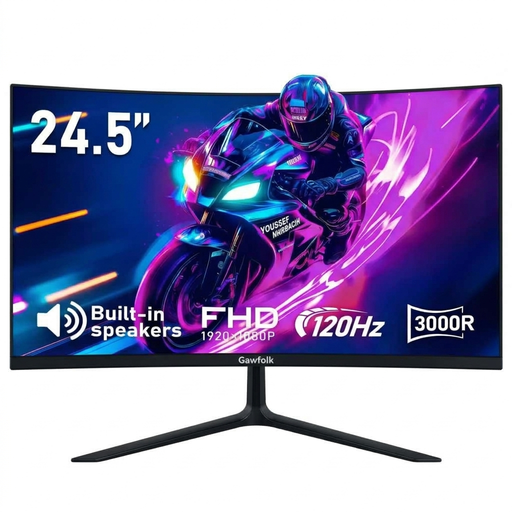
Why This Fits Their Persona: This model combines key performance features for gaming (120Hz, 1ms MPRT, AMD FreeSync) with practical properties for daily work (curved design, eye-care technology). It is an economical solution for users seeking a single monitor for both applications.
It offers the necessary connectivity for 120Hz with both HDMI and DisplayPort, thus avoiding the outdated port trap. Instead of relying on marketing terms like HDR, it focuses on solid core performance.
The package of 120Hz, a 3000R curve, and AMD FreeSync delivers a smooth and immersive experience. The built-in speakers are a practical bonus for users without an external audio system.
Why This Fits Their Persona: This monitor is ideal for console gamers who want to use the 120Hz performance mode on their PS5 or Xbox Series X. The 1080p resolution enables high frame rates, and the compact size fits perfectly on a desk.
It has the necessary ports to receive 1080p at 120Hz from a console. The focus is on the refresh rate rather than weak HDR, which is more important for competitive gaming.
The combination of 120Hz and low input lag ensures a responsive gaming experience. AMD FreeSync reduces visual artifacts and provides a clean display.
Why This Fits Their Persona: For long workdays in the home office, ergonomic and eye-friendly features are important. This monitor's curved design, T?V Eye-Care technology, and anti-glare surface help reduce eye strain.
Instead of being limited to gaming features, it offers VESA compatibility—an important feature for ergonomic setups that is missing from many budget gaming monitors.
The VESA 75x75 mount allows for attachment to a monitor arm for flexible and ergonomic positioning. The 120Hz refresh rate also ensures smooth operation for office work.
We have compiled a complete, real-time list of products that fully satisfy these strict selection criteria and UK safety regulations.
1. Is a curved monitor even worth it at 24 inches? At 24 inches, the immersive effect of a curve is more subtle than on larger screens. However, some users find it more comfortable for their eyes, as the edges of the screen remain at a more consistent distance. It ultimately comes down to personal preference. For a workstation where you spend many hours, this can be an ergonomic advantage.
2. What do I need to use 120Hz on a PS5? To enable 120Hz on a PlayStation 5, several conditions must be met:
3. Are a monitor's built-in speakers sufficient? A monitor with built-in speakers is convenient for system sounds, video conferences, or occasional video watching. However, for an immersive gaming experience, listening to music, or watching movies, the sound quality is usually inadequate. For better audio, using an external speaker system or a gaming headset is recommended.