
Lieferung heute & morgen

Qualitätsgarantie

Willkommens-Angebote freischalten: KOSTENLOSE Lieferung | Bis zu 80 % RABATT | Kostenlose 30-Tage-JoyPlus-Testphase
App herunterladen
A 27 inch gaming monitor fits comfortably on most British desks and offers plenty of screen space for gaming, streaming, home office and creative work. The range stretches from budget-friendly Full HD models to 4K gaming monitors with OLED panels, high refresh rates and USB-C connectivity.
However, the technical specifications often appear more straightforward than they really are. A high refresh rate alone doesn't guarantee the right gaming experience. What matters is whether the resolution, graphics card, connection and panel technology all work together.
A 240 Hz gaming monitor can display fast motion smoothly, but it needs a correspondingly high frame rate from your graphics card. In graphically demanding games, you won't always hit that frame rate. For many users, a 144 Hz, 165 Hz or 180 Hz gaming monitor already offers a sensible compromise.
The connection also matters: depending on the model and resolution, you may need DisplayPort to activate the maximum refresh rate. On consoles, the HDMI version and supported output formats limit the actual performance.
The claim of a 1 ms monitor can refer to different measurement methods, such as MPRT or GtG. These values aren't directly comparable. So check whether the response time is specified alongside your desired refresh rate and a suitable overdrive mode. Overly aggressive overdrive settings can produce visible overshoot.
"HDR Ready" or HDR support alone tells you very little about actual image quality. For a meaningful assessment, you need to look at brightness, contrast technology, colour gamut coverage and a certification such as VESA DisplayHDR. An HDR gaming monitor with an IPS panel performs differently from an OLED or Mini-LED model. The differences are especially noticeable in dark scenes and bright areas of the image.
At 27 inches, you mainly have three options to choose from:
For fast-paced FPS games, Full HD at 180 or 240 Hz can make sense. For mixed use of gaming, office work and photo editing, QHD is often the most balanced choice. 4K is particularly suitable when detail and console use are your priorities.
An IPS gaming monitor typically offers wide viewing angles and consistent colour reproduction. VA panels can deliver high contrast levels according to manufacturer specifications, making dark areas look rich and deep. An OLED gaming monitor uses self-emissive pixels and is often advertised with very fast response times and high contrast. However, buyers should pay attention to information about static image content, care features and warranty conditions.
A curved gaming monitor with 1500R or 1800R curvature can create a different sense of space in games and films. The curvature is a matter of personal taste and can take some getting used to with spreadsheets, layouts or straight lines.
A FreeSync monitor and a G-Sync compatible monitor can synchronise the image output between your graphics card and display. This helps reduce screen tearing and uneven motion under the right conditions. Check the compatibility of your graphics card, driver, connection and frequency range.
For a flexible workspace, the following points are relevant:
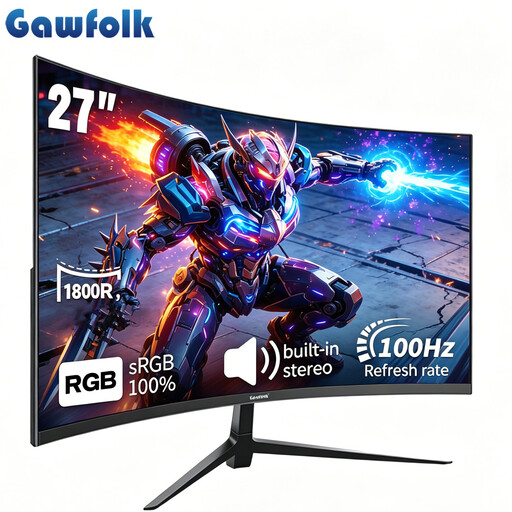
Why this product fits the profile: Full HD resolution, 100 Hz, VA panel and built-in speakers cover basic gaming, streaming and office needs.
The specifications clearly state 100 Hz, Adaptive Sync, HDMI, VGA and a 100×100 mm VESA mount rather than just vague gaming terms.
1800R curvature, 4,000:1 contrast ratio according to product data and built-in stereo speakers.
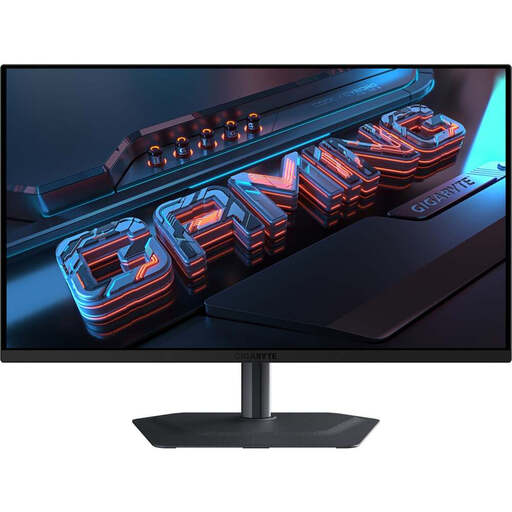
Why this product fits the profile: QHD resolution, QD-OLED panel, 280 Hz, HDR True Black 400 and USB-C combine gaming with multimedia and demanding image quality.
The product data clearly distinguishes between QHD resolution, 280 Hz, 0.03 ms GtG and HDR certification. Care features for the OLED panel are also listed.
QD-OLED technology, 99% DCI-P3, HDMI 2.1, USB-C with 18 W Power Delivery and an ergonomic stand.
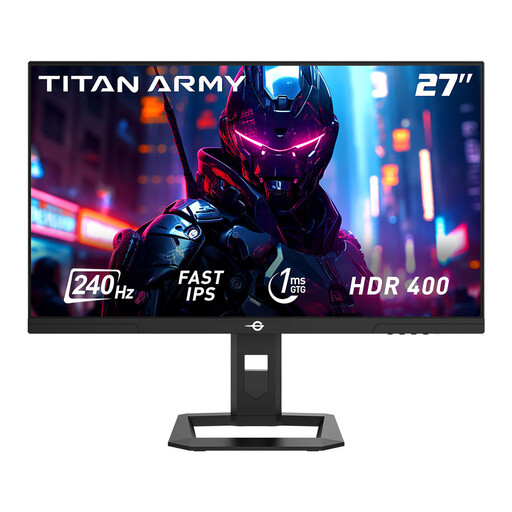
Why this product fits the profile: Fast-IPS panel, QHD resolution, 240 Hz and 1 ms GtG are designed for fast-paced PC games with high frame rates.
The specification clearly states 240 Hz, 1 ms GtG, Adaptive Sync and the required HDMI 2.0 and DisplayPort 1.4 connections.
95% DCI-P3, HDR400, height-adjustable stand, pivot function and PIP/PBP modes according to product data.
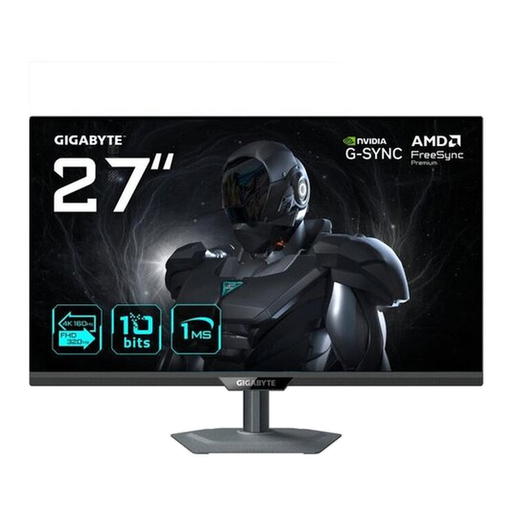
Why this product fits the profile: The dual mode offers, according to manufacturer specifications, 4K at 160 Hz or Full HD at 320 Hz, making it suitable for different types of games.
The two operating modes are listed separately. HDMI 2.1, DisplayPort 1.4 and USB-C with DisplayPort Alt Mode are also specified.
4K UHD IPS panel, HDR400, FreeSync Premium, G-SYNC compatibility and height-adjustable stand.
We've put together a full, regularly updated list of products that fully meet these strict selection criteria and the safety regulations in force in the EU.
QHD offers more pixels and a sharper image than Full HD. It's especially good for mixed use of gaming, office work and media. However, your graphics card has to process more image data.
For many PC and console games, 144 Hz is a practical refresh rate. 240 Hz is mainly worth it if your hardware consistently delivers very high frame rates and you focus on fast-paced FPS games.
Power consumption depends on the panel, brightness, HDR mode and operating time, among other factors. Pay attention to the energy efficiency class and the stated values for SDR, HDR, standby and the switched-off state.