Choosing a monitor is a foundational decision for any PC setup, especially for gaming. For many users, a 27-inch QHD gaming monitor represents the logical next step up from Full HD. This combination offers a significantly higher pixel density, resulting in a sharper, more detailed image without overly taxing the graphics card. However, the choice of a specific model depends on a range of technical parameters that directly impact real-world performance and the gaming experience.
This article analyses the crucial technical specifications and presents a selection of models that, based on their spec sheets and features, are suitable for various user profiles.
Buyer's Guide: What to Look for in a WQHD Gaming Monitor
The selection of a monitor should be based on an objective evaluation of its technical characteristics. The following criteria are crucial for the performance of a gaming display.
Resolution and Screen Size: The QHD Standard on 27 Inches
QHD (Quad High Definition) resolution, also known as WQHD or 1440p, is 2560 x 1440 pixels. On a 27-inch monitor, this results in a pixel density of approximately 109 ppi (pixels per inch). Compared to a 27-inch Full HD monitor (approx. 82 ppi), the image is visibly sharper. Text, game textures, and fine details are rendered more clearly, which enhances visual immersion.
Refresh Rate (Hz)
The refresh rate, measured in Hertz (Hz), indicates how many frames the monitor can display per second. High rates are crucial for smooth gameplay.
- 144Hz / 165Hz: This is the established standard for serious gaming. A gaming monitor with 144Hz or more enables significantly smoother motion than conventional 60Hz displays, which is particularly advantageous in fast-paced genres like first-person shooters or racing games.
- 180Hz and higher: Higher rates offer even more refined motion clarity and are especially relevant for competitive esports enthusiasts.
Response Time (ms)
The response time, often specified as 1ms, measures how quickly a pixel can change its color. A low response time (e.g., 1ms GTG - Gray-to-Gray) minimises motion blur and ghosting. This is critical for the clear perception of fast-moving objects.
Panel Technology: IPS, VA, and Mini-LED
The panel technology largely determines image characteristics such as color accuracy, contrast, and viewing angle stability.
- IPS (In-Plane Switching): A 27-inch IPS gaming monitor is known for its high color fidelity and wide viewing angles. Modern IPS panels also achieve fast response times and are an excellent choice for users who value precise color reproduction.
- VA (Vertical Alignment): VA panels typically offer a significantly higher contrast ratio than IPS panels, resulting in deeper blacks. Some models are designed as a Curved Gaming Monitor to enhance immersion.
- QD-Mini-LED: This technology is an evolution of LCD backlighting. Thousands of tiny LEDs are grouped into zones and can be precisely dimmed (Local Dimming). This enables very high contrast and peak brightness, approaching the levels of OLED displays without their potential drawbacks like burn-in.
HDR (High Dynamic Range)
An HDR monitor can display a wider range of brightness and color. This leads to more realistic images with more detail in very bright and very dark areas of the picture. Look for certifications like DisplayHDR 400, HDR 600, or higher, which guarantee a minimum peak brightness.
Synchronisation Technology
Technologies like AMD FreeSync or NVIDIA G-Sync compatibility synchronise the monitor's refresh rate with the graphics card's framerate. This effectively prevents screen tearing and stuttering, ensuring a consistently smooth image.
Our Selection of Gaming Monitors for 2026
Based on the technical criteria mentioned above, we have compiled a selection of monitors that focus on different technological strengths.
1. TCL 27-inch QD Mini LED Gaming Monitor 27G64
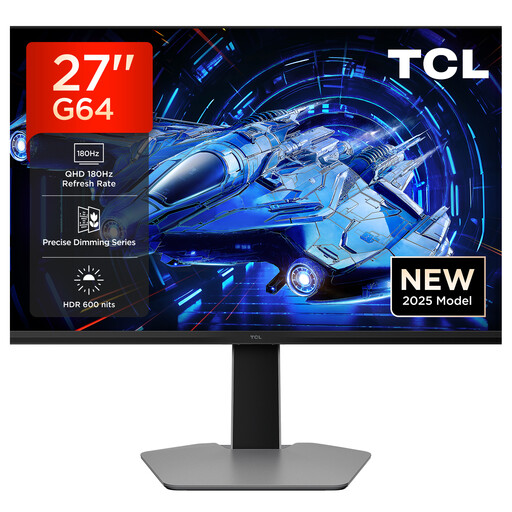
- Why we recommend this product: The TCL 27G64 utilises advanced QD-Mini-LED technology. Through precise local dimming, it achieves a contrast ratio and peak brightness that are difficult to match with conventional LCD panels. The combination of QHD resolution, a high 180 Hz refresh rate, and HDR 600 makes it a technically superior display.
- Advantages:
- QD-Mini-LED Technology: Delivers high contrast and brightness through precise zone dimming.
- High Refresh Rate: 180 Hz for extremely smooth motion.
- HDR 600: A peak brightness of 600 nits ensures an impressive HDR performance.
- Fast Response Time: 1ms (GTG) to reduce motion blur.
- Who it's for: Tech-savvy gamers and content creators seeking high image quality with excellent contrast and brightness, who want to leverage the benefits of Mini-LED technology.
2. GIGABYTE GS27QCA 27" QHD 1500R Curved VA Gaming Monitor
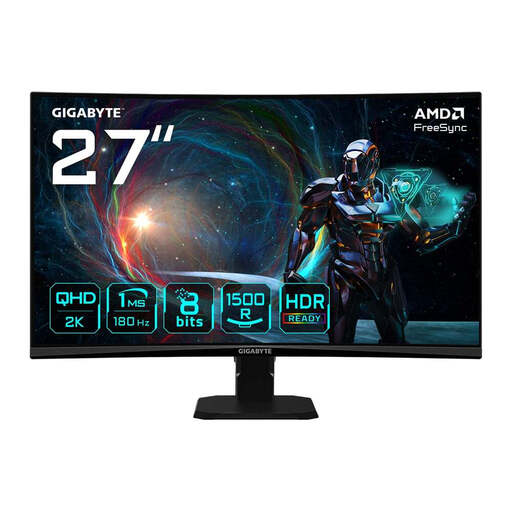
- Why we recommend this product: This model combines the immersive effect of a curved display with the strengths of a VA panel. The 1500R curvature better fills the peripheral field of view, while the VA panel, according to the manufacturer, delivers a high 5000:1 static contrast ratio for deep blacks. With a 165 Hz refresh rate and 1ms response time, it is well-equipped for fast-paced gaming.
- Advantages:
- Immersive Curved Design: The 1500R curvature adapts to the human field of view.
- High Contrast: The VA panel enables deep blacks and vibrant images.
- Smooth Gameplay: 165 Hz refresh rate and AMD FreeSync Premium.
- Eye-Care Technologies: Integrated Flicker-Free technology and a blue light filter (Eyesafe 2.0).
- Who it's for: Gamers who prefer a particularly immersive experience from a curved display and value high contrast, for example, in atmospheric single-player games or simulations.
3. GIGABYTE GS27QA 27" QHD IPS Gaming Monitor
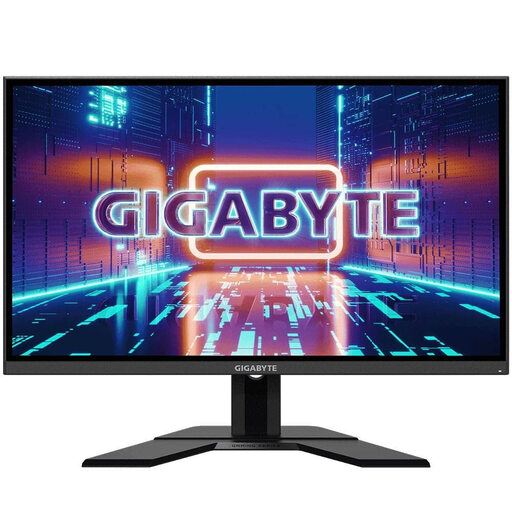
- Why we recommend this product: The GIGABYTE GS27QA is a classic all-rounder with a flat IPS panel. It focuses on high color accuracy, with 92% DCI-P3 color space coverage, and viewing angle stability. The combination of a 165 Hz refresh rate, 1ms response time, and VESA DisplayHDR 400 certification makes it a solid choice for a wide range of games and multimedia applications.
- Advantages:
- IPS Panel: Ensures accurate colors and wide viewing angles.
- Good Color Gamut Coverage: 120% sRGB and 92% DCI-P3, according to the manufacturer.
- Certified HDR: VESA DisplayHDR 400 for an enhanced dynamic range.
- Comprehensive Connectivity: Includes HDMI, DisplayPort, and a USB 3.0 hub.
- Who it's for: Users looking for a versatile monitor for gaming and productivity tasks who value precise color reproduction and flexible connectivity options.
Other Options and Alternatives
If the models presented here do not exactly meet your requirements, or if you are specifically looking for monitors with a particular refresh rate, you can find a wider selection of devices covering different specifications and price points in our 165hz monitor category.
Frequently Asked Questions (FAQ)
1. Is QHD a good resolution for a 27-inch monitor? Yes, the combination of a 27-inch screen and QHD resolution (2560 x 1440) provides a pixel density of approx. 109 ppi. This results in a noticeably sharper and more detailed image compared to Full HD on the same size, without increasing the demands on the graphics card as much as 4K UHD.
2. Which panel type is better for gaming: IPS or VA? Both technologies have their merits. IPS panels offer superior color accuracy and better viewing angles, making them great all-rounders. VA panels excel with a significantly higher static contrast, which leads to deeper blacks and is particularly advantageous in dark game scenes. The decision depends on personal preference for color precision versus contrast depth.
3. What does a 1ms GTG response time mean? GTG stands for "Gray-to-Gray" and measures the time it takes for a pixel to switch from one shade of gray to another. A response time of 1ms GTG is an excellent value that helps to minimise motion blur and "ghosting" during fast image transitions, ensuring a clear and sharp picture in action-packed games.
Written by: Joybuy Product Recommendation Officer

