
Lieferung heute & morgen

Qualitätsgarantie

Willkommens-Angebote freischalten: KOSTENLOSE Lieferung | Bis zu 80 % RABATT | Kostenlose 30-Tage-JoyPlus-Testphase
App herunterladen
The search for the right gaming monitor can quickly become overwhelming. Manufacturers advertise a flood of technical specs, but not every detail is equally relevant to your gaming experience. Certain marketing terms can even be misleading, tempting you into a purchase that doesn't meet your needs. As your Joybuy Product Recommendation Officer, I'll help you identify the crucial features and avoid common pitfalls.
Before we dive into the important specifications, let's clear up three common misconceptions that often lead to disappointment.
To make an informed decision, focus on these three objective criteria.
For most PC gamers, the combination of 27 inches and WQHD resolution (2560 x 1440 pixels) represents the ideal compromise. The pixel density is significantly higher than Full HD, resulting in a sharper, more detailed image. At the same time, the demands on the graphics card are more moderate than with a 4K gaming monitor, making high frame rates more achievable.
The panel type is a key determinant of image quality.
Additionally, an adaptive sync technology like G-Sync Compatible (for NVIDIA graphics cards) or AMD FreeSync is crucial. It adjusts the monitor's refresh rate to match the frames output by the graphics card, effectively preventing screen tearing.
Long gaming sessions require good posture. A height-adjustable monitor is therefore not a luxury but a necessity to prevent neck and back pain. Tilt and swivel functions also contribute to comfort. Whether you prefer a flat screen or a curved monitor depends on personal preference. Curved monitors can enhance immersion, especially with wider formats like an ultrawide gaming monitor.
Here are some models tailored to specific user profiles that avoid the pitfalls mentioned.
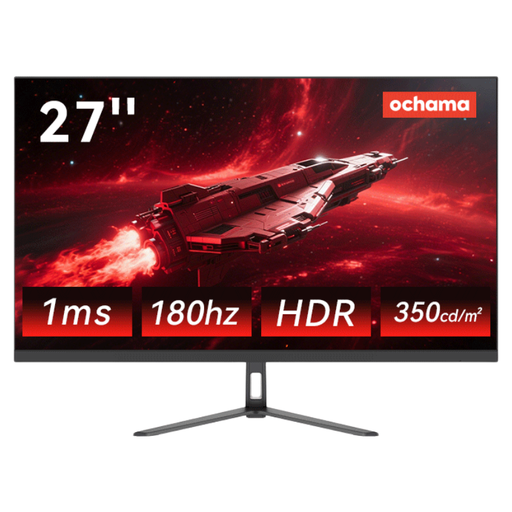
Why This Fits Their Persona: Ideal for gamers who want to make the leap from Full HD to WQHD without breaking the bank. It offers the core features for smooth gaming while also being suitable for daily office work.
It combines a high 180Hz refresh rate with a 2K (WQHD) resolution, thus avoiding the compromise of focusing on just one metric.
With 180Hz, it offers a noticeably smoother display than standard 144Hz monitors in this price range. The narrow bezel design is well-suited for multi-monitor setups.
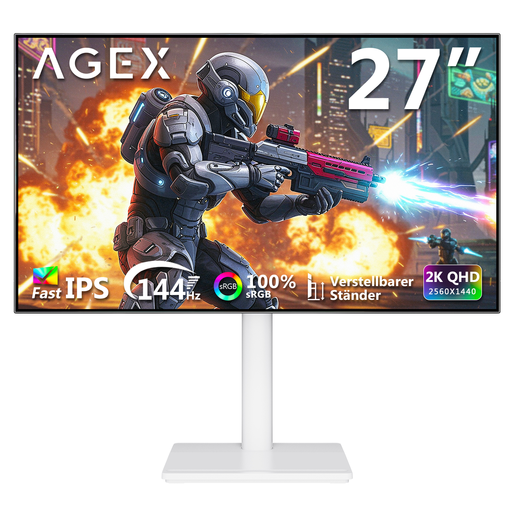
Why This Fits Their Persona: Perfect for users looking for a monitor for gaming, content creation, and home office use. The Fast IPS panel ensures colour-accurate display, while 144Hz is sufficient for fluid gameplay.
It relies on a high-quality Fast IPS panel instead of a TN panel, achieving a good balance between speed and excellent colour reproduction. The fully adjustable stand addresses the ergonomics pitfall.
The ergonomic stand is height-adjustable, and can tilt, swivel, and pivot. The connectivity, with 2x HDMI and 2x DisplayPort, is above average.
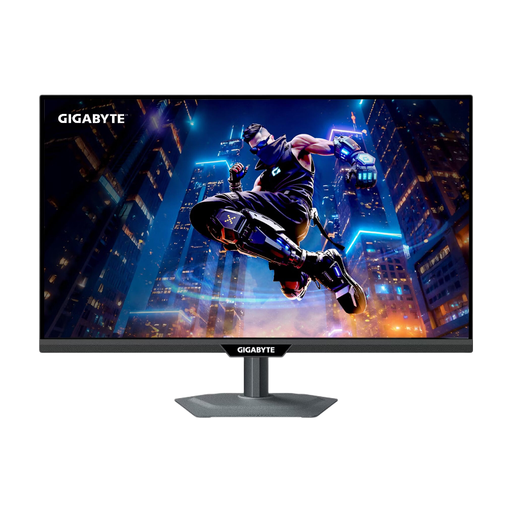
Why This Fits Their Persona: For gamers who want maximum performance on both PC and consoles like the PS5 or Xbox Series X. This monitor offers future-proof connectivity and flexible performance modes.
It solves the connectivity trap with two HDMI 2.1 ports, which are essential for console gaming in 4K at high frame rates. The integrated KVM switch also enhances its versatility.
The unique Dual Mode allows switching between 4K at 160Hz for detail-rich games and FHD at 320Hz for competitive esports titles. The SS IPS panel ensures fast GtG response times.
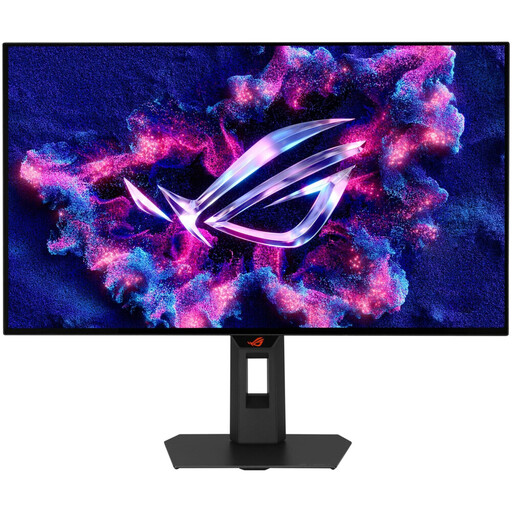
Why This Fits Their Persona: For competitive players where every millisecond counts. This monitor is designed for maximum speed and motion clarity to gain an edge in competition.
It completely bypasses the "1ms trap" by using Tandem OLED technology with a true GtG response time of 0.03ms. This virtually eliminates any form of ghosting or motion blur.
The combination of a 280Hz refresh rate and an OLED panel offers unparalleled motion clarity. The factory calibration also ensures professional-grade colour accuracy.
We have compiled a complete, real-time updated list of products that fully meet these strict selection criteria and German safety regulations.
Yes, a WQHD monitor is an excellent choice for the PS5. Although the console primarily outputs 1080p and 4K signals, many modern WQHD monitors can accept a 4K signal and downscale it to their native resolution. The result is a sharper image than on a native 1080p display. Look for an HDMI 2.1 port to take advantage of the console's 120Hz modes.
A height-adjustable monitor is very important from an ergonomic perspective. To ensure a healthy posture and prevent neck and shoulder strain, the top edge of the screen should be positioned at or slightly below eye level. If your desired monitor isn't height-adjustable, a separate monitor arm with a VESA mount can be a flexible alternative.
For most users, a monitor with AMD FreeSync that is certified as G-Sync Compatible is perfectly sufficient. Both technologies prevent screen tearing. While G-Sync is a proprietary hardware solution from NVIDIA, FreeSync is an open standard. The "G-Sync Compatible" certification ensures that the FreeSync monitor also works smoothly with NVIDIA graphics cards.