
Lieferung heute & morgen

Qualitätsgarantie

Willkommens-Angebote freischalten: KOSTENLOSE Lieferung | Bis zu 80 % RABATT | Kostenlose 30-Tage-JoyPlus-Testphase
App herunterladen
Long loading times, stuttering applications, and constant full-storage warnings can seriously impact your PC and console experience. A 2TB M.2 SSD is an effective solution to significantly boost system performance and provide ample space for modern games, software, and large project files. However, the market offers a wide variety of models with different technologies and at various price points.
This article serves as your guide. It explains the essential technical features and presents a selection of 2TB M.2 SSDs for different use cases, helping you make an informed decision that fits your requirements and budget.
Choosing the right 2TB internal SSD depends on several technical factors. Three aspects are particularly crucial: the PCIe generation, the form factor, and the need for cooling.
The "Peripheral Component Interconnect Express" (PCIe) interface determines the maximum transfer speed of your SSD.
The M.2 2280 form factor describes the physical dimensions of the SSD: 22mm wide and 80mm long. This is the most common standard and is supported by most modern motherboards in desktops and laptops. Before purchasing, check your motherboard or laptop manual to ensure there is a free M.2 slot that supports the NVMe protocol.
Modern NVMe SSDs, especially PCIe 4.0 and 5.0 models, can generate high temperatures under load. To prevent performance reduction (thermal throttling), adequate cooling is important. An SSD with a heatsink is recommended in the following cases:
Here is a selection of three models that cover different performance and price tiers.
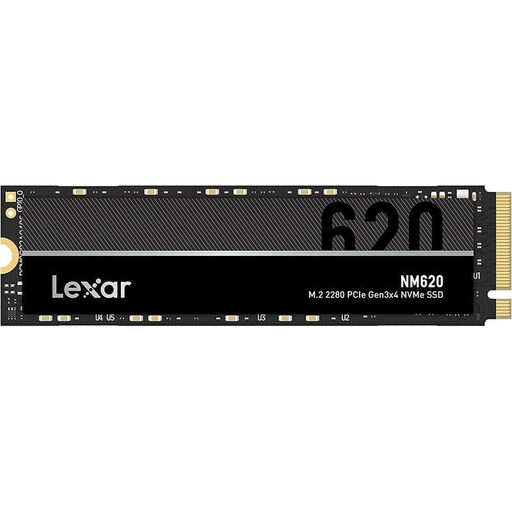
Why it stands out: The Lexar NM620 offers an excellent price-to-performance ratio. It's a solid PCIe 3.0 NVMe SSD that delivers a noticeable performance boost for systems being upgraded from a traditional hard drive or an older SATA SSD.
Advantages:
Who is it for? This model is ideal for budget-conscious users looking to speed up their everyday PC or laptop for office work, multimedia, and casual gaming without investing in the latest technology.
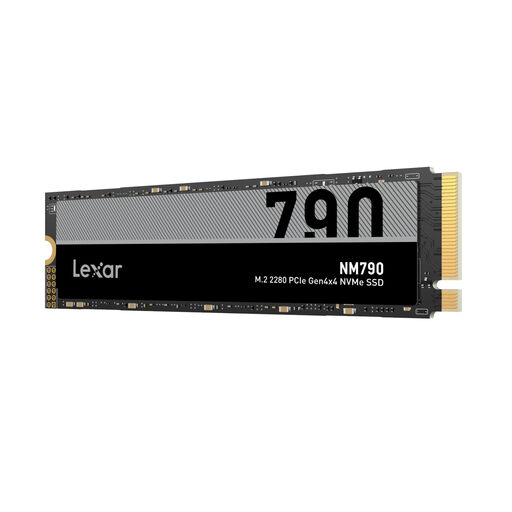
Why it stands out: The Lexar NM790 is a high-performance PCIe 4.0 SSD that delivers speeds close to the interface's theoretical maximum. Its official compatibility makes it a versatile choice as a gaming SSD for PC and as a storage expansion for the PlayStation 5.
Advantages:
Who is it for? Gamers, content creators, and power users who want to benefit from the fast loading times and transfer rates of PCIe 4.0 technology. It is an excellent choice for modern gaming PCs and as a storage upgrade for the PS5.
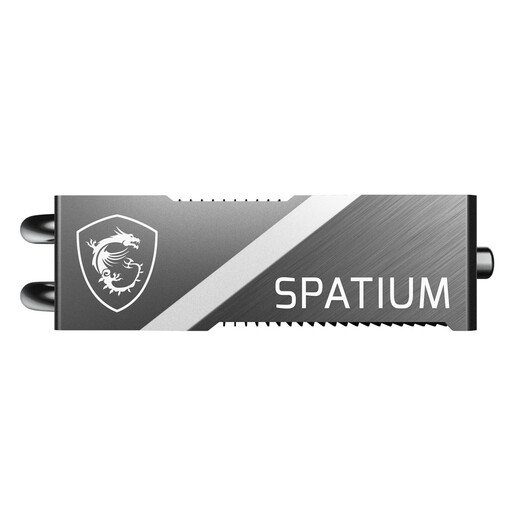
Why it stands out: The MSI Spatium M570 PRO FROZR represents the pinnacle of current storage technology. As a PCIe 5.0 SSD, it delivers extreme speeds that drastically reduce loading times and file transfers. The massive, pre-installed FROZR heatsink ensures that this performance remains stable even under sustained load.
Advantages:
Who is it for? Tech enthusiasts, professional video producers, and users who want to build an uncompromising high-end system and be prepared for the demands of the coming years. It is the choice for anyone seeking the absolute maximum storage performance for their PC SSD.
The models featured cover a broad spectrum, but you may have more specific requirements for capacity, brand, or price. For a wider selection of storage solutions, we invite you to explore our entire range.
Browse our full range of internal drives to find the perfect solution for your needs.
Check your motherboard or laptop manual. Look for a free M.2 slot and verify that it supports the NVMe (PCIe) protocol, not just SATA. Also, measure the available space, especially if you are considering an SSD with a large heatsink.
Yes. Sony mandates that an M.2 SSD used as a storage expansion in the PlayStation 5 must have a cooling mechanism (heatsink). This ensures stable performance during long gaming sessions and prevents the SSD from overheating.
A PCIe 5.0 SSD offers nearly double the theoretical bandwidth of a PCIe 4.0 SSD. In practice, this means even faster loading times and file transfers. While a PCIe 4.0 SSD is more than fast enough for current games and most applications, a PCIe 5.0 SSD is aimed at future applications, the processing of extremely large files, and users who strive for the best possible performance. Both are backward compatible, so a PCIe 5.0 SSD will run at PCIe 4.0 speeds in a PCIe 4.0 slot.