
Lieferung heute & morgen

Qualitätsgarantie

Willkommens-Angebote freischalten: KOSTENLOSE Lieferung | Bis zu 80 % RABATT | Kostenlose 30-Tage-JoyPlus-Testphase
App herunterladen
A 2TB NVMe SSD offers plenty of space for your operating system, games, videos and large files. But a high advertised speed doesn’t automatically make an SSD the right choice. The key factors are its interface, form factor, cooling and intended use.
A PCIe 5.0 SSD can achieve much higher transfer speeds than a PCIe 4.0 SSD. However, if your motherboard or laptop only supports PCIe 3.0 or 4.0, the SSD will run at the speed supported by your system. The interface is backwards-compatible, but you won’t automatically get the advertised maximum speed.
Even with a fast gaming SSD, load times don’t always improve in proportion to sequential read speeds. Your operating system, processor, game engine and random access performance all affect real-world results.
M.2 refers to the form factor. An M.2 SSD can use either SATA or PCIe. For high transfer speeds, you’ll need an NVMe SSD M.2 2280 and a compatible PCIe slot. The 2280 format measures approximately 22 × 80 millimetres.
Before you buy, check your PC or laptop’s manual:
A PS5 SSD must fit in the expansion slot and meet the console’s technical requirements. Internal drives often need a compatible heatsink. A model without adequate heat dissipation may slow down during longer gaming sessions or sustained writes.
An external 2TB SSD can be used with a PlayStation for supported games and media files. However, PS5 games generally need to be moved to the internal storage or a compatible internal M.2 expansion drive before you can play them.
A 2TB SSD won’t have its full nominal capacity available for files. The file system, management area and over-provisioning all reduce the usable storage. Even so, 2TB is a practical amount of space for several large games, 4K video projects or RAW photo files.
The ‘up to’ read speed usually refers to large, continuous files. Random access performance and IOPS also matter when starting your system and opening programmes. So don’t compare just one figure. Look at:
A TBW rating is the manufacturer’s estimate of the total amount of data that can be written. It doesn’t guarantee a particular lifespan. Regular backups are still essential for any internal SSD.
PCIe 4.0 models, and especially PCIe 5.0 models, can get hot under sustained load. A motherboard heatsink, an integrated heatsink or a well-ventilated case can help manage temperatures. For laptops, height and power consumption are particularly important. A drive with a heatsink won’t necessarily fit every laptop.
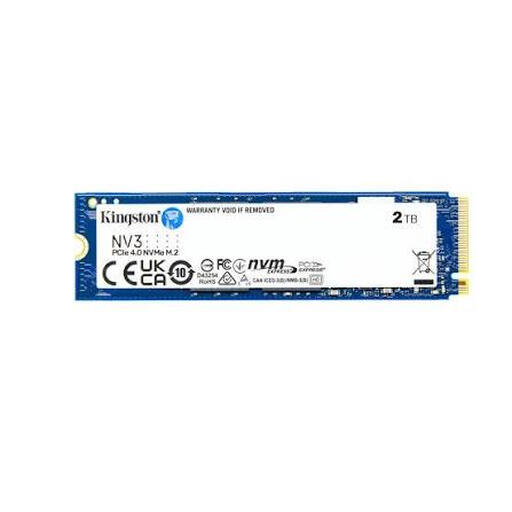
Why this product suits this profile: This 2TB internal SSD is designed for upgrading PCs and laptops with a PCIe 4.0 x4 slot. Its M.2 2280 form factor is clearly specified.
The specifications clearly state the interface, format and compatibility. This makes it easier to check that your M.2 slot is suitable before installation.
PCIe 4.0 x4, NVMe, 2TB capacity and sequential speeds of up to 6,000 MB/s read and 5,000 MB/s write.

Why this product suits this profile: This model combines a PCIe 4.0 interface with an integrated heatsink. It’s aimed at PC and console users who need plenty of storage and high performance.
The heatsink is already integrated. Before buying, check that its height is suitable for your motherboard or the console slot you plan to use.
Speeds of up to 7,450 MB/s read and 6,900 MB/s write. Dynamic Thermal Guard helps monitor temperatures.
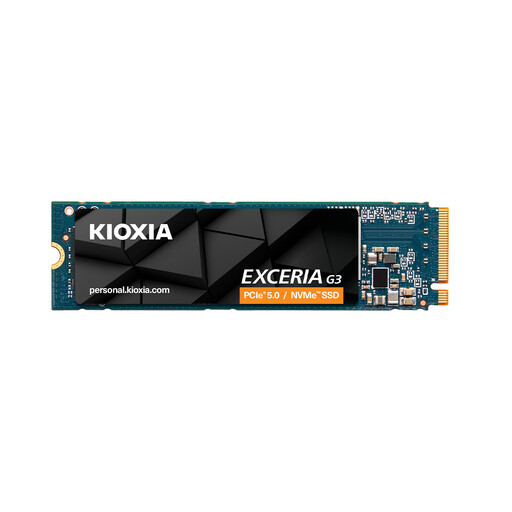
Why this product suits this profile: For video editing, large project files and frequent writes, the stated TBW rating and 2TB capacity are useful points of comparison.
This pick takes more than speed into account, including the stated 1,200 TBW rating. Adequate case ventilation is still important under sustained load.
PCIe Gen4 x4, NVMe 1.4, M.2 2280, read speeds of up to 5,000 MB/s and 3D TLC NAND.
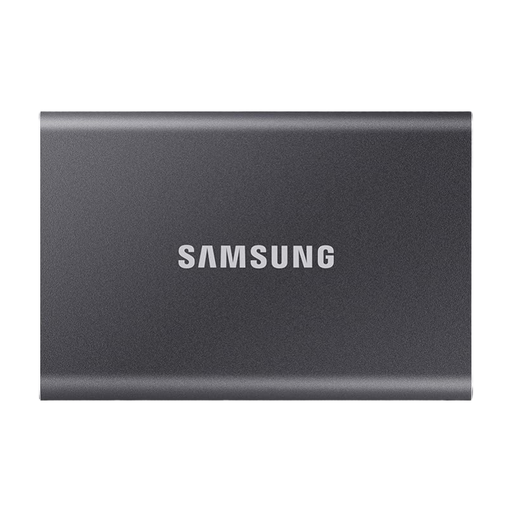
Why this product suits this profile: This portable SSD needs no installation. It’s suitable for PCs, laptops, compatible games consoles and carrying large files with you.
Its transfer speed is clearly specified for USB 3.2 Gen 2. To get the stated performance, your PC, cable and port must all support the relevant USB standard.
Read speeds of up to 1,050 MB/s, an aluminium casing, hardware encryption, and USB-C to USB-C and USB-C to USB-A cables included.
We’ve put together a complete, regularly updated list of products that meet these strict selection criteria and fully comply with the safety regulations in force in the EU.
It depends on the slot available. Check the specifications to see whether your laptop has an M.2 2280 slot with PCIe NVMe support. You’ll also need to consider the drive’s height, how it’s secured and how much heat it produces.
There’s no one-size-fits-all answer. The key factors are the amount of data written, temperature, how you use the drive and its stated TBW rating. Whatever its expected lifespan, keep a separate backup of important files.
Under load, a PCIe 5.0 SSD can produce more heat and use more power than a model with a slower interface. For office laptops, power consumption and temperature may therefore matter more than maximum read speed. An external SSD also depends on the USB port and its power supply.