
Lieferung heute & morgen

Qualitätsgarantie

Willkommens-Angebote freischalten: KOSTENLOSE Lieferung | Bis zu 80 % RABATT | Kostenlose 30-Tage-JoyPlus-Testphase
App herunterladen
A 2TB SSD gives you plenty of space for your operating system, programmes, games, photos and video projects. But with so much choice, it’s easy to end up with the wrong drive. The advertised read speed isn’t the only thing that matters. Form factor, connection, cooling and compatibility all determine whether an SSD is a good fit for your device.
This buying guide from the Joybuy Product Recommendation Officer will help you make sense of the technical details and distinguish relevant product features from marketing claims.
An NVMe SSD with PCIe 4.0 or PCIe 5.0 can deliver high transfer speeds. But your computer needs a compatible M.2 slot that supports the corresponding PCIe generation. In an older system, a fast SSD may only run at the speed of the existing interface.
The same applies to external SSDs: a USB 3.2 Gen 2 SSD needs a compatible USB port to get close to its full performance. Transfer speeds will be much lower over USB 2.0.
A 2TB M.2 SSD is described by its form factor alone. You also need to check whether it uses SATA or NVMe over PCIe. An M.2 SATA drive won’t automatically work in every NVMe slot, and vice versa.
A 2TB internal SSD in the 2.5-inch format, such as the Lexar NQ100, needs SATA data and power connections. Before you buy, check your motherboard, laptop manual or device manufacturer’s website.
An SSD has no moving parts and runs quietly. But that won’t protect you from accidental deletion, drive failure or power surges. Back up important photos, work files and documents to a second storage device or a suitable cloud service.
For modern desktop PCs and many laptops, a 2TB NVMe SSD in the M.2 2280 format is a popular choice. “2280” refers to dimensions of approximately 22 × 80 millimetres. Before installation, check:
A PCIe 4.0 SSD is suitable for compatible systems and can offer high sequential transfer speeds. A PCIe 5.0 SSD requires a motherboard with PCIe 5.0 support and often needs particular attention to heat dissipation. For many everyday tasks, a PCIe 4.0 drive is more than fast enough.
Manufacturers usually quote maximum sequential read and write speeds. These figures are achieved under specific conditions and won’t be reached with every application. They can give you a useful indication when copying large files. When launching programmes, random access speeds, cache size, the controller and the operating system also play a part.
With an external or 2TB portable SSD, the cable matters too. Models with a USB-C connection can run at different speeds depending on the cable and host device. The Samsung T7 and KIOXIA Exceria Plus G2 Portable SSD are supplied with USB-C-to-C and USB-C-to-A cables, making it easier to connect them to both newer and older devices.
The TBW rating indicates how many terabytes the manufacturer says can be written over the drive’s intended lifespan. It’s a technical guide, not a guarantee of a specific service life. If you regularly write large amounts of data for video or photo editing, check the TBW rating, warranty terms and available management software.
Internal NVMe drives can get warm under sustained workloads. An M.2 heatsink or good airflow can help prevent thermal throttling. If you’re using an external SSD, don’t cover the casing during long transfers.
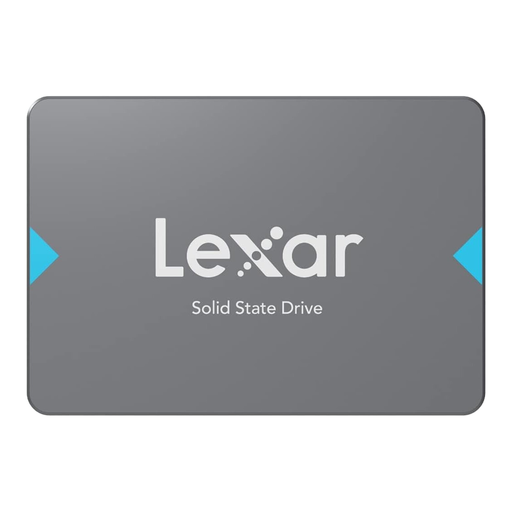
Why it suits this user: The 2.5-inch form factor works with many older desktop PCs and laptops with a SATA connection. Installation requires SATA data and power cables.
The SATA III interface and 2.5-inch form factor are clearly specified, so you can check compatibility before you buy.
2 TB of storage, read speeds of up to 550 MB/s, and a shock- and vibration-resistant design.

Why it suits this user: This internal PCIe 4.0 drive is designed for people who want to combine PC gaming, console storage and demanding file workflows.
The included heatsink helps manage the heat generated by high-performance M.2 drives. For a PS5, check the relevant console approval and available installation space.
PCIe 4.0, read speeds of up to 7.450 MB/s and write speeds of up to 6.900 MB/s, plus Dynamic Thermal Guard for temperature monitoring.
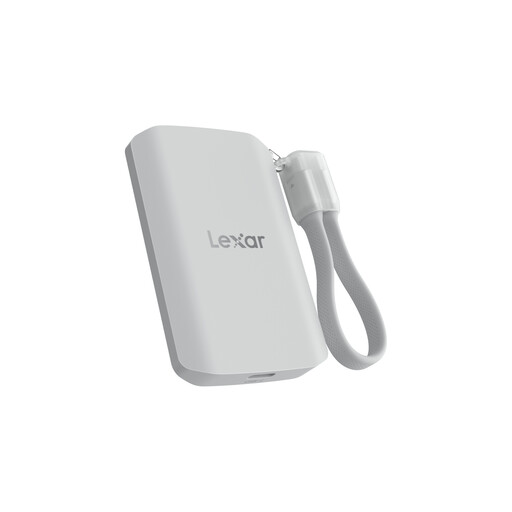
Why it suits this user: This external SSD is designed for mobile video recording, large media libraries and fast transfers between compatible devices.
The quoted speed of up to 2.000 MB/s requires USB 3.2 Gen 2x2. The note that performance may be lower on other systems makes host compatibility clear.
USB 3.2 Gen 2x2, read and write speeds of up to 2.000 MB/s, IP65 protection and a stated drop resistance of up to 3 metres.
An external SSD is a good choice if you need to move data between a PC, laptop, smartphone or console. The Samsung Portable SSD T7 2TB offers USB 3.2 Gen 2, hardware encryption and two cable types. According to its product details, the KIOXIA Exceria Plus G2 Portable SSD also supports Windows, macOS, Android, iPadOS, PS4 and PS5.
An internal SSD is a better choice if you’re upgrading your system storage. For an SSD for PC and laptop, the slot, form factor and cooling all need to be compatible. If you’re choosing an SSD for PS5, you’ll also need to follow Sony’s requirements for M.2 size, PCIe interface and heatsink.
We’ve put together a complete, regularly updated list of products that meet these strict selection criteria and fully comply with the safety regulations in force in the EU.
Lifespan depends on write volume, temperature, model and usage. TBW ratings provide a technical point of comparison. You’ll still need to back up important data regularly, whatever the stated endurance.
An SSD usually uses less power in everyday use than a traditional HDD, although actual consumption depends on the model and how you use it. An internal M.2 SSD is powered through the PCIe slot. External models such as the Samsung T7 get their power over USB and don’t need a separate power supply.
For many people, this capacity is enough for several games, raw files and applications. But large 4K projects can still fill it quickly. So, as well as speed, check the available storage, TBW rating and whether you have a suitable backup strategy.