
Lieferung heute & morgen

Qualitätsgarantie

Willkommens-Angebote freischalten: KOSTENLOSE Lieferung | Bis zu 80 % RABATT | Kostenlose 30-Tage-JoyPlus-Testphase
App herunterladen
A 2TB SSD offers plenty of room for games, videos, photos, programmes and local backups. But the choice can be overwhelming: internal NVMe models boast high transfer rates, external drives offer portability and USB-C, while PCIe 5.0 SSDs sometimes need extra cooling. So it's not just about capacity – the key is the combination of interface, form factor, compatibility and thermal management.
Claims like "up to 7,400 MB/s" or "up to 14,000 MB/s" usually refer to sequential measurements under specific conditions. When booting Windows, opening small files or loading games, access times, random IOPS values and your platform also matter.
A PCIe 5.0 SSD can look much faster on paper than a PCIe 4.0 SSD. However, if your motherboard only supports PCIe 4.0, the connection will be limited accordingly. For many uses, a good PCIe 4.0 SSD is perfectly adequate.
"M.2" only describes the form factor. A M.2 SSD 2TB can connect via SATA or PCIe, depending on the model. Before you buy, check the following:
If you're upgrading an older laptop with a 2.5-inch SATA bay, you'll need an internal 2.5-inch SATA SSD instead. An NVMe model won't fit there.
A fast internal SSD generates heat during extended read and write operations. With an SSD with heatsink, you need to check whether the cooler fits under the graphics card area or inside your laptop. Large heatsinks can clash with motherboard covers or laptop chassis.
Cooling is especially important for PCIe 5.0 models. A well-ventilated PC case and a suitable M.2 heatsink help reduce temperature-related throttling. The advertised peak speeds aren't necessarily available all the time.
A 2TB SSD won't show as exactly 2,000 GB in your operating system, because manufacturers and operating systems use different units. The file system, reserved areas and operating system also take up some capacity. Make sure to leave some free space: a nearly full SSD can lose performance during certain write operations.
The TBW rating tells you how many terabytes the manufacturer says can be written over the drive's guaranteed lifespan. For normal office work, gaming and personal photos, this figure is usually less important than for daily video or project files.
An SLC cache can enable high write speeds in short bursts. During long transfers, the speed may then drop. For regular backups and video files, consider not just the peak speed but also your planned workload.
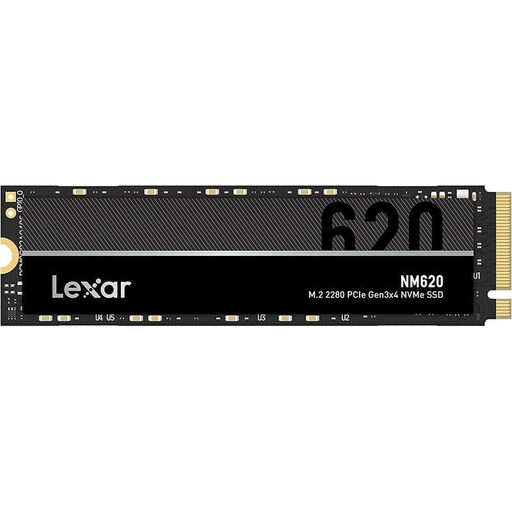
Why this product fits the profile: This internal M.2 2280 SSD works well as a storage upgrade for compatible PCs and laptops when you need 2TB of NVMe storage without a PCIe 5.0 platform.
The technical specifications clearly state PCIe 3.0 x4, NVMe and the M.2 2280 format. This lets you check compatibility before buying.
2TB capacity, up to 3,300 MB/s read speed and up to 300,000 IOPS random read according to product data.

Why this product fits the profile: This PCIe 4.0 SSD with an integrated heatsink is aimed at PC gamers, video editors and users who want a high-performance internal SSD for longer workloads.
The integrated heatsink addresses the heat generated by fast NVMe drives. However, you still need to check whether there's enough space in your PC or console before installation.
PCIe 4.0, up to 7,450 MB/s read and 6,900 MB/s write according to product specifications; designed for PC and console use.
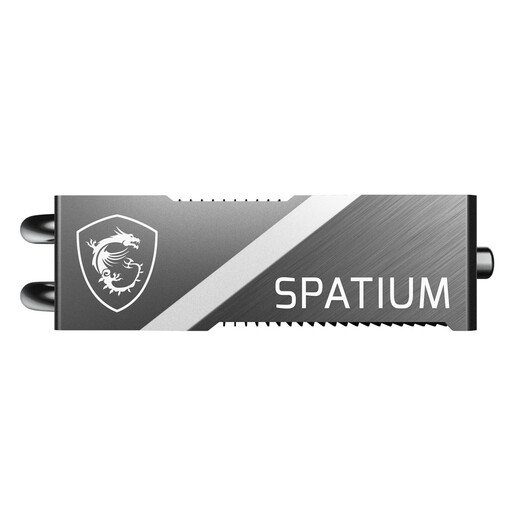
Why this product fits the profile: This PCIe 5.0 SSD is built for intensive PC workloads, large file transfers and demanding gaming systems.
The pre-installed FROZR heatsink accounts for heat generation. The height of around 17.5 mm needs to be checked against your motherboard and graphics card before installation.
PCIe 5.0 x4, up to 12,400 MB/s read, up to 11,800 MB/s write and 1,400 TBW according to manufacturer specifications.
For mobile backups or use across multiple devices, a portable SSD 2TB is often more practical. The Samsung SSD External Storage T7 2TB works via USB 3.2 Gen 2, is powered through USB and includes both USB-C-to-C and USB-C-to-A cables. According to product data, it's compatible with Windows, macOS, Android, PS4, PS5 and other consoles. The external design requires no installation; for sensitive files, 256-bit AES hardware encryption and password protection are available.
We've put together a full, regularly updated list of products that fully meet these strict selection criteria and the safety regulations in force across the EU.
Your operating system will typically show slightly less than 2,000 GB. The file system, reserved areas and system data take up some of the capacity. Even so, there's plenty of usable space left for games, media and programmes.
For internal installation, the model should meet the console's requirements and have adequate cooling. An SSD like the Samsung 990 PRO with heatsink is conceptually better suited than an uncooled drive. An external SSD 2TB can be used with the PS5 for compatible games and media, but it doesn't always replace the internal expansion storage.
The lifespan depends on NAND technology, write volume, temperature and usage. Pay attention to the TBW rating, keep the firmware and cooling up to date, and regularly back up important data to a second storage medium.