
Lieferung heute & morgen

Qualitätsgarantie

Willkommens-Angebote freischalten: KOSTENLOSE Lieferung | Bis zu 80 % RABATT | Kostenlose 30-Tage-JoyPlus-Testphase
App herunterladen
A 2TB SSD gives you plenty of room for game libraries, photos, videos, project files and local backups. But choosing one involves more than just storage capacity. The form factor, connection, compatibility and speed of your system all matter.
Many disappointing purchases happen because technical specifications in product marketing are considered in isolation. A high maximum speed does not automatically mean that your PC, laptop or console can make use of it.
On paper, a PCIe 5.0 SSD can achieve significantly higher transfer rates than a PCIe 4.0 SSD. However, if your motherboard only has a PCIe 4.0 or PCIe 3.0 slot, the SSD will run at the corresponding lower speed. An external 2TB SSD is also limited by the USB connection.
Before you buy, check:
Figures such as ‘up to 7,400 MB/s’ usually refer to sequential read speeds under specified conditions. Performance can vary when handling lots of small files, when the drive is nearly full or during longer write operations. For operating systems, applications and games, access times, cache behaviour and temperature management also matter, alongside sequential speeds.
An internal 2TB M.2 SSD needs a suitable M.2-2280 slot and a way to secure it. A heatsink may also be needed for high-performance PCIe 4.0 or PCIe 5.0 models. An SSD for PS5 must fit in the expansion bay and meet the console’s technical requirements.
An external 2TB SSD, on the other hand, is ready to connect, requires no installation and is ideal for backups or moving files between devices. The speed you can achieve depends on the USB port and cable you use.
An internal 2TB SSD is installed in a PC, laptop or compatible console. It’s a good choice if you want games, applications or your operating system to run directly from the drive. M.2 NVMe models use PCI Express and can offer higher transfer rates than SATA drives.
A portable 2TB SSD connects via USB. It’s ideal for:
A PCIe 4.0 SSD is a well-balanced choice for many current PCs and gaming systems. Models such as the Samsung 990 PRO and Lexar NM790 quote sequential read speeds of up to 7,450 and 7,400 MB/s respectively.
A PCIe 5.0 SSD requires a compatible motherboard. It can offer benefits when handling large amounts of data, professional video editing or certain workflows. For everyday office tasks or systems with PCIe 4.0, a PCIe 5.0 model won’t automatically deliver a proportional increase in speed. Good case ventilation is especially important for these drives.
With a USB-C SSD, the connector alone isn’t enough to determine compatibility. USB-C describes the shape of the connector, not necessarily the transfer speed. The external drives mentioned require USB 3.2 Gen 2 and a suitable cable to reach speeds of up to around 1,000 MB/s.
Also check whether the device you’re connecting to uses exFAT or another file system, and whether smartphones require additional apps or settings.
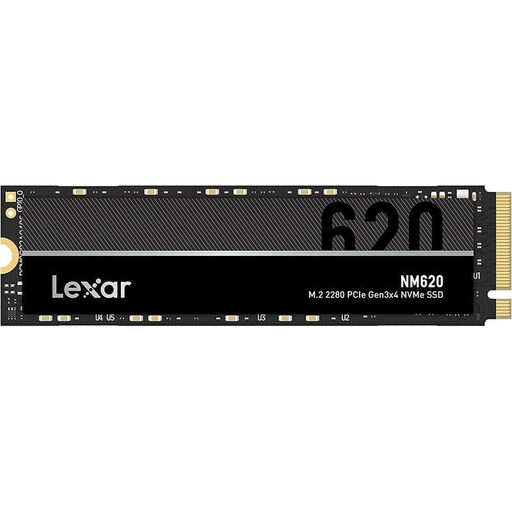
Why it suits this profile: This internal M.2-2280 SSD uses PCIe 3.0 x4 and is designed for compatible PCs and laptops that don’t need a PCIe 4.0 slot.
The PCIe 3.0 interface makes the system requirements clear, avoiding claims of PCIe 5.0 speeds that an older device can’t make use of.
2 TB capacity, M.2-2280 form factor and, according to the product listing, read speeds of up to 3,300 MB/s and write speeds of up to 1,300 MB/s.

Why it suits this profile: This PCIe 4.0 NVMe SSD is designed for users who need high sequential transfer rates for gaming, video editing or data-intensive applications.
The integrated heatsink helps manage the heat generated by high-performance M.2 drives. Remember to check the slot and available space before installation.
According to the product listing, read speeds of up to 7,450 MB/s and write speeds of up to 6,900 MB/s; designed for compatible PCs and consoles.
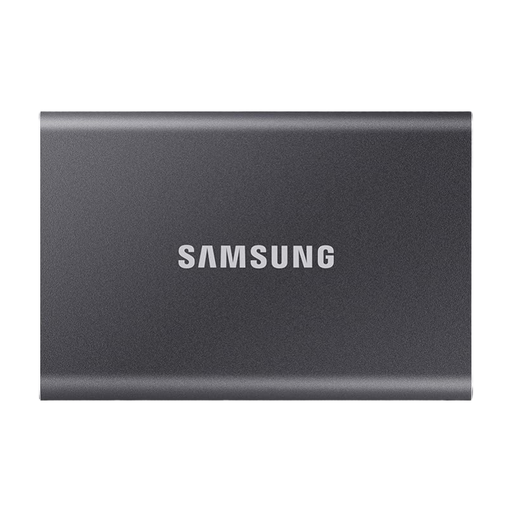
Why it suits this profile: This external 2TB SSD is ideal for use on the go, backups, laptops, desktop PCs and compatible games consoles.
The two included USB-C and USB-A cables help avoid connection issues. Hardware encryption can also be enabled using software.
USB 3.2 Gen 2, read speeds of up to 1,050 MB/s and write speeds of up to 1,000 MB/s according to the product listing, plus an aluminium casing.
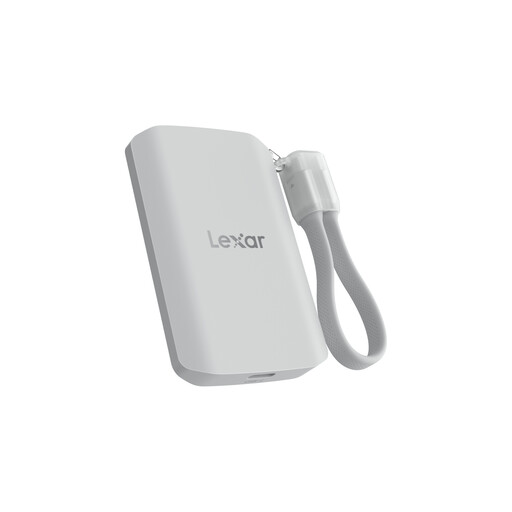
Why it suits this profile: Designed for mobile video workflows and USB-C devices, this portable 2TB SSD offers a compact solution with a magnetic mounting option.
The quoted USB 3.2 Gen 2x2 speeds are only achievable with a compatible host and cable. The product also clearly states that speeds will be lower on incompatible systems.
According to the product listing, read and write speeds of up to 2,000 MB/s, IP65 protection and support for certain mobile video applications.
We’ve put together a complete, regularly updated list of products that meet these strict selection criteria and fully comply with the safety regulations in force in the EU.
Before installing an internal SSD, shut down your PC completely, unplug the power cable and protect yourself against electrostatic discharge. Once installed, the drive will often need to be initialised and formatted in the operating system.
For an external SSD:
An SSD is not a substitute for a backup. Even a 2TB SSD can fail due to faults, power surges, loss or accidental deletion.
Manufacturers use decimal values. As a result, the operating system will usually show slightly less than 2,000 GB of usable storage. Formatting, system areas and, where applicable, over-provisioning also use up a small part of the capacity.
The model must meet the PS5’s technical requirements. Internal M.2 NVMe SSDs need the right form factor, sufficient speed and suitable cooling. Depending on the console, external drives can be used to store or move game data; not every game can be played directly from one.
Lifespan depends on the model, amount of data written, temperature and usage. Some manufacturers state a TBW rating, which specifies the amount of data that can be written. Regular backups are still a good idea. For home users, gaming and typical office tasks, many 2TB models are designed to last for a long time, although this isn’t a binding guarantee of lifespan.