
Lieferung heute & morgen

Qualitätsgarantie

Willkommens-Angebote freischalten: KOSTENLOSE Lieferung | Bis zu 80 % RABATT | Kostenlose 30-Tage-JoyPlus-Testphase
App herunterladen
A 2TB SSD gives you plenty of space for games, photos, videos, programmes and backups. But capacity alone isn’t a reliable way to choose. There are significant differences in speed, connectivity, portability and compatibility between an external 2TB SSD, an internal 2TB NVMe SSD and a traditional 2TB external hard drive.
The most common buying mistakes stem from three typical marketing traps:
An internal 2TB SSD is usually available as an M.2 2280 model or a 2.5-inch SATA SSD. M.2 refers to the form factor, while NVMe or SATA describes the transfer protocol.
Before you buy, check your motherboard manual, laptop specifications or console requirements. If you’re choosing an SSD for gaming on PS5, the M.2 format, supported PCIe generation and effective heat dissipation are all important. Some models require a heatsink, while others have one built in.
Manufacturers usually quote sequential read and write speeds. These refer to large, continuous files and are relevant for video projects or transferring large amounts of data. Random access, cache technology and your system configuration also affect how quickly programmes and games launch.
For example, a 2TB USB-C SSD with USB 3.2 Gen 2 can reach up to 1.050 MB/s read speed and 1.000 MB/s write speed, according to the product specifications. Your computer, cable and port must all support the relevant transfer rate. Using a slower USB port will reduce the speed.
Manufacturers quote considerably higher speeds for internal PCIe 4.0 SSDs, depending on the model. A PCIe 5.0 SSD can deliver even higher sequential speeds, but it needs a compatible motherboard and usually carefully planned cooling. For many home users and gamers, PCIe 4.0 is already a good choice.
High transfer speeds generate heat. An M.2 heatsink can be useful with internal NVMe models, particularly during longer write operations. If the temperature gets too high, the SSD may temporarily reduce its speed.
The casing is also important for portable storage. Aluminium can help dissipate heat, but it’s no substitute for regular backups. Features such as 256-bit AES hardware encryption or password protection can make it harder to access your files if the drive is lost. However, they won’t protect you from accidental deletion, hardware failure or ransomware. You should therefore store important data in at least two separate places.
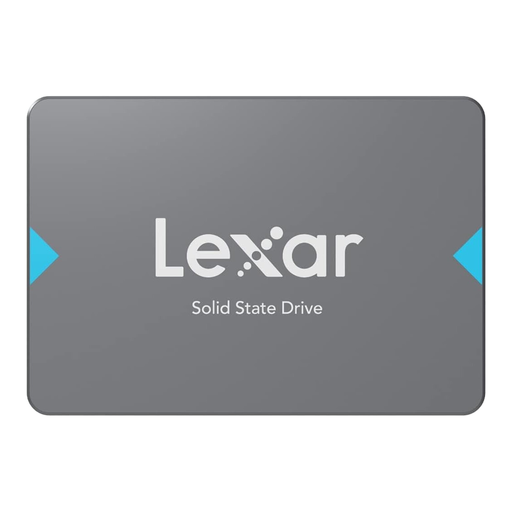
Why this product suits this type of user: This SATA SSD is designed for compatible desktop PCs and laptops, and is a suitable upgrade for older systems with a 2.5-inch bay.
The advertised speed of up to 550 MB/s is suited to the SATA interface and doesn’t require a modern PCIe motherboard.
2 TB, 2.5-inch format, 3D NAND, plus shock and vibration protection, according to the product specifications.
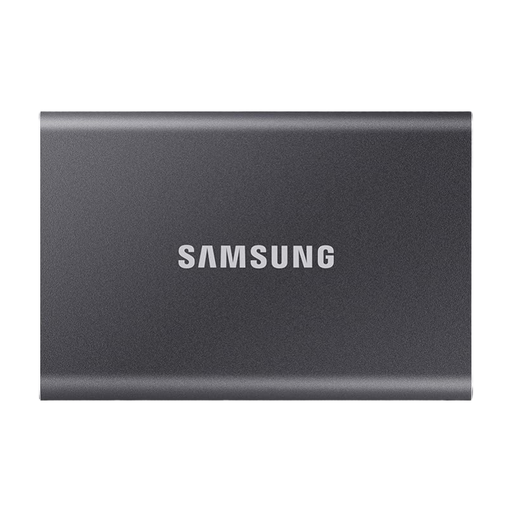
Why this product suits this type of user: This portable 2TB SSD is designed for photos, videos, mobile backups and use with a PC, Mac, laptop or compatible console.
It has a USB-C connection and comes with USB-C to C and USB-C to A cables. This makes it easier to check compatibility with your device before you buy.
Up to 1.050 MB/s read speed and up to 1.000 MB/s write speed, an aluminium casing and optional hardware encryption, according to the manufacturer.
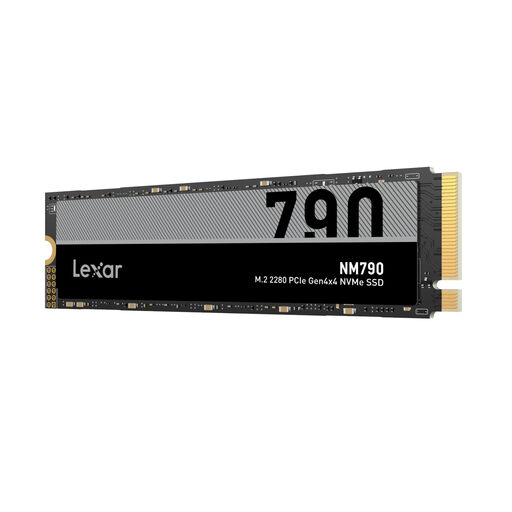
Why this product suits this type of user: For gamers, content creators and anyone working with large files, the M.2 2280 form factor offers an internal storage solution for compatible PCs, laptops and PS5.
The PCIe 4.0 interface is clearly specified. Before installation, you’ll still need to check that you have an M.2 NVMe slot and, for PS5, a suitable heatsink.
According to the product specifications, read speeds of up to 7.400 MB/s and write speeds of up to 6.500 MB/s for the 2TB model.
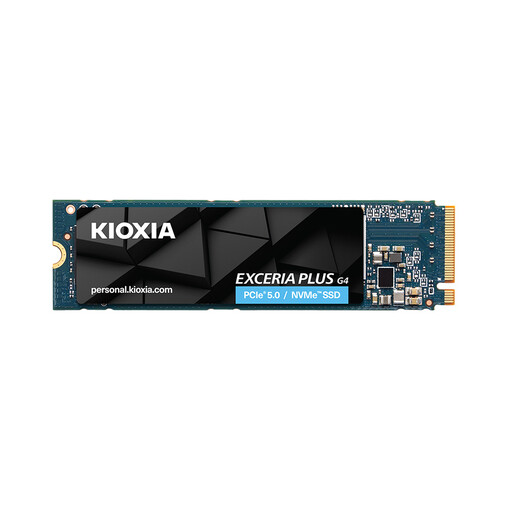
Why this product suits this type of user: This PCIe 5.0 SSD is aimed at users with a compatible desktop or laptop who regularly work with large amounts of data.
PCIe 5.0 compatibility is clearly specified. Without a suitable slot, the drive won’t reach the quoted interface speeds.
For the 2TB model, read speeds of up to 10.000 MB/s and write speeds of up to 8.200 MB/s are quoted; make sure you plan for suitable cooling.
We’ve put together a complete, regularly updated list of products that meet these strict selection criteria and fully comply with the safety regulations in force in the EU.
Manufacturers use decimal prefixes, while operating systems sometimes calculate capacity differently. Formatting, the file system and, where applicable, system data also take up a small amount of space. The usable capacity is therefore lower than the stated capacity.
Lifespan depends on write volume, temperature, model and usage. Manufacturers often quote a TBW value, which is the maximum write volume guaranteed under certain conditions. For home users, photo libraries and standard game installations, a 2TB SSD can last for many years. You’ll still need a backup.
An SSD offers fast access times and has no moving mechanical parts. This can reduce loading times and speed up file transfers. A 2TB external hard drive, on the other hand, can provide affordable storage for archives and backups. An SSD is usually the better choice for games, programmes and video projects you use regularly.