
Lieferung heute & morgen

Qualitätsgarantie

Willkommens-Angebote freischalten: KOSTENLOSE Lieferung | Bis zu 80 % RABATT | Kostenlose 30-Tage-JoyPlus-Testphase
App herunterladen
Choosing the right RAM is a critical step when building or upgrading a high-performance PC. For AMD users in particular, the 32GB DDR5 6000 CL30 specification has emerged as the sweet spot for performance and stability. However, the market is flooded with models whose marketing promises often create more confusion than clarity. This guide will help you navigate the technical pitfalls and make an informed decision.
Before choosing a kit, it's crucial to understand three common issues that can lead to performance bottlenecks or compatibility problems.
To ensure your new 32GB DDR5 PC RAM delivers the performance you expect, you should carefully examine the following technical features.
Here are some recommendations tailored to specific user needs that specifically avoid the pitfalls mentioned above.
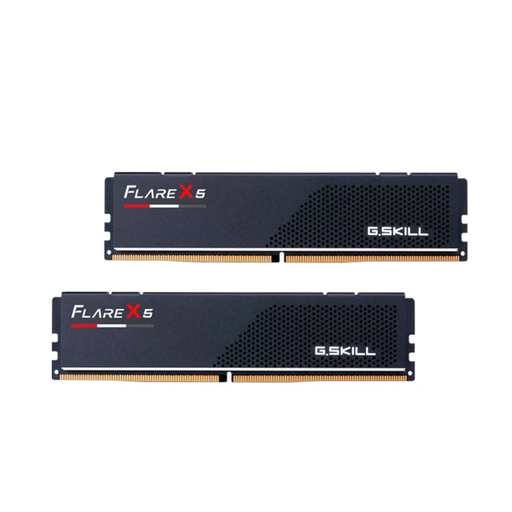
Why This Fits Their Persona: This user is looking for optimal, hassle-free performance for their AMD system. The focus is on stability and maximum in-game performance, not on RGB lighting.
The kit is explicitly designed for AMD EXPO and has a low-profile design (33 mm), which prevents compatibility issues with CPU coolers.
Combines the ideal specs (6000MHz CL30) with a subtle, highly compatible design. Easy "set and forget" configuration thanks to EXPO.
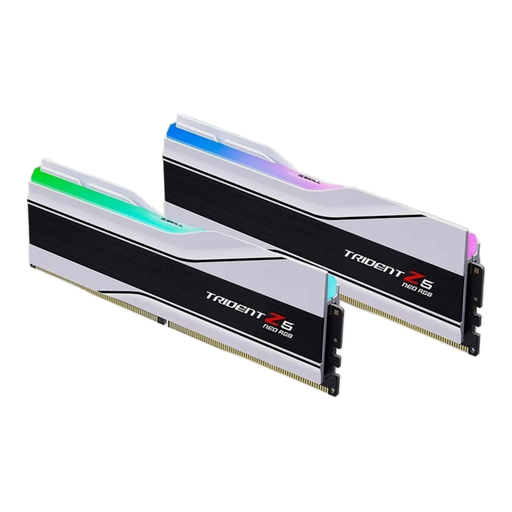
Why This Fits Their Persona: For this user, aesthetics are just as important as performance. The system is meant to be showcased in a case with a tempered glass window, with RGB lighting synchronised across all components.
This kit doesn't sacrifice performance for looks. It's AMD EXPO-certified and offers the coveted CL30 timings. However, compatibility with CPU coolers must be checked beforehand due to its height.
Combines high performance with a stunning design and customisable RGB lighting. According to the manufacturer, it supports both AMD EXPO and Intel XMP 3.0.
We have compiled a complete, up-to-date list of products that fully meet these strict selection criteria.
1. Do I need to manually configure a 32GB DDR5 6000 CL30 kit in the BIOS? Generally, no. If you purchase a kit with AMD EXPO (for AMD systems) or Intel XMP 3.0 (for Intel systems), you just need to enable the corresponding profile in the BIOS. The system will then automatically apply all optimised settings for clock speed, voltage, and timings.
2. Is a DDR5 6000MHz CL30 kit future-proof? For current and upcoming gaming demands, as well as most professional applications, a 32GB DDR5 6000MHz CL30 Kit provides a very solid foundation. The 32GB capacity offers plenty of headroom for multitasking, while the 6000/CL30 configuration ensures high performance for the current generation of CPUs. It's a sensible investment for the next few years.
3. What is the difference between CL30 and CL36 at 6000 MHz? CL stands for CAS Latency and measures the delay in clock cycles before the memory responds to a request. A lower number means a faster response. Therefore, a CL30 kit responds faster than a CL36 kit at the same clock speed. This difference can lead to a measurable performance advantage in latency-sensitive applications like competitive gaming.