
Lieferung heute & morgen

Qualitätsgarantie

Willkommens-Angebote freischalten: KOSTENLOSE Lieferung | Bis zu 80 % RABATT | Kostenlose 30-Tage-JoyPlus-Testphase
App herunterladen
A laptop and PC with 32 GB RAM is suitable for many demanding tasks: large spreadsheets, virtual machines, photo and video editing, software development or the latest games. However, plenty of memory alone is no guarantee of a suitable device. What really matters is the interplay between processor, storage, graphics, display, ports and operating system.
32 GB of memory enables comfortable multitasking. But if a modest processor, a slow SSD or integrated graphics are used for demanding 3D tasks, performance will be limited in certain scenarios. So always check:
An AI laptop often features an NPU – a specialised compute unit for certain local AI functions. However, actual usage depends on Windows, compatible applications and available features. A figure like "up to 50 TOPS" describes the NPU's computing power, but doesn't on its own tell you which programmes will benefit from it.
Also check whether Windows 11 Home or a Windows 11 Pro laptop is offered. Pro versions include BitLocker, Remote Desktop and additional management features. For home users, Home is often sufficient; in businesses, Pro features may be relevant.
A lightweight device can be limited by a small power adapter, few ports or soldered-on memory. So also check:
32 GB RAM is a practical size for many office and creative tasks. With a business laptop featuring 32 GB RAM, you should check whether SO-DIMM modules are used and whether free slots are available. The Lenovo ThinkBook 14 G9 AHP, for example, works with 2 × 16 GB DDR5-5600 SO-DIMM and supports up to 64 GB according to the product specification.
On some slim devices, the memory is soldered directly onto the motherboard. This can reduce height and weight, but rules out later upgrades. For a desktop PC, a DDR5 RAM 32 GB kit with two modules is usually appealing, provided the motherboard, BIOS and processor support the desired speed. Profiles such as Intel XMP or AMD EXPO may need to be activated in the BIOS.
A laptop with a 1 TB SSD offers more space for programmes, project files, media and games. 512 GB can be enough for office software and cloud use, but will run out more quickly with large data sets. An NVMe SSD over PCIe 4.0 enables fast boot and load times; however, actual speed also depends on the specific drive and cooling.
With workstations and desktop PCs, it's also worth checking for free M.2 slots. This allows you to expand storage later without having to replace the existing drive.
Integrated graphics units such as Intel Arc Graphics or AMD Radeon 780M share the system memory. They suit office work, video playback, programming and selected creative applications. For modern games, 3D rendering or CAD, a dedicated GPU may be more sensible.
A gaming laptop with an RTX graphics card shouldn't be chosen based on the GPU name alone. What matters is video memory, power consumption, cooling and display resolution. The MSI Raider 18 HX combines 32 GB DDR5 with an NVIDIA GeForce RTX 5070 Ti with 12 GB GDDR7, a QHD+ panel at 240 Hz and a 400-watt power adapter. This specification is designed for high graphics performance, but brings a higher transport weight of 3.6 kg.
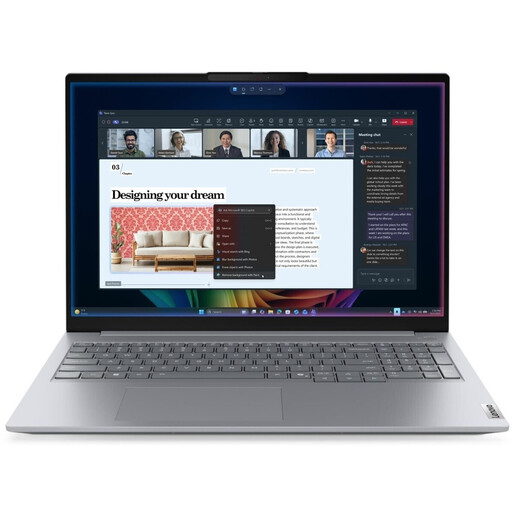
Why this product fits the profile: The 16-inch WUXGA display, 32 GB DDR5 and Windows 11 Pro offer a practical specification for office work, study and everyday multitasking.
The 32 GB specification is backed up by concrete details such as a 512 GB SSD, 16:10 display and numerous ports.
1.7 kg weight, Wi-Fi 7, Thunderbolt 4, SD card reader and 71 Wh battery.
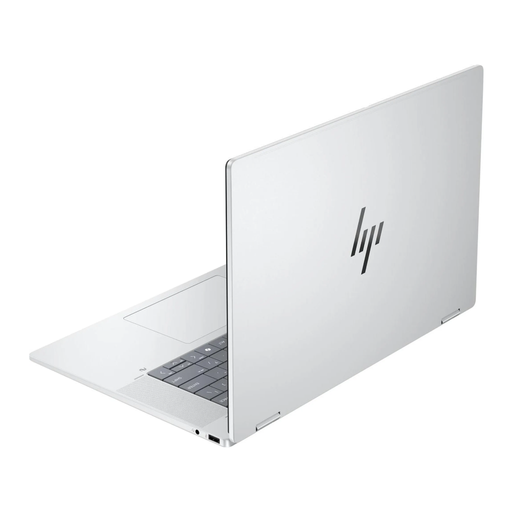
Why this product fits the profile: The 2-in-1 concept is aimed at users who want touch operation, flexible positioning and a vibrant display.
The product data lists memory, display resolution, colour gamut coverage, NPU performance and weight separately.
3K OLED touch display at 120 Hz, 32 GB LPDDR5x, 1 TB SSD and 1.88 kg weight.
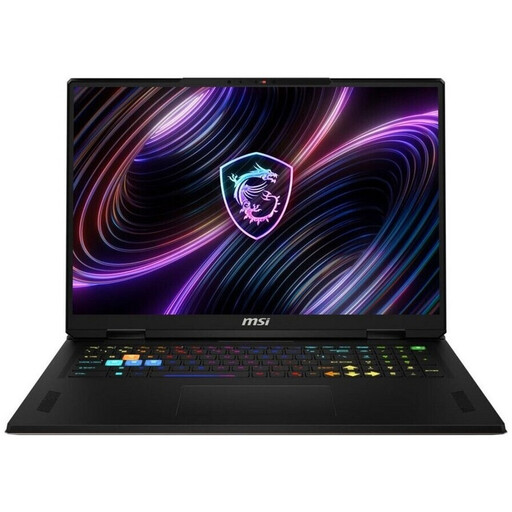
Why this product fits the profile: This device is aimed at gamers and content creators who need a high refresh rate, dedicated graphics and a large workspace.
The dedicated GPU, 400-watt power adapter and cooling are matched to the higher power consumption.
Intel Core Ultra 9 with 24 cores, RTX 5070 Ti with 12 GB GDDR7, 1 TB SSD and 18-inch QHD+ display at 240 Hz.
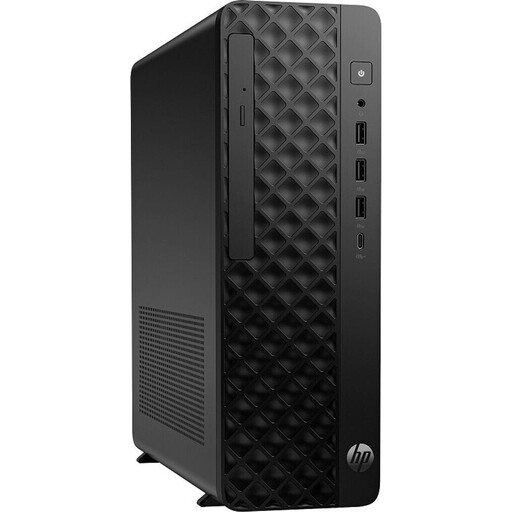
Why this product fits the profile: The compact workstation is designed for CAD-related tasks, data analysis, design and professional office setups with multiple monitors.
Alongside 32 GB DDR5, a dedicated RTX A400, Windows 11 Pro and an SFF chassis are specified.
20-core processor, 1 TB M.2 SSD, 4 GB GDDR6 graphics memory, Wi-Fi 7 and integrated card reader.
We've put together a complete, regularly updated list of products that fully meet these strict selection criteria and the safety regulations in force in the EU.
For office programmes, video calls, many browser tabs and parallel applications, 32 GB is usually sufficient. However, with virtual machines, large data sets or professional video and 3D editing, the processor, graphics card and SSD can also be decisive.
The useful life depends on software, maintenance and upgradeability. Devices with a modern SSD, current platform, adequate cooling and upgradeable memory offer more flexibility. With soldered RAM, the capacity should already suit your intended use at the time of purchase.
The memory is only one part of the power consumption. A mini PC with 32 GB RAM and integrated graphics typically uses less energy than a workstation or gaming PC with a powerful RTX graphics card. The power adapter, processor, graphics card and workload have a much greater impact on running costs.