
Lieferung heute & morgen

Qualitätsgarantie

Willkommens-Angebote freischalten: KOSTENLOSE Lieferung | Bis zu 80 % RABATT | Kostenlose 30-Tage-JoyPlus-Testphase
App herunterladen
A 360 mm AIO liquid cooler can be a sensible choice for high-performance gaming PCs, content creation systems and workstations. The larger radiator offers more surface area for heat dissipation than compact variants. Even so, a 360 mm liquid cooler isn't automatically suitable for every case, processor or user.
Many purchasing decisions fall foul of three typical pitfalls: the radiator doesn't fit in the case, the stated noise level is assessed without a realistic fan curve, or display and ARGB features are mistaken for actual cooling performance. The following guide shows which technical specifications you should check before buying a 360 mm liquid cooler for your CPU.
A 360 mm radiator typically uses three 120 mm fans. However, installation also requires additional space for fans, hoses, connectors and, where applicable, the RAM. Particularly when mounting in the roof, the combination of radiator and fans can clash with tall memory modules or large heatsinks.
Before buying, you should therefore check the specifications of your PC case:
A high maximum speed value doesn't automatically describe a quiet 360 mm CPU cooler. What matters includes fan bearings, air pressure, fan curve, pump noise and case ventilation. PWM connectors enable temperature-dependent control via the BIOS or motherboard software.
A realistic assessment should therefore not only consider the maximum speed value. Also relevant are:
ARGB fans, an illuminated pump cover or a CPU cooler with a display change the look of your system, but say nothing on their own about heat dissipation. Before buying, you should check whether your motherboard has a 5 V 3-pin ARGB header. A 12 V 4-pin RGB header is not designed for this and may be incompatible.
For display models, software, connection type, screen size and the desired display content are also relevant. A display can show temperatures or graphics, but often requires an additional USB connection and compatible software.
An Intel LGA 1851 liquid cooler or Intel LGA 1700 liquid cooler requires suitable mounting brackets. For AMD systems, the specifications AM5 liquid cooler and AM4 liquid cooler are important selection criteria. Even if a cooler is advertised as supporting multiple sockets, you should confirm the specific bracket is included in the box or listed in the technical specifications.
The models presented here state support for Intel LGA 1851 and LGA 1700, as well as AMD AM5 and AM4. Additional sockets may be supported for older platforms. The relevant product page and installation manual remain the definitive sources.
A 360 mm radiator is usually equipped with three 120 mm fans. Higher airflow can aid heat dissipation, while higher static pressure is relevant for densely finned radiators. However, these values should not be viewed in isolation: the actual temperature also depends on the processor, case, ambient temperature and fan curve.
Check the following before installation:
With the Corsair NAUTILUS 360 RS ARGB, a direct connection to the motherboard is intended according to the product specifications. The three RS120 ARGB fans are controlled via PWM, while the lighting is managed through a 5 V 3-pin ARGB header.
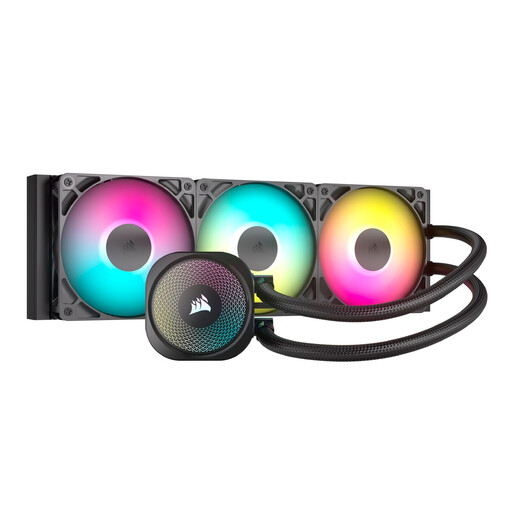
Why this product suits the profile: The black model combines a 360 mm radiator, three RS120 ARGB fans and PWM control with a direct motherboard connection. This reduces the need for additional controllers and can simplify cabling.
The product specifications mention PWM fan control, a direct ARGB motherboard connection and support for current Intel and AMD sockets. This allows you to check key compatibility points before buying.
360 mm radiator, three RS120 ARGB fans, PWM control and compatibility with LGA 1851, LGA 1700, AM5 and AM4.
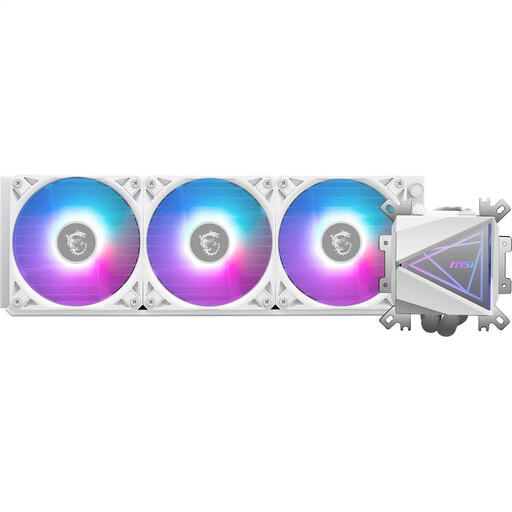
Why this product suits the profile: The white AIO liquid cooler is aimed at users who value documented technical details, a coordinated design and straightforward installation.
The specifications include concrete values for fan speed, airflow, static pressure and noise level. This allows buyers to compare technical data rather than relying purely on lighting promises.
12-channel split-flow radiator, three 120 mm ARGB PWM fans, dual-chamber pump and pre-installed UNI bracket.
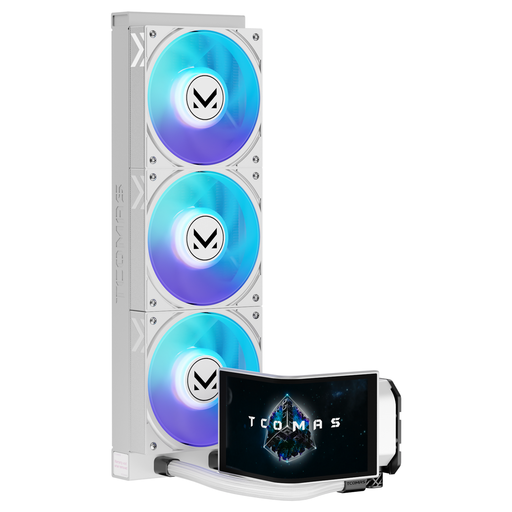
Why this product suits the profile: This model combines a white finish with a 6.67-inch curved AMOLED display and customisable image content. It's relevant for visible PC builds, streaming setups and users interested in system monitoring.
The display size and customisable content are clearly stated. Buyers can therefore decide in advance whether the additional screen justifies the extra cost and installation effort required.
6.67-inch curved AMOLED display, 3D visualisations, customisable screen and support for LGA 1851, LGA 1700, AM5 and AM4.
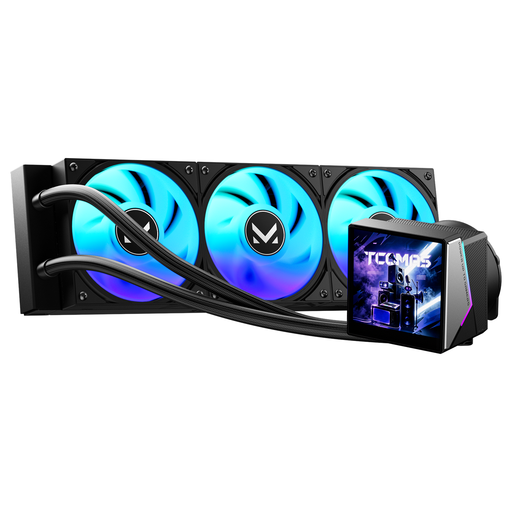
Why this product suits the profile: The black version features a 3.95-inch IPS screen on the pump head and dynamic ARGB lighting. It suits dark gaming PC cases with a visible interior.
The product description separates display size, ARGB function and socket support. This allows you to choose based on aesthetics and platform rather than blanket performance claims.
3.95-inch IPS display, dynamic ARGB lighting and support for Intel LGA 1851 and LGA 1700, as well as AMD AM5 and AM4.
We've put together a complete, regularly updated list of products that fully meet these strict selection criteria and the safety regulations in force in the EU.
An all-in-one liquid cooler is supplied as a sealed system and should not be opened or dismantled. During installation, the radiator, pump unit and fans must be securely fastened. The fans require suitable PWM headers; ARGB cables should only be connected to compatible 5 V 3-pin headers.
For operation, the following points are sensible:
The lifespan depends on build quality, ambient temperature, dust exposure and daily usage duration. Noises, unusual pump sounds or rising temperatures can indicate a need for maintenance or a fault. An AIO also does not replace regular cleaning of the radiator and case filters.
No. The case must explicitly support a 360 mm radiator. You also need to check the mounting position, radiator thickness, fan height and potential conflicts with RAM or motherboard heatsinks.
There's no one-size-fits-all answer. Three fans and a pump create their own noise sources. A low PWM speed can reduce noise, while processor load, case ventilation and the fan profile all influence the result.
The power consumption is made up of the pump, fans and, where applicable, lighting or display. The specific values vary by model. For a reliable assessment, you should check the voltage, power consumption and connection type on the relevant product page.