
Lieferung heute & morgen

Qualitätsgarantie

Willkommens-Angebote freischalten: KOSTENLOSE Lieferung | Bis zu 80 % RABATT | Kostenlose 30-Tage-JoyPlus-Testphase
App herunterladen
A CPU cooler needs to do more than boast high fan speeds or RGB lighting on its spec sheet. For a stable gaming PC, work computer or all-round PC, the key considerations are socket compatibility, sufficient cooling surface area, case clearance and a noise profile that suits your needs.
Three common buying misconceptions often lead to the wrong choice:
Before buying, make sure the cooler is compatible with your processor and motherboard. Current AMD systems need AM5 CPU coolers, while many older Ryzen systems use AM4 CPU coolers. For Intel, check the specific LGA socket support, such as LGA1851, LGA1700 or older LGA sockets.
Depending on the version, the DeepCool models featured here support platforms including Intel LGA1851/1700 and AMD AM5/AM4. Even so, check the product page and the included mounting bracket before installation.
Pay particular attention to the AMD Ryzen 5 8400F processor: the title in the product data provided clearly specifies AM5 and DDR5, while one description refers to AM4 instead. For your buying decision, the specific product variant and official motherboard compatibility are what matter.
An air cooler needs enough room between the motherboard and the side panel. Tall RAM heat spreaders or a large graphics card can also make installation more difficult. Offset heatpipes and a modified fin layout can improve access to the memory slots, but you should still check your case specifications.
An air cooler has a relatively simple design: the heatsink, heatpipes and fan form a single unit. Single-tower models are often suitable for more compact builds. Dual-tower models offer more fin surface area, but take up more room.
With an AIO liquid cooler, the radiator needs to fit inside your case. A 240mm liquid cooler typically uses two 120mm fans, while a 280mm liquid cooler uses two 140mm fans. A 360mm liquid cooler uses three 120mm fans and needs more mounting space.
When choosing a quiet CPU cooler, maximum fan speed and advertised noise levels aren’t the only things to consider. These factors also matter:
Features such as 0 RPM start/stop can switch the fans off under light loads. During prolonged heavy use, however, fan speeds and noise will rise depending on the CPU, room temperature and case airflow.
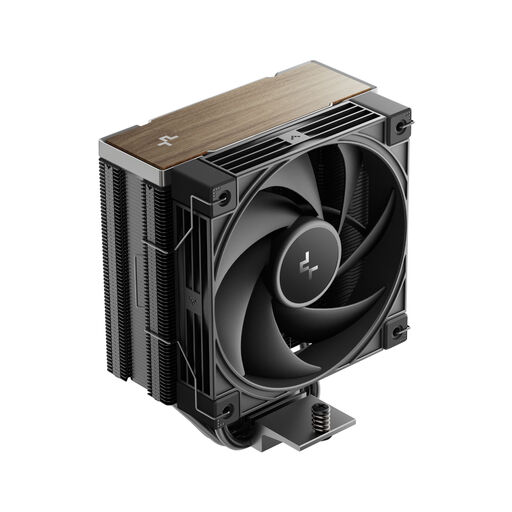
Why this product suits this profile: Its single-tower design and four copper heatpipes make it a good choice if you’re looking for straightforward installation and broad platform support.
Compatibility details list AM5, AM4 and several Intel LGA sockets. You’ll still need to check your case clearance and motherboard support before buying.
Four copper heatpipes, offset layout, PWM fan and 0 RPM start/stop, according to the product description.
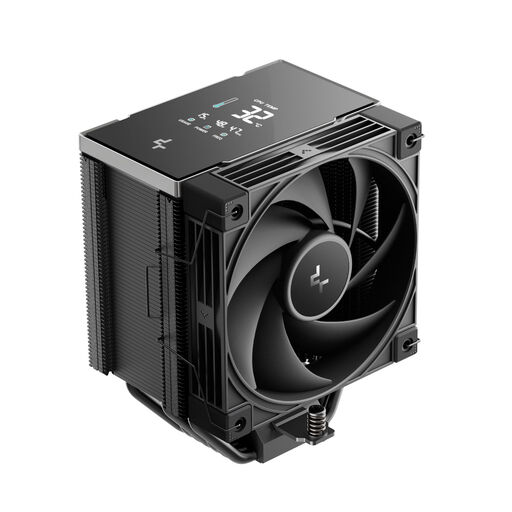
Why this product suits this profile: According to the product description, the LCD segment display shows temperature, usage, power consumption and frequency in real time.
The display adds useful system information to the cooling function. You’ll need a USB 2.0 header on your motherboard to use it.
Seven copper heatpipes, CTT 2.0, a metal mounting kit and support for AM5, AM4 and LGA1851.
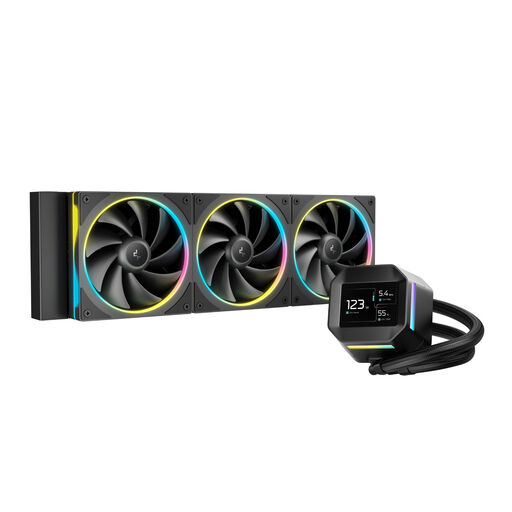
Why this product suits this profile: This 360mm AIO is designed for builds with a compatible radiator mount and for users who want an integrated LCD display for system information or media.
The radiator size is clearly stated. Before buying, check that your case supports a 360mm radiator, and make sure there’s enough airflow and the right pump connections.
2.4-inch IPS LCD with 320 × 420 pixels, three 120mm fans and a PWM pump, according to the product details.
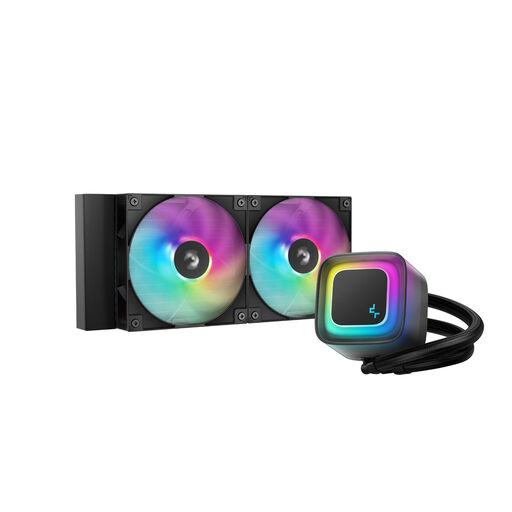
Why this product suits this profile: This 240mm AIO offers an alternative to a large air cooler and suits systems with a compatible radiator position.
The pre-installed fans make installation easier. You’ll still need to check radiator clearance, tube routing and the pump connection beforehand.
240mm radiator, PWM pump, two hydro-bearing ARGB fans and anti-leak technology, according to the product description.
We’ve put together a comprehensive, regularly updated list of products that meet these strict selection criteria and the safety regulations in force across the EU.
It depends on the mounting bracket and the manufacturer’s compatibility information. Many current models support both sockets, including several DeepCool CPU coolers. You’ll also need to make sure there’s enough case clearance and RAM space, and that the cooler suits your motherboard layout.
Not necessarily. An air cooler has fewer components and doesn’t need a pump or radiator tubes. An AIO liquid cooler can offer a different form factor when there’s enough radiator space. Your decision should take into account CPU power consumption, your case, noise requirements and how much maintenance you’re prepared to do.
For air coolers, the fans and dust build-up are the main factors that affect wear. An AIO also has a pump and liquid cooling loop. Regular cleaning, unobstructed air intakes and a well-managed fan curve can help keep your cooler running reliably. A processor should never be used without a correctly installed cooler and thermal paste.