
Lieferung heute & morgen

Qualitätsgarantie

Willkommens-Angebote freischalten: KOSTENLOSE Lieferung | Bis zu 80 % RABATT | Kostenlose 30-Tage-JoyPlus-Testphase
App herunterladen
Deciding to buy a 3D printer unlocks a world of countless creative and technical possibilities. However, the sheer variety of technologies, models, and features can make the selection process complicated. This guide is designed to help you make an informed decision. We will introduce different technologies and present a selection of models designed for various use cases—from hobby projects to professional prototyping.
Before you decide on a model, it's helpful to understand some fundamental technical aspects. These factors are crucial in determining the print quality, speed, and suitability for your projects.
The two most common technologies for home and hobbyist use are FDM (Fused Deposition Modeling) and Resin printing (SLA/DLP).
Modern 3D printers offer a range of features that significantly simplify the printing process and improve results.
Based on the criteria mentioned above, we have compiled a selection of printers that cater to different needs. These models stand out for their specific technical features.
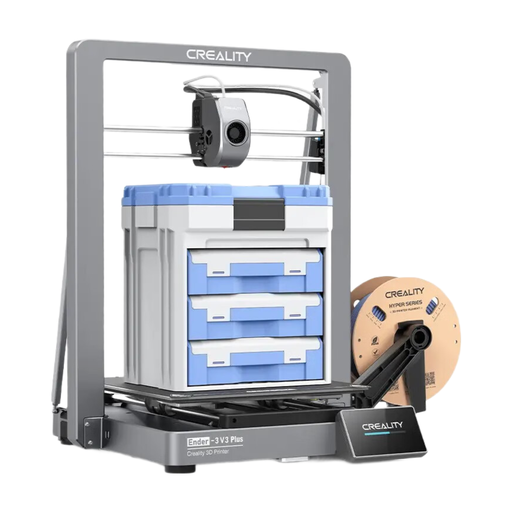
Why This Model Stands Out: The Creality Ender 3 V3 Plus combines a very large build volume with high print speed. Its CoreXZ structure and additional support rods ensure stability even during high-speed printing, which minimises Z-axis wobble. Automatic calibration makes setup straightforward.
Pros:
Who is this model for? This model is an excellent choice for hobbyists, makers, and small businesses looking for a reliable FDM printer for large projects or the rapid production of prototypes and small batches.
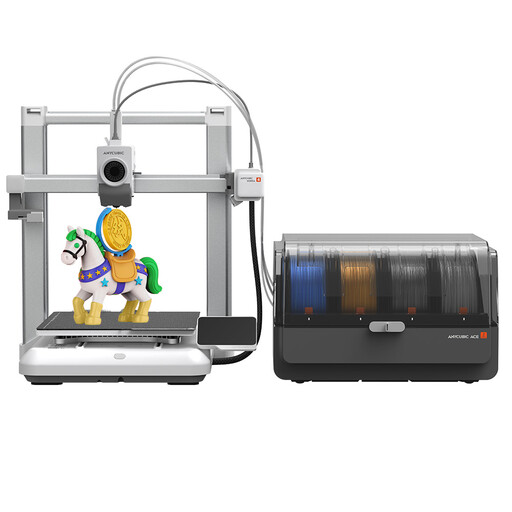
Why This Model Stands Out: The ANYCUBIC Kobra 4 Combo is designed as an integrated system for multi-colour printing. It allows printing with up to four colours as standard (expandable to eight) and is equipped with smart features like AI-powered error detection to reduce print failures.
Pros:
Who is this model for? Ideal for creative users, designers, and hobbyists who want to bring their projects to life with multiple colours and value an automated and intelligently monitored printing process.
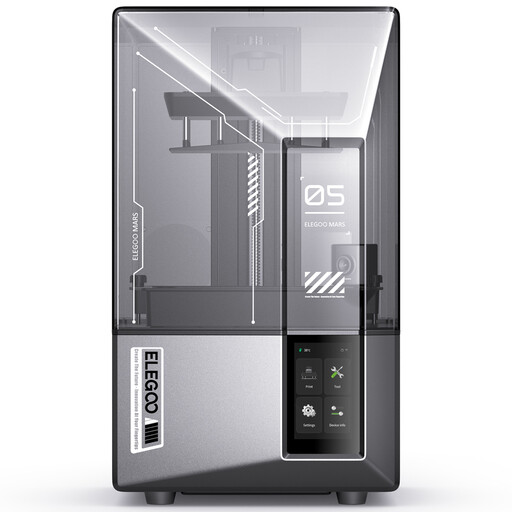
Why This Model Stands Out: The ELEGOO Mars 5 Ultra is a resin 3D printer designed for extreme detail accuracy and high speed. With its 9K mono LCD, it achieves an XY resolution of 18 microns, resulting in exceptionally sharp and detailed prints. Smart features like automatic levelling and an AI camera simplify operation.
Pros:
Who is this model for? This device is aimed at users who demand the highest standards of detail and surface finish, such as model makers, jewellery designers, or prototype developers in the dental field.
The models presented here already cover a wide range of use cases. If you haven't found the right device for your specific needs, you can find a larger selection of printers and accessories in our 3D Desk category. There, you can compare more models with different build volumes, technologies, and price points.
Getting started today is much easier than it was a few years ago. Many models designed as beginner-friendly 3D printers come pre-assembled and include features like auto-levelling. This eliminates complicated manual calibration, and you can often start your first print within minutes.
A Direct Drive extruder, like the one in the Creality Ender 3 V3 Plus, is mounted directly on the print head. This allows for more precise filament control, which is particularly advantageous with flexible materials (TPU). A Bowden extruder is attached to the printer's frame and feeds the filament through a tube to the print head. This reduces the weight on the print head, potentially allowing for faster movements, but can be less precise with filament retraction.
Yes. Liquid resin and its fumes can cause skin irritation and allergic reactions. It is strongly recommended to work in a well-ventilated area and always wear gloves and a protective mask when handling the resin. After printing, the models typically need to be cleaned with isopropyl alcohol and post-cured under UV light.