
当日/次日达

品质保障

开启新人专享福利: 全场免邮 | 低至 2 折 | 免费试用 30 天 JoyPlus 会员
下载 Joybuy
If you’re looking to buy a 3D printer, you’ll find plenty of machines boasting high print speeds, automatic features and multicolour accessories. But choosing the right one isn’t just about headline figures. What matters is whether the print volume, filament, temperature range and ease of use match the way you plan to use it.
This buying guide from the Joybuy Product Recommendation Officer explains the key criteria and highlights models and materials to suit different types of user.
Figures such as 500 or 600 mm/s usually refer to a maximum speed under specific conditions. Actual print times also depend on acceleration, model geometry, layer height, filament profile and cooling. Even a high-speed 3D printer may work more slowly when printing small or complex models.
So, check the recommended speed as well as features such as automatic flow calibration, print bed levelling and filament monitoring.
Depending on the system, a multicolour 3D printer may need additional filament boxes, tubes and purge cycles. Changing colours can also waste material. And not every filament is compatible with every feed unit. For example, some systems require TPU to be fed directly into the printer.
Before buying, check how many colours are supported as standard, whether you’ll need expansion modules and which materials can be used with the multicolour system.
The label ‘compatible with FDM filament’ isn’t enough to make an informed buying decision. PLA needs different settings from PETG, ABS or fibre-reinforced materials. Important factors include nozzle temperature, print bed temperature, the build chamber and nozzle material.
PLA is often easier for beginners to work with. PETG can be a good choice for functional parts, but it requires the right temperature and bed adhesion settings. Check the manufacturer’s recommendations before printing.
Print volume determines which models can be made in one go. Compact machines are suitable for figures, replacement parts and smaller prototypes. A large 3D printer with a build volume of 350 × 350 × 350 mm gives you more room for larger parts or several objects.
Also compare the printer’s external dimensions and weight, and check how much clearance it needs from walls. An enclosed machine needs a stable, heat-resistant and well-ventilated surface. In schools, workshops and small businesses, it should also be easy to reach a power socket.
Many FDM printers can handle PLA and PETG. ABS, ASA, PA and fibre-reinforced filaments have higher technical requirements. A heated print bed and enclosed build chamber can be important for these materials. However, that doesn’t automatically mean every high-temperature material will work without further adjustments.
Check the following:
A 3D printer with automatic levelling can make preparation easier. However, this feature doesn’t replace cleaning the print bed and checking the first layer. Sensors for filament run-out, tangles and resuming after a power cut are useful too.
For 3D printer filament, make sure the diameter and spool size are compatible with the feed system. 1.75 mm PLA filament is widely used in many desktop FDM printers. Store filament in a dry, dust-free place, as moisture can affect extrusion and surface quality.
The selection below compares products based on their published technical specifications and stated uses. Figures such as speed and material compatibility are provided by the manufacturer or listed in the product information.
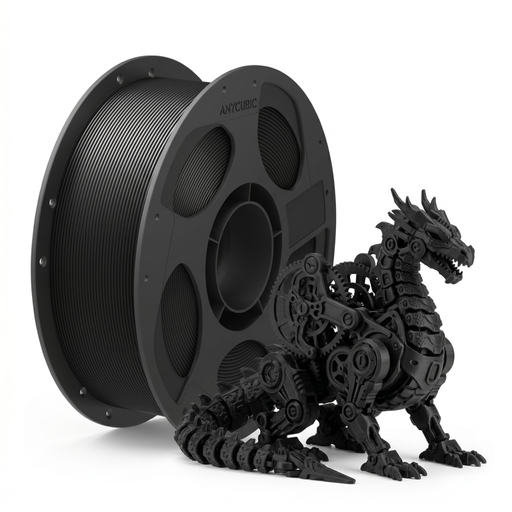
Why this product suits this type of user: This 1.75 mm PLA filament is designed for use with many FDM 3D printers. According to the product information, it’s suitable for beginners, as well as for models and prototypes.
The stated 1.75 mm diameter and ±0.02 mm tolerance give you clear points of comparison against vague material specifications.
A 1 kg spool of PLA with a specified filament diameter for common FDM applications.
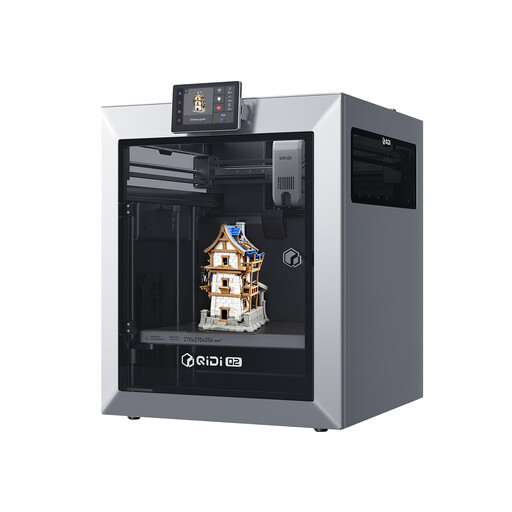
Why this product suits this type of user: According to the product description, this enclosed FDM system combines a 270 × 270 × 256 mm build volume with automatic levelling, a 370 °C all-metal hot end and a heated chamber.
The specifications cover build volume, temperature range and automatic features, rather than relying on a single speed figure.
According to the product information, speeds of up to 600 mm/s, a heated chamber reaching 65 °C and filament detection.
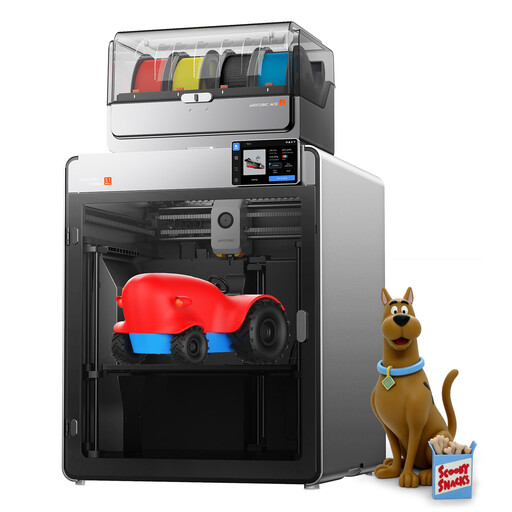
Why this product suits this type of user: According to the product information, this system is designed for larger models, batches of small parts and multicolour printing, with four colours as standard and support for up to 16.
The product specifications clearly state the standard colour capacity and expansion options, as well as the restriction on feeding TPU through the ACE 2 Pro.
According to the manufacturer, a 350 × 350 × 350 mm build volume, a heated chamber reaching 65 °C and active filament drying.
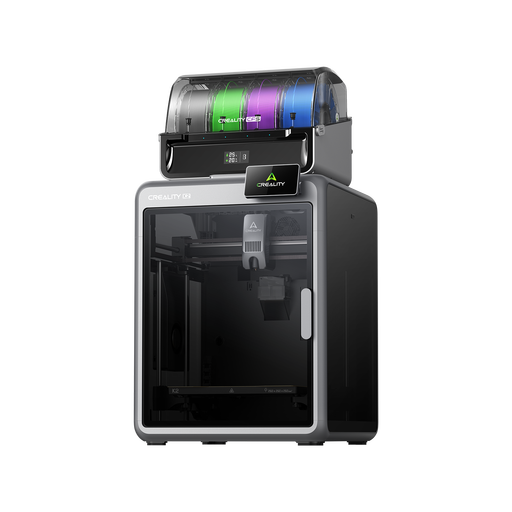
Why this product suits this type of user: According to the product specifications, this Creality 3D printer has a 260 × 260 × 260 mm build volume, automatic levelling and camera monitoring. With CFS units, it can be expanded to support up to 16 colours.
Check what’s included and how the expansion system works before buying; the K2 Combo is listed as including one CFS unit.
According to the product information, speeds of up to 600 mm/s, an enclosed design and support for PLA, PETG, ABS and PLA-CF.
For standard models and many decorative projects, 1.75 mm PLA filament is a natural choice. For a glossy finish, eSUN PLA-Silk filament is available in colours such as copper and gold. If you want to make functional parts with different material properties, you could consider PETG filament, such as JOYBUYxANYCUBIC PETG in white or black.
Before loading the filament, always check:
For beginners, a straightforward interface, automatic levelling, filament sensors and a well-documented PLA profile can all be helpful. An FDM 3D printer with a moderate build volume can make it easier to get started, without needing a heated chamber or multicolour system straight away.
Lifespan depends on print hours, maintenance, the environment and the materials used. Regularly cleaning the print bed, checking belts and guides, and replacing worn parts when needed can help extend the printer’s working life. There’s no reliable one-size-fits-all estimate, as usage conditions vary.
As well as the price of the printer, you’ll need to budget for filament, replacement nozzles, print beds and electricity. PLA is often straightforward to store and use. PETG and abrasive composite filaments may require different nozzles and adjusted print profiles. With multicolour printers, remember to factor in material waste from colour changes too.