
Lieferung heute & morgen

Qualitätsgarantie

Willkommens-Angebote freischalten: KOSTENLOSE Lieferung | Bis zu 80 % RABATT | Kostenlose 30-Tage-JoyPlus-Testphase
App herunterladen
A 3D printer can produce prototypes, spare parts, models or colourful decorations. The range extends from a compact FDM 3D printer for beginners to high-performance systems for technical filaments. Marketing claims such as “600 mm/s”, “AI monitoring” or “16 colours” may sound impressive, but on their own they reveal little about which printer is right for your needs.
Manufacturers often quote the technically possible top speed. In practice, print duration also depends on layer height, model geometry, acceleration, material and cooling. A fast 3D printer can offer advantages with large or complex models, but it should not be chosen solely on the basis of its peak speed. The recommended speed and mechanical design are more meaningful factors.
A multicolour 3D printer usually requires additional filament management. Colour changes can produce purge material and extend print times. You should also check whether flexible filaments such as TPU can actually be processed through the multicolour module. With the Anycubic Kobra S1 ACE 2 Pro Combo, for example, TPU 95A is fed directly into the printer rather than being processed through the ACE 2 Pro multicolour system.
A 3D printer with automatic levelling, an AI camera or filament monitoring can reduce certain user errors. However, it cannot fully compensate for incorrect temperature profiles, damp filament or unsuitable print surfaces. Before buying, you should therefore check the available material profiles, replacement nozzles, software support and access for maintenance.
An FDM 3D printer processes plastic filament and is suitable for functional parts, brackets, larger models, as well as many school and maker projects. PLA, PETG and TPU are commonly used materials. For ABS, ASA or fibre-reinforced filaments, a suitable nozzle, heated components and, where applicable, an enclosed build chamber are advisable.
A resin 3D printer works with liquid synthetic resin and achieves a high level of detail. The Anycubic Photon P1 features a 10.1-inch monochrome LCD with 14K resolution, a build volume of 223 × 126 × 230 mm and automatic levelling with feedback. However, resin requires gloves, good ventilation, cleaning and UV post-curing. Liquid resin should not come into contact with your skin.
The build volume determines whether a model can be printed in one piece. Compact dimensions are often sufficient for miniatures or spare parts. If you want to produce housings, prototypes or several components in a single print, you should plan for a large build volume.
Models such as the QIDI Max4 Combo offer 390 × 390 × 340 mm. The Creality K2 Plus Combo has 350 × 350 × 350 mm, while more compact devices such as the Anycubic Kobra models generally reach an edge length of around 250 to 260 mm. In addition to the internal dimensions, you should also consider the footprint, weight, door opening and whether the device can be transported safely.
For standard filaments, a nozzle reaching approximately 250 to 300 °C is often sufficient. Technical materials such as PA-CF, PC or PPA-CF place greater demands on the nozzle, extruder, print bed and ambient temperature. According to the product specifications, the QIDI Max4 Combo supports a heated chamber of up to 65 °C, a nozzle temperature of up to 350 °C and various technical filaments.
The manufacturer's safety instructions apply to all devices: the print nozzle and heated bed can cause burns, and moving components must not be touched during operation. The printer should be placed on a stable, heat-resistant surface and kept out of reach of young children.
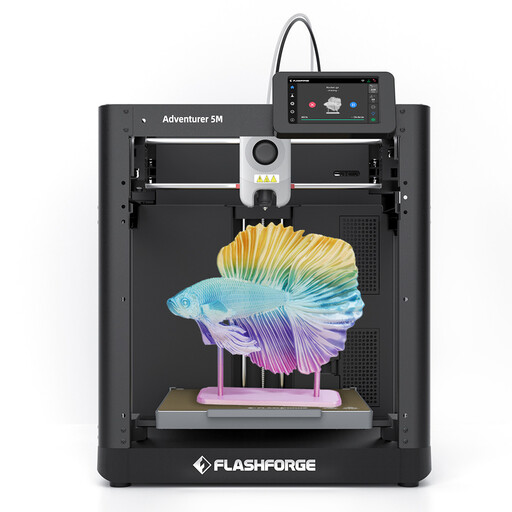
Why this product suits this profile: This FDM printer combines automatic bed levelling, a build volume of 220 × 220 × 220 mm and a maximum print speed of 600 mm/s. That makes it versatile enough for first projects, spare parts and straightforward model-making tasks.
Automatic levelling reduces the amount of manual adjustment required. The 280 °C direct-drive extrusion system and interchangeable nozzles offer more flexibility than a basic entry-level model with fixed specifications.
Automatic levelling; CoreXY design; nozzle options from 0.25 to 0.8 mm.
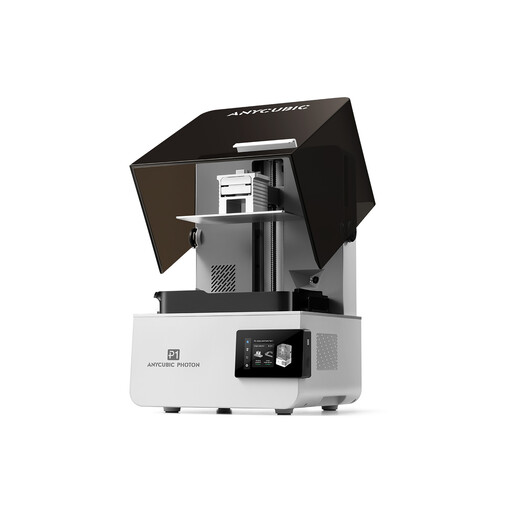
Why this product suits this profile: This resin 3D printer is aimed at model makers, designers and users who prioritise fine surfaces and small details.
The choice is based on resolution, layer height and build volume rather than speed claims alone. With resin, cleaning, protective clothing and post-curing must all be factored in from the outset.
14K monochrome LCD; 0.02–0.15 mm layer height; automatic levelling with feedback.
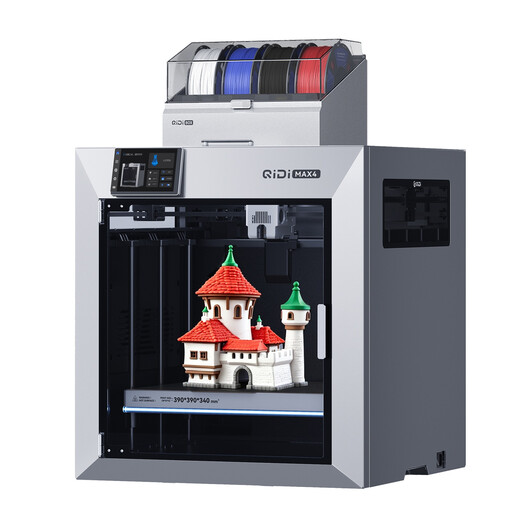
Why this product suits this profile: The large 390 × 390 × 340 mm build volume and heated chamber make this printer appealing to users who want to produce prototypes, moulds or technical components in larger dimensions.
The build volume, maximum nozzle temperature and material list are clearly specified. An AI camera can detect print errors and pause the process, but it does not replace checking the first layer.
390 × 390 × 340 mm build volume; 65 °C heated chamber; support for the QIDI Box with up to 16 colours.
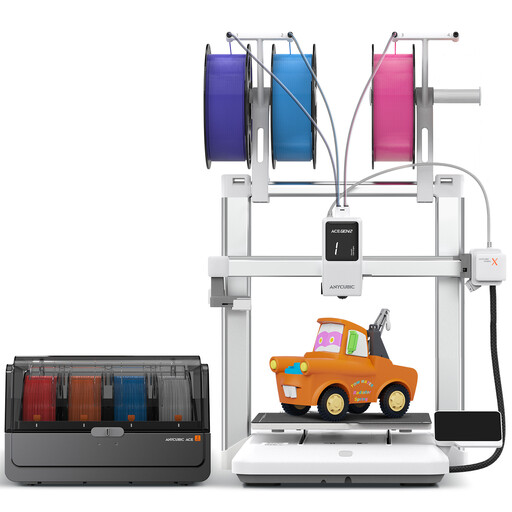
Why this product suits this profile: This system combines FDM printing, integrated four-colour processing and a build volume of 260 × 260 × 260 mm. It is therefore suitable for colourful figures, educational models and creative series.
The colour specification is backed up by clear expansion options: four colours are integrated, while up to 19 colours are stated with compatible equipment. Filament changes and purge material still need to be factored into your planning.
Up to 600 mm/s; LeviQ 3.0 auto-levelling; AI spaghetti detection and 720P camera.
We have put together a complete, regularly updated list of products that fully meet these strict selection criteria and the safety regulations applicable in the EU.
For getting started, an FDM 3D printer with automatic levelling, preset material profiles and straightforward software is usually easier to use. An enclosed build volume can also make handling certain materials easier. Resin printers offer fine details, but require additional safety and post-processing steps.
Service life depends on print hours, maintenance, the environment and the availability of replacement parts. Regularly cleaning the print bed, maintaining controlled belt tension, storing filament in a dry place and replacing nozzles or print films when necessary can help keep the printer running reliably. It is not possible to give a fixed service life that applies in every case.
In addition to the purchase price, you need to consider filament or resin, electricity, wear parts and, where applicable, cleaning accessories. FDM filament is generally priced by weight. Multicolour printing can produce additional purge material as a result of colour changes. Resin printing also requires cleaning solution, gloves and UV post-curing.