
Lieferung heute & morgen

Qualitätsgarantie

Willkommens-Angebote freischalten: KOSTENLOSE Lieferung | Bis zu 80 % RABATT | Kostenlose 30-Tage-JoyPlus-Testphase
App herunterladen
A 3D printer can produce prototypes, spare parts, figures or colourful models right from your desk. However, choosing the right one can be tricky. High speed claims, AI features and multi-colour systems may look impressive at first glance, but they aren't always suitable for every use case. What really matters are the technical specifications, the space you have available and the materials you plan to use.
Manufacturers often quote peak speeds of 500, 600 or even 800 mm/s. These figures apply under specific operating conditions. The actual speed also depends on layer height, model geometry, acceleration, nozzle diameter and material flow. So a fast 3D printer isn't automatically much quicker with every model.
Alongside the maximum speed, pay attention to the recommended print speed, the maximum acceleration and the maximum volumetric flow rate of the nozzle.
A nozzle rated at 300 or 350 °C doesn't automatically mean every filament can be processed without issue. For ABS, ASA, PA or fibre-reinforced materials, the build chamber, heated bed, nozzle material and filament path are also important. An enclosed build chamber can be beneficial for temperature-sensitive materials.
If you mainly print PLA, PETG or TPU, you don't necessarily need an actively heated chamber.
A multi-colour 3D printer requires additional filament feeds and often generates waste material during colour changes. So check whether the system supports four colours as standard, how many colours can be added, and whether your chosen filament is compatible with the feed module.
With TPU, there may be limitations depending on the system. For example, with the Anycubic Kobra S1 ACE 2 Pro, TPU 95A must be fed directly into the printer and is not intended for multi-colour printing via the ACE 2 Pro module.
An FDM 3D printer processes filament such as PLA, PETG, ABS or TPU. These machines are ideal for functional parts, larger models, prototypes and mechanically robust components. The build platform is usually larger and post-processing is straightforward.
A resin 3D printer cures liquid photopolymer resin layer by layer using UV light. It delivers fine details and smooth surfaces, perfect for miniatures, figures, jewellery models or small precision parts. However, you'll need gloves, good ventilation, washing equipment and a suitable curing station. Liquid resin must never come into unprotected contact with your skin.
The build volume is given in millimetres as width × depth × height. A compact printer around 220 × 220 × 220 mm is suitable for many everyday objects. For larger enclosures, moulds or multiple parts in a single run, a large build volume of 300 mm or more is more practical.
Also consider the external dimensions, weight and clearance from walls. A machine with a 350 × 350 × 350 mm build volume needs considerably more floor space than a desktop model.
A 3D printer with automatic bed levelling measures the distances between the nozzle and the print bed, which can simplify start-up. Even so, the print plate, nozzle and surface must be clean. Automatic levelling doesn't replace maintenance.
A CoreXY 3D printer moves the axes via a fixed motor system and is often suited to high speeds. However, a sturdy frame, linear rails and properly tensioned belts remain essential.
An AI camera can support features such as spaghetti detection, filament monitoring or remote control. It won't prevent every failed print and should be seen as an additional monitoring tool.
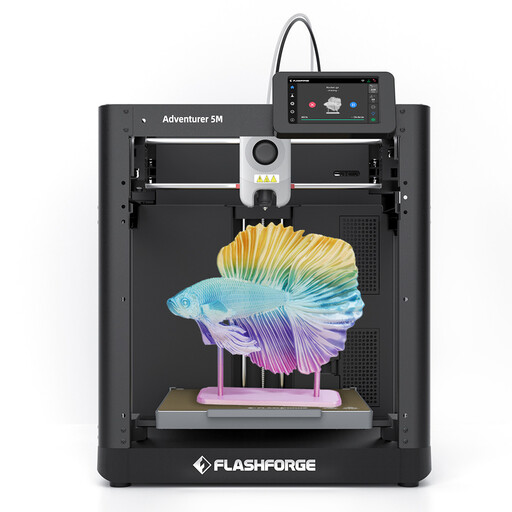
Why this product fits the profile: This machine is aimed at users who want to start with PLA or PETG without extensive setup. Automatic bed levelling and a direct extruder system reduce typical entry-level hurdles.
Automatic levelling reduces manual start-up steps. The recommended material selection remains straightforward, making filament choice easier.
Up to 600 mm/s, 220 × 220 × 220 mm build volume and interchangeable nozzles from 0.25 to 0.8 mm.
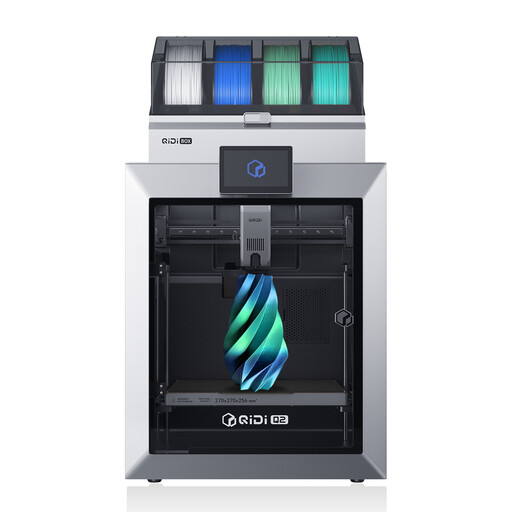
Why this product fits the profile: The enclosed FDM system combines automatic calibration with an actively heated chamber and a 370 °C nozzle. This makes it suitable for users who also plan to use technical filaments.
The heated, enclosed chamber acknowledges that material compatibility depends on more than just nozzle temperature.
270 × 270 × 256 mm build volume, up to 600 mm/s and optional QIDI-BOX system for multi-colour printing.
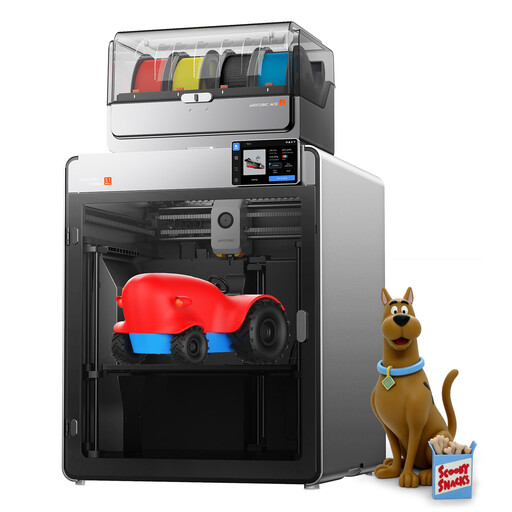
Why this product fits the profile: The enclosed CoreXY system is designed for large models, batch production of small parts and more demanding filaments. The ACE 2 Pro module adds multi-colour printing and filament drying.
The 350 × 350 × 350 mm build volume and 65 °C chamber are tailored to large and temperature-sensitive applications, rather than just advertising a high peak speed.
Up to 600 mm/s, 350 °C hotend, hardened components and expandable to up to 16 colours.
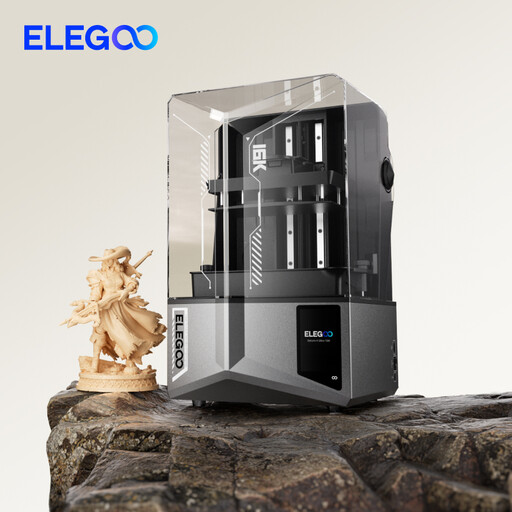
Why this product fits the profile: This resin printer is aimed at model makers and creatives for whom fine surfaces and small details matter more than a large build volume.
Automatic levelling and the AI camera assist with start-up and monitoring. However, the necessary resin post-processing remains an integral part of the workflow.
16K monochrome LCD, 211.68 × 118.37 × 220 mm build volume and stated print speed up to 150 mm/h.
We've put together a complete, regularly updated list of products that fully meet these strict selection criteria and the safety regulations in force in the EU.
Beyond the purchase price, you'll incur costs for filament or resin, replacement nozzles, print plates, cleaning supplies and possibly filters. With multi-colour printing, waste material and additional filament spools add to the expense. Also check whether original accessories are required or whether compatible consumables can be used.
FDM machines should be placed on a stable, heat-resistant surface. Good ventilation is important for ABS, ASA and similar materials. Resin printers require gloves, protection from UV light and a dry, well-ventilated location. Children should not have unsupervised access to these machines.
That depends on the material, model size, print duration and electricity consumption. PLA is generally easy to store and process. With resin, you'll also need washing and curing agents as well as protective equipment. Multi-colour printing can lead to higher ongoing costs due to waste material.
The lifespan depends on usage, maintenance and the availability of spare parts. The print nozzle, print plate, belts, fans and, for resin machines, the protective or FEP film are all consumable items. Regular cleaning, storing filament in a dry place and correct belt tensioning can help extend the machine's working life.
For getting started, automatic bed levelling, a direct extruder system, intuitive software and clearly documented material choices are helpful. An FDM machine with PLA support is usually easier to handle than a resin system, because resin printing requires additional protection and cleaning steps.