
Lieferung heute & morgen

Qualitätsgarantie

Willkommens-Angebote freischalten: KOSTENLOSE Lieferung | Bis zu 80 % RABATT | Kostenlose 30-Tage-JoyPlus-Testphase
App herunterladen
The search for the right 4K gaming monitor can quickly become overwhelming. Manufacturers advertise with a flood of technical specs and marketing terms that often obscure more than they clarify. The result: Many users invest in a device that doesn't meet their expectations or isn't compatible with their hardware. This guide will help you identify the crucial features and avoid common purchasing traps, ensuring your investment pays off in the long run.
Before we dive into the technical details, it's important to clarify three common misconceptions that often lead to disappointment.
The "HDR" Trap: Many monitors advertise HDR (High Dynamic Range) capability, but the quality differences are enormous. A display with VESA DisplayHDR 400 certification often offers only a slightly higher peak brightness than a good SDR display. A noticeable improvement in contrast and brightness typically starts at higher tiers like DisplayHDR 600 or DisplayHDR 1000. With an OLED Gaming Monitor, the DisplayHDR True Black certification ensures the deepest blacks and pixel-perfect contrast, enabling a significantly more immersive HDR experience. Therefore, pay close attention to the specific VESA certification, not just the generic HDR label.
Insufficient Ports: A 4K monitor with 144Hz or more is a powerful component that requires the right interface. To unlock the full potential of a PS5 or Xbox Series X (4K at 120 Hz), an HDMI 2.1 port is mandatory. Older HDMI 2.0 ports limit the frame rate to 60 Hz at 4K resolution. For PC gamers, DisplayPort 1.4 with DSC (Display Stream Compression) is the standard for achieving high refresh rates at 4K. Before buying, check that the monitor's ports match the outputs of your graphics card or console.
Ignoring OLED Panel Care: OLED displays offer unparalleled contrast and response times, but they carry the risk of burn-in from static image elements like taskbars or in-game HUDs. Marketing materials often mention this topic only in passing. Modern devices include protective mechanisms like "Pixel Shift" or automatic brightness adjustments for static logos. Familiarise yourself with the manufacturer's implemented "OLED Care" features to ensure the panel's longevity.
To find the right 4K PC monitor, you should focus on a few core parameters that have the biggest impact on your experience.
The choice of panel largely determines image quality and response speed.
For users who use both a gaming PC and a work laptop at the same desk, additional features like a built-in KVM switch and a USB-C port are highly valuable.
Here are some models tailored to specific user profiles that avoid the pitfalls mentioned.
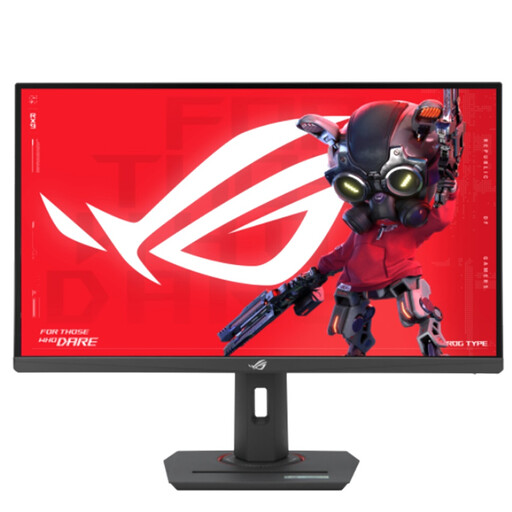
Why it's a great fit: Ideal for users who want to seamlessly switch between PC gaming and their PS5 or Xbox Series X. The monitor combines a high resolution with the necessary connectivity for consoles in the popular 27-inch size.
Features an HDMI 2.1 port, enabling 4K gaming at 120 Hz on current consoles and thus avoiding the insufficient connectivity trap. The DisplayHDR 400 certification is clearly declared as entry-level HDR.
The fast Fast-IPS panel with 160 Hz and 1 ms response time delivers a fluid and sharp image for competitive PC games. The ergonomic stand allows for flexible positioning.
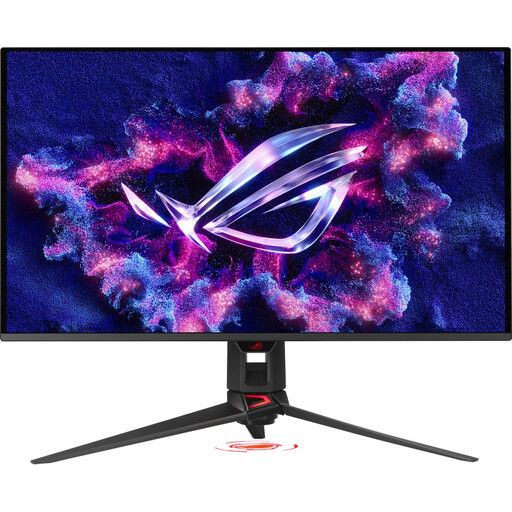
Why it's a great fit: For users who refuse to compromise on image quality. Perfect for cinematic single-player titles and watching HDR movies where contrast and colour depth are paramount.
Bypasses the "HDR trap" with a QD-OLED panel featuring DisplayHDR True Black 400 certification for true, pixel-perfect HDR. Additionally, ASUS actively addresses the risk of burn-in with its "OLED Care Pro" technology.
The combination of QD-OLED technology, 4K resolution, and a 240 Hz refresh rate delivers outstanding image quality with extremely fast response times (0.03 ms GtG) for maximum motion clarity.
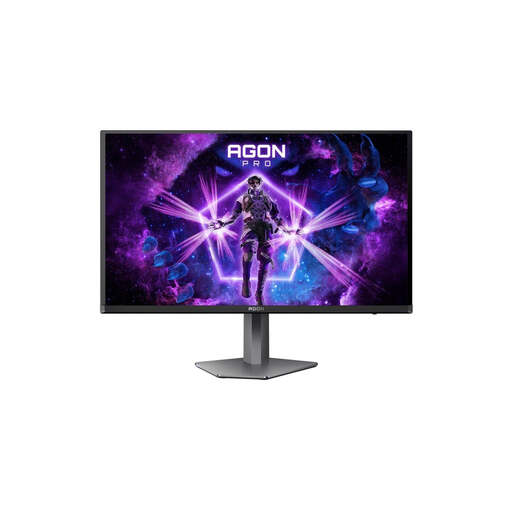
Why it's a great fit: The perfect solution for "prosumers" who use a single screen for professional work (design, video editing) and high-end gaming. It combines top-tier gaming performance with productivity-enhancing features.
Offers a full-featured KVM switch and USB-C with 65W Power Delivery. This avoids the trap of an impractical multi-device setup and enables a clutter-free workspace.
Combines the benefits of a QD-OLED panel (4K, 240 Hz, True Black HDR) with practical office features. The high colour gamut coverage (99.3% DCI-P3) is also suitable for colour-critical work.
We've compiled a complete, real-time updated list of products that fully meet these strict selection criteria.
Is a 4K gaming monitor worth it for a PS5? Yes, a 4K monitor is a worthwhile investment for the PlayStation 5, but only under one condition: the device must have an HDMI 2.1 port. Only this interface allows the transmission of 4K signals at up to 120 frames per second (Hz), which is essential for a smooth gaming experience in supported titles. A monitor without HDMI 2.1 will limit the console to 60 Hz at 4K resolution.
How do I care for an OLED gaming monitor to prevent burn-in? To maximise the lifespan of an OLED panel, you should actively use the built-in protection features. Regularly run the panel and pixel refresh cycles recommended by the manufacturer (this often happens automatically in standby mode). Avoid unplugging the monitor while these cycles are running. Additionally, simple daily habits help: use a dark desktop background, set the taskbar to auto-hide, and avoid displaying static images for hours on end.
Is my PC powerful enough for a 4K monitor with 144Hz? Running a 4K monitor at 144 Hz places high demands on the graphics card. To consistently achieve high frame rates in current, graphically demanding games, a high-end graphics card is required, such as one from the NVIDIA GeForce RTX 4080/4090 series or a comparable model from AMD. For esports titles or older games, upper mid-range graphics cards may also be sufficient to benefit from the high refresh rate, possibly with some adjustments to the graphics settings.