
Lieferung heute & morgen

Qualitätsgarantie

Willkommens-Angebote freischalten: KOSTENLOSE Lieferung | Bis zu 80 % RABATT | Kostenlose 30-Tage-JoyPlus-Testphase
App herunterladen
Connecting a laptop, games console, or streaming device to a 4K display should be straightforward. In practice, however, different standards, connectors, and cable types often lead to uncertainty. Whether you're aiming for smooth 4K 120Hz gaming, want to connect your laptop to a monitor, or are seeking the best possible picture quality for your home cinema—choosing the right cable is crucial.
This guide is here to help. It explains the key technical features of HDMI solutions and presents a selection of products for various use cases, enabling you to make an informed decision.
To find the right connection solution, three aspects are particularly important: the HDMI version, the connector type, and any additional features.
The HDMI version determines the maximum amount of data a cable can transfer. This directly impacts the supported resolution and refresh rate.
While TVs, monitors, and consoles usually have a standard HDMI port (Type-A), many modern laptops, especially MacBooks and Ultrabooks, rely on the versatile USB-C port. To establish a connection here, there are two common methods:
For a clean and efficient workspace, integrated solutions are now available. A GaN charger with HDMI, for example, combines a powerful adapter for charging your laptop with a video output. This means you only need a single device plugged into the wall socket to both charge your laptop and display a 4K image on an external monitor.
Based on the criteria mentioned, we have compiled a selection of products for different needs.
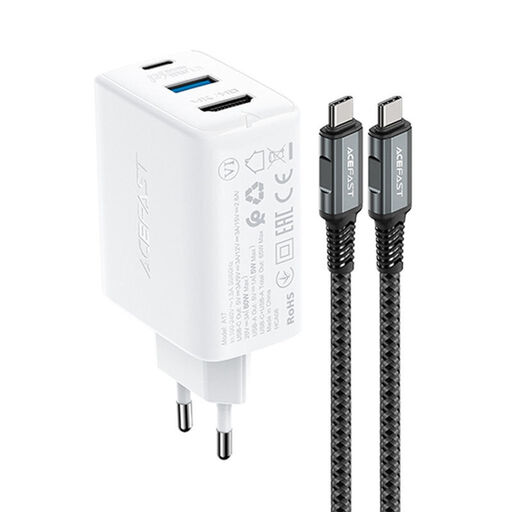
View Product: ACEFAST 2-in-1 65W GaN Charger with HDMI Adapter
Why it stands out: This solution from Acefast is more than just a cable. It's a compact powerhouse that combines the functionality of a powerful 65-watt charger with a 4K video adapter. It's an ideal solution for reducing cable clutter on your desk.
Benefits:
Who is it for? Professionals and students looking for a minimalist and highly efficient solution to simultaneously charge their USB-C laptop and connect it to an external 4K monitor.
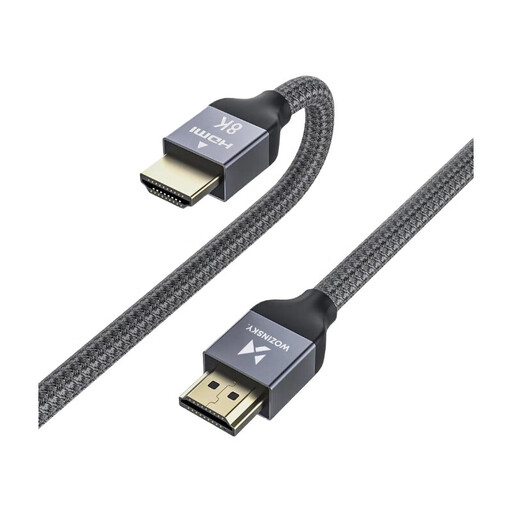
View Product: Wozinsky HDMI 2.1 Cable 8K 60 Hz
Why it stands out: This cable is designed for maximum performance and is fully future-proof. As a certified 8K HDMI cable compliant with the 2.1 standard, it meets the highest demands for gaming and home cinema.
Benefits:
Who is it for? Gamers and home cinema enthusiasts who want to get the best possible picture and sound quality from their modern hardware and need a future-proof solution for high-frame-rate 4K gaming or 8K content.
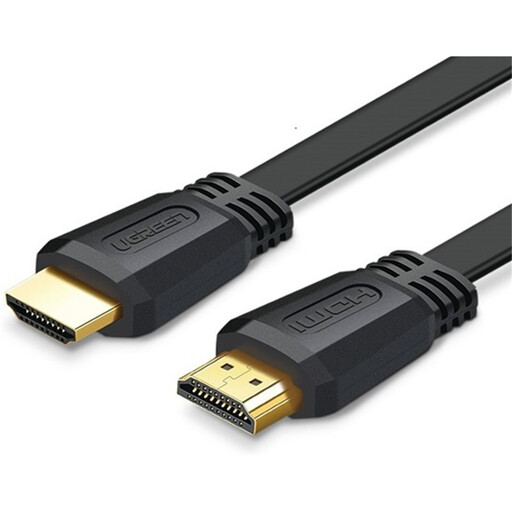
View Product: UGREEN HDMI 2.0 Cable 3m
Why it stands out: The UGREEN HDMI cable is a reliable and pragmatic choice for everyday 4K applications. Its flat design makes it particularly practical for a discreet installation.
Benefits:
Who is it for? Users who need a functional and affordable connection for their 4K devices and can do without refresh rates above 60 Hz.
If the products featured here don't exactly match your requirements, you're sure to find the right solution in our broader selection. Discover more cables, adapters, and hubs for every type of setup.
Explore Our Full Range of 4K HDMI Cables
Yes, for a stable transmission of 4K content, you need at least a cable classified as 'High Speed' (or higher). This generally corresponds to the HDMI 2.0 standard. Older 'Standard' HDMI cables, which were common before the introduction of 4K, often cannot reliably deliver the required data rate.
The main difference lies in the maximum data transfer rate (bandwidth). HDMI 2.0 offers 18 Gbps and supports 4K at 60 Hz. The newer HDMI 2.1 provides a bandwidth of 48 Gbps. This enables higher resolutions and refresh rates, such as 4K at 120 Hz or 8K at 60 Hz, and supports additional gaming features like VRR (Variable Refresh Rate).
No. To transmit a 4K resolution at 120Hz, an HDMI 2.1 cable is essential. Only this standard provides the necessary 48 Gbps bandwidth. HDMI 2.0 cables are technically limited to a maximum refresh rate of 60 Hz at 4K resolution.