What to consider when buying
First, decide how you want to arrange your frames, preview and toolbars. Then check that the colour management, positioning and laptop connection suit the way you actually work.
| Consideration |
What to check before buying |
Who it matters to |
| Space for frames and tools |
Screen size, stand dimensions and how easy the software is to read at your preferred scaling. |
If I want to see frames, the preview and tools at the same time, I need the right balance of screen space and clearly readable controls. Around 36% of consumers put an overview of their frames first. |
| Colours for your output |
The colour modes you need, plus the available calibration features and the process required to use them. |
When I assess colours for a particular output, I want to use a suitable mode and settings I can reproduce. Around 29% of consumers prioritise colour assessment for their output. |
| Positioning in a quiet room |
Stand or clamp mount, desk dimensions, height adjustment and the noise level of the specific model. |
If I work in a quiet room, I consider a suitable position and any potential operating noise. Around 21% of consumers put positioning and quiet operation first. |
| Laptop connection |
The laptop's video output, connection type, required charging power and a suitable cable. |
If I want to connect my laptop using a single connection for video and power, the monitor and computer need to be compatible in terms of connection and charging power. Around 14% of consumers prioritise the laptop connection. |
Joybuy product selection
This selection includes 27- and 32-inch 4K monitors for arranging animation frames. Check whether the screen space, connections and positioning of each model suit your workspace.
 No image available
MSI MAG 274UPDFDE E16M
For arranging frames and tools on a 27-inch screen; the product description says the stand is adjustable.
27 inches, 3840 × 2160 pixels, Mini-LED with 1,152 dimming zones and 100% Adobe RGB coverage, according to the product description.
View at Joybuy
 No image available
INNOCN CB27U1
For viewing frames on a 27-inch screen; the product details list height adjustment and pivot functionality to help you position the screen.
27 inches, 3840 × 2160 pixels and USB-C with 90 W Power Delivery, according to the product details.
View at Joybuy
 No image available
KTC M27P6
For an overview of frames on a 27-inch screen; according to the product title, the stand is height-adjustable, tiltable and swivel-adjustable.
27 inches, 3840 × 2160 pixels and USB-C with 65 W Power Delivery, according to the product description. Check that the charging power suits your laptop.
View at Joybuy
 No image available
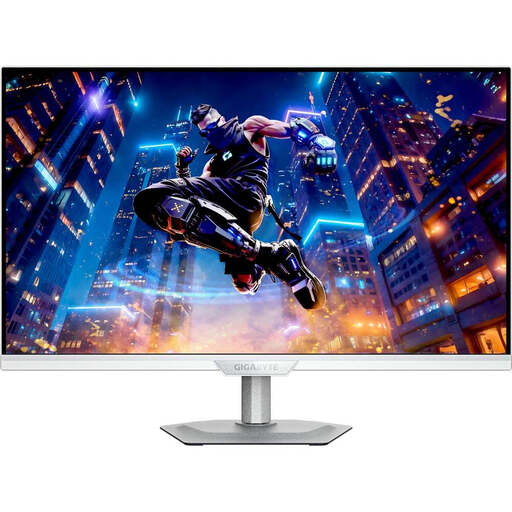
GIGABYTE M27UP ICE
For frames and tool windows on a 27-inch 4K screen; the details list height adjustment and pivot functionality.
27 inches and 3840 × 2160 pixels. USB-C Power Delivery is listed at 18 W; compare this with your laptop's charging requirements.
View at Joybuy
 No image available
ASUS ROG Swift OLED PG32UCDMR
For frames, the preview and tools on a larger screen; the product details list an adjustable stand.
32 inches, 3840 × 2160 pixels and USB-C with 90 W Power Delivery, according to the product description. It recommends leaving the OLED care features enabled.
View at Joybuy
Frequently asked questions
Should I lower the resolution if tools look too small on a 27-inch screen?
First, check the display and app scaling at the native resolution. Microsoft Support notes that setting a monitor to a resolution below its native resolution can make text look blurry. Then check how readable everything is in your animation software.
How should I set up the monitor in my home office?
Check your viewing distance and any potential reflections in the space where you plan to work, and set the screen to a height that suits you. The Federal Institute for Occupational Safety and Health covers ergonomic screen work under ASR A6 for workplaces and teleworking; if you're using a clamp arm, you'll also need a suitable desk edge.
How can I work out the running electricity costs?
Compare the EU energy label and the model listing in EPREL. The European Commission lists an A to G scale for electronic displays, along with additional information on power consumption. The actual cost will depend, among other things, on how you use the monitor and your electricity tariff.
Can I put an old monitor in household rubbish in Germany?
No. The German Environment Agency says that old electrical appliances must be collected separately, and that municipal collection points generally accept appliances from private households free of charge. If you want to return it to a retailer, check their current take-back terms.


