What should you look for when buying?
First, check the image view and the space the monitor takes up. Colour management and connectivity are additional criteria if your workflow calls for them.
| What matters |
What to check before buying |
Who is it important for? |
| Sharpness in similar burst shots |
Native resolution and a 1:1 view in the photo software you use. |
When I’m choosing between similar shots, I want to compare the key detail at full 1:1 magnification rather than relying on the reduced overall view. Around 36% of consumers are likely to see checking sharpness as their main buying priority. |
| Desk space |
Width and depth with the stand; if you plan to mount the monitor, also check the VESA specification. |
On a small desk, there still needs to be room for input devices and a suitable setup. Around 29% of consumers are likely to prioritise available desk space above all else. |
| Assessing colour after selecting images |
A colour gamut suited to your output, as well as the calibration method and any accessories required. |
If I’m editing selected images further or preparing them for print, I need the right colour tools – not just a sharpness view. Around 21% of consumers are likely to make colour workflow their main priority. |
| Laptop connectivity |
Video output through the connection and charging power compared with your laptop’s requirements. |
If I use a laptop regularly, I want to connect the display signal and power supply in a way that suits my computer. Around 14% of consumers are likely to give laptop connectivity the highest priority. |
Joybuy products for compact workspaces
These Joybuy models cover 4K monitors for reviewing images in a limited workspace, from portable displays to 27-inch models.
 No image available
Portable 23.8-inch 4K monitor, 3840 × 2160
The portable 23.8-inch format is an option if desk space is limited.
3840 × 2160 pixels, 60 Hz and 100% sRGB.
With an integrated stand, USB-C, Mini HDMI and VESA compatibility.
View at Joybuy
 No image available
MSI PRO MP273UPDE E6, 27-inch 4K UHD IPS monitor
This model offers several stated positioning options for a compact workspace.
3840 × 2160 pixels, 60 Hz and a matte finish.
Height-adjustable stand and VESA 100 × 100 mm.
View at Joybuy
 No image available
Samsung ViewFinity S7 S70H, 27-inch 4K UHD IPS monitor
The listed dimensions with the stand make it easier to check how this specific model will fit on your desk.
3840 × 2160 pixels, 99% sRGB and HDR10.
Dimensions with stand: 616,3 × 470,4 × 200,5 mm; VESA 100 × 100 mm.
View at Joybuy
 No image available
INNOCN CB27U1, 27-inch 4K UHD IPS monitor
For a small desk, you can check the listed dimensions with the stand against your available space before buying.
3840 × 2160 pixels, 120 Hz and HDR500; FreeSync is also mentioned in the title.
99% Adobe RGB and USB-C with 90 W Power Delivery.
Dimensions with stand: 613,4 × 552 × 195 mm; VESA 100 × 100 mm.
View at Joybuy
 No image available
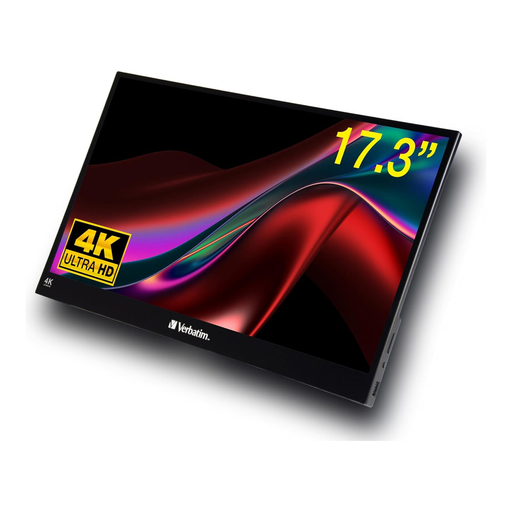
Verbatim portable 17.3-inch 4K touchscreen monitor
The portable 17.3-inch format is another size option for a workspace with limited room.
3840 × 2160 pixels and 60 Hz.
With a touchscreen and HDMI and USB-C ports.
View at Joybuy
Frequently asked questions
How can I tell which shot in a burst is actually sharper?
Compare the key detail in your software at 1:1 magnification. Adobe notes that in Lightroom, other zoom factors can make sharpness assessments inaccurate or misleading; sharpening can’t restore lost detail.
What should I measure before setting up a monitor on a small desk?
Compare the available width and depth with the dimensions of your chosen model, including its stand. If you’re planning to use a monitor arm, check that it’s suitable and confirm the monitor’s VESA specification; ASUS lists VESA 100 × 100 mm for the PA279CRV.
Is a monitor’s USB-C port enough to run my laptop through one cable?
Not just because the socket fits. Check video output and the charging power you need against the specifications of both devices: depending on the model, manufacturers list a maximum of 60 W, up to 90 W or 96 W for the models described here.
What consumer rights apply when buying a monitor online in Germany?
When you buy online from a trader, you generally have a 14-day right to cancel from the date of delivery; exceptions and possible return costs apply. Your Europe also states that goods in the EU come with a minimum two-year legal guarantee. This is separate from a voluntary manufacturer’s warranty, as the Verbraucherzentrale also explains.
Do computer monitors have an energy label in the EU?
Yes. The European Commission includes computer monitors within the scope of its rules for electronic displays and describes an efficiency scale from A to G. Check the label for the specific model rather than assuming its energy use from the screen size.


