What should you look for when buying?
First, match the monitor to your output needs. Then measure the space available for the setup you actually want to use.
| Priority |
What to check when buying |
Who it matters most to |
| Comparing colours across edits |
Check that the colour modes suit your output method, and look at the calibration and profiling options. |
If I’m comparing changes for digital output, I need a suitable sRGB mode and a well-managed colour workflow. Around 33% of consumers put colour comparison first. |
| Balancing desk space and screen size |
Compare the available width and depth with the measurements for the monitor, including the stand and, where applicable, the hood. |
If my desk is small, I want to know whether the complete setup will still leave room for my laptop and work essentials. Around 25% of consumers prioritise desk space. |
| Assessing print colours |
Consider the Adobe RGB specifications and any hardware calibration or uniformity features in the context of your workflow. |
If I’m preparing colour-critical print output, colour gamut and calibration matter more to my workflow than connection convenience. Around 25% of consumers prioritise print workflows. |
| Connecting and charging a laptop |
Check that USB-C video output and the charging power required by your laptop match the monitor’s specifications. |
If I want fewer cables on my small desk, the video connection and charging power need to work with my laptop. Around 17% of consumers prioritise laptop connectivity. |
Joybuy products
This selection includes portable 4K models as well as 23.8- and 27-inch monitors for comparing colours and accommodating different desk and laptop setups.
 No image available
Portable 23.8-inch 4K monitor, 3840 × 2160, 60 Hz
Described as a portable 4K model with a built-in stand. Check its dimensions against the space available on your desk.
The product title lists 3840 × 2160 pixels, 60 Hz, USB-C and Mini HDMI inputs. The description states 100% sRGB; this is not independent proof of colour accuracy.
Joybuy
 No image available
MSI PRO MP273UPDE E6, 27-inch 4K IPS monitor
The stated sRGB picture mode is worth considering for digital output. Check that it works with your colour management workflow.
The product title lists 60 Hz and HDR Ready. The description specifies 10-bit colour depth, sRGB, User and HDR modes, as well as HDMI 2.0b and DisplayPort 1.4a. The stand is described as height-adjustable, swivel, tilt and pivot.
Joybuy
 No image available
Samsung ViewFinity S7 S70H, 27-inch 4K IPS monitor
The stated sRGB coverage may be relevant for digital output. Also check that the colour mode and profiling suit your comparison workflow.
The product description lists 99% sRGB, HDMI 2.0, DisplayPort 1.2 and a 100 × 100 mm VESA mount. The sRGB figure alone does not demonstrate calibration or measured colour accuracy.
Joybuy
 No image available
INNOCN CB27U1, 27-inch 4K UHD monitor
The stated sRGB and Adobe RGB figures may be relevant to digital output and print workflows. Consider them in relation to your specific output needs.
The product description lists 100% sRGB, 99% Adobe RGB and 90 W USB-C Power Delivery. The stated dimensions with the stand are 613.4 × 552 × 195 mm; compare them with the space available on your desk.
Joybuy
 No image available
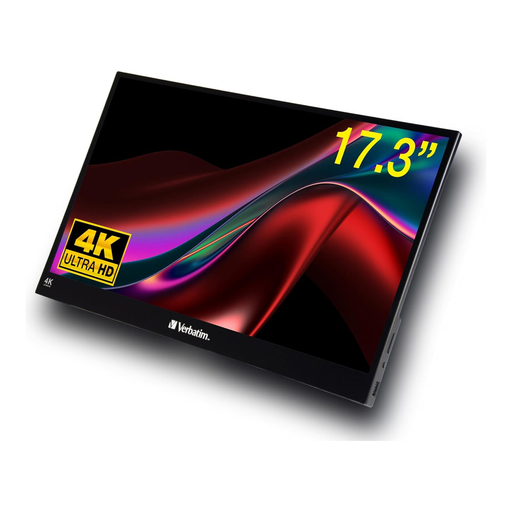
Verbatim portable touchscreen monitor, 17.3-inch, 4K
This portable 17.3-inch model is one option if you’re considering a smaller screen. Check that its dimensions suit the space where you plan to set it up.
The product description lists a 4K UHD IPS display with 3840 × 2160 pixels, 60 Hz, and HDMI and USB-C connections.
Joybuy
Frequently asked questions
Is a wide colour gamut enough to compare two edits reliably?
No, colour gamut coverage alone isn’t enough. Choose a colour mode that suits your output needs and take calibration and profiling into account. EIZO notes that calibration cannot compensate for a missing colour gamut or uneven panel display.
Which measurements should I check before setting up my monitor?
Measure the available desk width and depth, then compare them with the dimensions of your preferred monitor setup. BenQ lists different depths for the SW272U with the stand and with the hood; if you’re using a monitor arm, also check the mounting requirements and weight capacity of the specific arm.
Will a USB-C monitor always provide enough power to charge my laptop?
No, the connection and charging power need to be suitable for your laptop. ASUS lists 96 W Power Delivery for the PA279CRV, while EIZO specifies up to 60 W over USB-C for the CS2740. Whether video and charging work, and whether the power is sufficient, also depends on your laptop and cable.
What are my rights if a monitor bought online from a business is faulty?
Under the EU consumer rules that apply in Germany, you have at least two years of statutory protection against the seller from the date you receive the goods; a manufacturer’s guarantee does not replace this. Consumers who buy online also generally have a 14-day right to cancel from the date they receive the goods, which they must expressly exercise. Exceptions and the circumstances of the contract should be taken into account. The European Union’s Your Europe website explains the statutory protection rules, while Verbraucherzentrale provides information about the right to cancel.
What should I know about energy labels and disposal in Germany?
Check the current energy label for the specific monitor; the European Commission rates electronic displays on a scale from A to G. Take old monitors to a separate collection point for waste electrical equipment. According to Germany’s Federal Ministry for the Environment, retailers’ take-back obligations depend on the legal requirements. Without a new purchase, they apply to devices where no external dimension is greater than 25 cm.


