For landscape photos viewed mainly on screen, a suitable sRGB mode and a colour-managed workflow matter more than the biggest possible Adobe RGB figure. For print preparation, stated Adobe RGB coverage is more relevant. Then check that the monitor and stand will fit on your desk, consider how to avoid reflections, and make sure the connections suit your computer. A 4K resolution or HDR logo alone won’t make colour decisions reliable.
Who is a 4K monitor suitable for?
Landscape photos for screens and study
If you’re blending exposures and also using your monitor for coursework, the right colour modes and a clear, consistent colour workflow matter. The International Color Consortium describes calibration and profiling as complementary steps for consistent image reproduction.
Photo editing at a small desk
If your laptop, study materials and keyboard all need to share the same space, or your desk is near a window, think about the stand, adjustability and potential reflections. The German Social Accident Insurance recommends positioning screen workstations so that your line of sight is parallel to the window front.
Landscape photos for print
If you’re preparing images for prints and want to set up a colour-managed workflow, stated Adobe RGB figures and calibration features become more important. The International Color Consortium explains that calibration and profiling work together to support consistent image reproduction.
What should you look for when buying?
First, decide whether you’ll be assessing your images mainly on screen or for print as well. Then check that the colour workflow, space requirements and connections suit your actual workspace.
| Buying criterion |
What to look for |
Who it matters most to |
| Assessing colour and tonal values |
Check for a suitable sRGB mode, calibration and profiling options, and 4K UHD with 3840 × 2160 pixels. |
When I blend exposures, I want to assess highlights, shadows and colours on a calibrated display. That’s why around 33 % of consumers put reliable image assessment first. |
| Space and room lighting |
Compare the monitor and stand dimensions with the space available; consider the position of windows, your seating position and adjustable blinds. |
When my monitor, laptop and study materials have to share a small desk, I need a stand that leaves enough room and a setup where reflections won’t disrupt photo editing. Around 27 % of consumers prioritise a suitable workspace and usable lighting conditions. |
| Total cost |
Check which video output and charging power your computer supports, and whether your planned colour workflow requires additional calibration equipment. |
When my budget also needs to cover the computer connection and planned colour workflow, I only want to pay for features I can actually use. Around 27 % of consumers put keeping total costs within budget first. |
| Print preparation |
Look for an explicit Adobe RGB figure for the specific model, and check whether calibration will fit into your workflow. DCI-P3 is not an Adobe RGB figure. |
When I prepare landscape photos for prints, I need a colour workflow that brings the display and subsequent output steps together. Around 13 % of consumers prioritise print preparation. |
Common buying misconceptions
-
Assuming DCI-P3 and Adobe RGB are the same
These figures describe different colour spaces. A DCI-P3 figure doesn’t confirm a model’s stated Adobe RGB coverage.
Check the colour space for the exact model against your intended output. If you’re preparing images for print, make sure profiling is also part of your workflow.
-
Assuming an HDR logo guarantees better exposure decisions
DisplayHDR 400 alone doesn’t tell you how reliably you can assess a particular HDR output.
First decide whether you actually want to edit HDR output. For standard screen viewing or print preparation, other buying criteria matter more.
-
Measuring only the screen diagonal
The stand takes up space too, while light from windows and reflections can also affect how comfortably you can work at your desk.
Measure the available space with your keyboard and laptop in place, and check the lighting from where you usually sit. The German Social Accident Insurance recommends positioning your line of sight parallel to the window front.
Key brands at a glance
ASUS
The ProArt PA279CRV is a 27-inch 4K model for anyone who needs colour modes and a laptop connection at the same desk.
- ASUS lists 100 % sRGB, 99 % Adobe RGB, 96 W USB-C Power Delivery and 130 mm of height adjustment for this model.
- These are the manufacturer’s figures, not measurements of an individual display. ASUS notes that specifications may vary by country.
BenQ
The PhotoVue SW272U is designed for photography-focused workflows, while the Creative Pro PD2732U is another 27-inch 4K option for photo and print work. The RD320UA series is primarily designed for programming.
- BenQ lists 99 % Adobe RGB for both the SW272U and PD2732U. The SW272U also features hardware calibration and 90 W USB-C.
- The RD320UA is listed as covering 98 % DCI-P3; this doesn’t indicate its Adobe RGB coverage. The specifications apply to the models named.
EIZO
The ColorEdge CS2740 is a 27-inch 4K model for buyers planning a photo and print workflow.
- EIZO typically lists more than 99 % Adobe RGB and hardware calibration for this model.
- According to EIZO, maximum USB-C power delivery is 60 W. Check separately whether that’s enough for your laptop; these specifications don’t apply to every EIZO series.
LG
The UltraFine 27UP850K-W is a 27-inch 4K all-rounder with USB-C and an adjustable stand.
- For this specific model, LG typically lists 95 % DCI-P3 and DisplayHDR 400.
- The DCI-P3 figure isn’t an Adobe RGB figure; DisplayHDR 400 alone doesn’t confirm that the monitor is suitable for assessing demanding HDR images.
Suitable monitors at Joybuy
This selection includes 4K monitors for editing landscape photos at a full-size or space-saving workstation. Alongside resolution, pay particular attention to colour workflow, screen size and the lighting conditions in your room.
 No image available
MSI PRO MP273UPDE E6
For a shared study and photography workspace, the product description lists a 27-inch display with a matte finish and height-adjustable stand.
Specifications include 4K UHD at 3840 × 2160 pixels, an sRGB picture mode, 10-bit colour depth and 110 mm of height adjustment; check the stand’s footprint to make sure it fits.
View at Joybuy
 No image available
INNOCN CB27U1
If you’re looking for a 27-inch screen for 4K photo editing and possible print work, this model is listed as covering sRGB and Adobe RGB.
Specifications include 3840 × 2160 pixels, IPS, 120 Hz, USB-C with 90 W Power Delivery and a stand with 150 mm of height adjustment. Check that your computer can output video over USB-C and that it needs the charging power.
View at Joybuy
 No image available
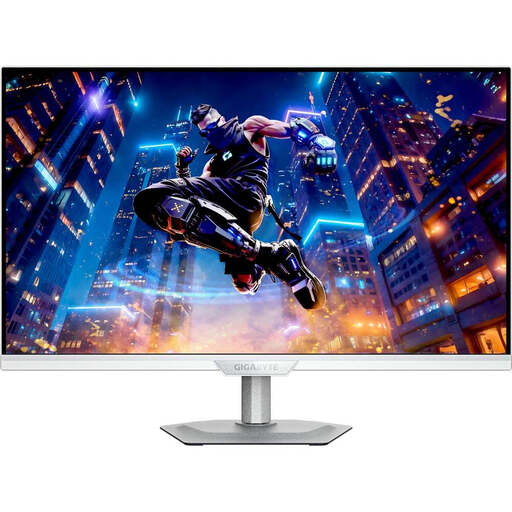
GIGABYTE M27UP ICE
For editing on a 27-inch 4K screen, this model is listed as having 3840 × 2160 pixels and an adjustable stand.
The product specifications list 95 % DCI-P3 and 10-bit colour. DCI-P3 isn’t an Adobe RGB figure, so check that it suits your intended output.
View at Joybuy
 No image available
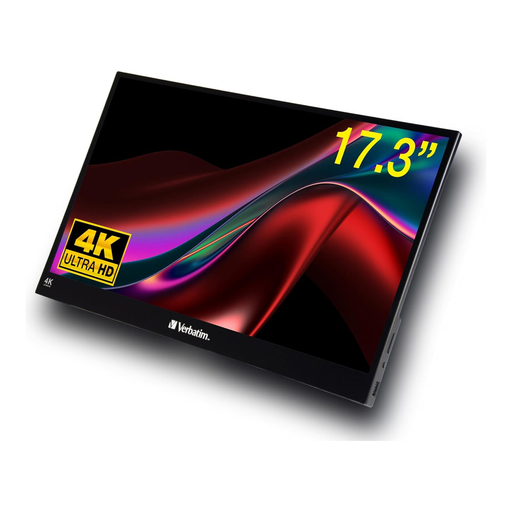
Verbatim Portable Touchscreen Monitor 17.3-Inch
If you’re short on desk space, the portable 17.3-inch format could be a compact screen option.
Specifications include 4K resolution, a touchscreen, USB-C and HDMI. The screen has a glossy finish, so check carefully whether you can avoid reflections in your workspace.
View at Joybuy
 No image available
ASUS ROG Swift OLED PG32UCDMR
If you prefer a larger screen, the product description lists this model as 32 inches with 4K UHD resolution at 3840 × 2160 pixels.
Specifications include QD-OLED, 99 % DCI-P3, an ergonomic stand and USB-C with 90 W Power Delivery. DCI-P3 doesn’t confirm Adobe RGB coverage; also measure your available space for a 32-inch display.
View at Joybuy
Frequently asked questions
Is a 4K monitor alone enough to make reliable colour decisions when blending exposures?
No. The International Color Consortium describes calibration and profiling as complementary steps for consistent colour reproduction. Choose a colour mode to suit your intended output and assess the display under lighting conditions you can control as much as possible.
How should I position my monitor near a window?
Avoid direct glare and check for reflections from where you actually sit. The German Social Accident Insurance recommends positioning your line of sight parallel to the window front and using adjustable sun protection. This is a helpful positioning tip, not a special buying requirement for a student room.
Do I need to buy a monitor with an HDR logo for landscape photography?
Not just to blend differently exposed shots. First work out whether you actually want to edit and assess HDR output; a DisplayHDR 400 feature or 4K resolution alone doesn’t confirm the display quality you’ll need for that.
Who should I contact if a monitor bought in Germany is faulty?
If a product is faulty, you have statutory rights against the seller; these are separate from any voluntary manufacturer’s guarantee. According to the German consumer advice centre, you can exercise your statutory rights for newly purchased goods within two years of delivery.


