Students editing product photos for screens
If you want to keep the colours consistent across a series of images, look for a suitable colour mode and a controlled editing workflow.


Start by choosing a monitor to suit your intended output. For product photos that will mainly be viewed on screen, a documented sRGB mode is a sensible starting point. If you also plan to print, check Adobe RGB coverage and suitable output profiles. 4K alone won’t guarantee reliable colour: also consider calibration, changing room lighting, desk space and how the monitor connects to your laptop. The colour figures quoted are mostly manufacturer claims, not measurements of the specific device you’ll receive.
If you want to keep the colours consistent across a series of images, look for a suitable colour mode and a controlled editing workflow.
If you edit in the same place under different room or daylight conditions, consider the display and your working environment together.
If you want to print your product images too, the monitor’s colour gamut, profiles and intended output method all need to work together.
First decide whether your photos are for viewing on screen or will also be printed. Then you can compare colour modes, calibration and laptop connections with your needs in mind.
| Your priority | What to check before buying | Who is this important to? |
|---|---|---|
| Colour mode for photos viewed on screen | Check whether an sRGB mode is documented for the exact model, and plan to manage colour consistently across your files. | If I mainly show product photos on screen, I want to assess them in a suitable colour mode rather than relying on a large gamut figure alone. For around 36% of consumers, colour mode for screen-based photos is the top priority. |
| Assessing colour in changing room light | Check the calibration options and profiles. Also consider whether reflections or strongly changing light could make it harder to judge images at your workstation. | If the light in my room changes throughout the day, I want to assess my photos under conditions I can reproduce. Around 29% of consumers prioritise reliable colour assessment in changing room light. |
| Laptop connection and desk space | Compare the monitor’s dimensions and stand depth with your desk, and check that the video connection, cable and, if needed, USB-C charging meet your laptop’s requirements. | If I have limited desk space or want to connect the monitor to my laptop, its placement and connections need to suit my setup. For around 21% of consumers, laptop connectivity and desk space are the main concerns. |
| Additional print workflow | If you have a specific print goal, check the required colour gamut, suitable profiles and options for calibration or soft proofing. | If I also prepare product images for print, I want to set up the monitor for the intended output rather than choosing one just because its on-screen colours look vivid. An additional print workflow is a priority for around 14% of consumers. |
Resolution describes image detail, but it can’t replace a suitable colour mode or controlled viewing conditions.
Check resolution and colour workflow separately. Look for a mode suited to your output, and find out how you can calibrate and profile the monitor.
Calibration and profiling add another step to your editing workflow.
Adobe RGB support alone doesn’t guarantee a suitable result for images viewed on screen or for print.
First decide whether you’re working for screen or print as well. Then check the colour mode and, if necessary, suitable output profiles.
Power delivery and stand depth vary between specific models. A port with the right connector shape doesn’t prove that your laptop can output a picture through it or receive enough power to charge.
Check your laptop’s requirements and measure your available desk space before choosing a model.
Depending on your laptop, you may need a suitable cable or a separate power supply.
The DesignVue PD2705U and PD2732U models cater to different needs, from screen-based photos to additional print projects.
The ProArt PA279CRV is a documented 27-inch 4K option with colour modes for different output needs.
According to EIZO, the ColorEdge CS2740 combines 4K resolution with hardware calibration for colour-critical photo, video and graphics work.
The UltraFine 27UP850K-W is a documented 27-inch 4K IPS option with USB-C and an adjustable stand.
The Joybuy offers below are monitors for editing product photos. For each model, check that its colour mode suits your needs and confirm its native resolution, particularly where the listed resolution figures differ.
 No image available
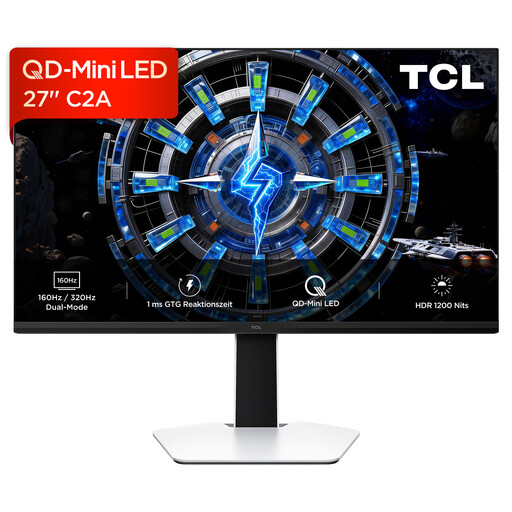
This model may be worth considering for product photos that need a wide colour gamut. The product description quotes 100 % Adobe RGB, 98 % DCI-P3 and colour calibration via the MSI Gaming Intelligence app.
It also lists 3840 × 2160 pixels, Rapid IPS, Mini-LED and a height-adjustable stand.
The product name lists 160 Hz in UHD mode and 320 Hz in FHD mode.
 No image available
If you want to use the screen in different places, the description lists a portable model with an integrated stand.
Specifications include 3840 × 2160 pixels, 60 Hz, USB-C and Mini HDMI inputs.
The display surface is listed as glossy.
 No image available
For product photos viewed on screen, the description lists an sRGB picture mode that you can select via the OSD.
Specifications include 3840 × 2160 pixels, an IPS panel, 10-bit colour depth and a 60 Hz refresh rate.
The stand is described as height-adjustable, swivel, tilt and pivot adjustable.
 No image available
If you’re looking for an sRGB reference for product photos and want to connect the monitor to a laptop, the description lists 99 % sRGB and USB-C with 65 W Power Delivery.
Specifications include a VA panel, 3840 × 2160 pixels and a height-adjustable, tilt-adjustable stand.
The product name mentions a webcam.
 No image available
The description lists graphic design as a use case. Before buying, check the native resolution and available sRGB mode for the exact version: the product name includes conflicting resolution figures.
It also lists an IPS panel and a multidirectionally adjustable mount.
No. 4K describes image resolution. To assess colour, you also need a suitable colour mode, calibration or profiling, and appropriate lighting at your workstation.
Limit distracting reflections and assess critical colours under lighting conditions that are as consistent as possible. Choose calibration and profiles to suit your workflow. Calibration can’t compensate for a gamut that’s too small or an uneven panel.
Not just because the connector fits. Check that your laptop can output a video signal through the intended port and that the specific monitor provides enough power. For example, the BenQ PD2705U is listed at 65 W and the ASUS PA279CRV at 96 W.
For a colour-critical workflow, extra calibration equipment may be useful, but there’s no general cost that applies to everyone. According to Your Europe, when you buy from a business seller at a distance, you generally have a 14-day right to withdraw from the contract, starting from delivery. In the EU, faulty goods are covered by a legal guarantee of at least two years from receipt. The right to withdraw and claims relating to faulty goods are separate rights.
Compare the consumption figures for the specific model. Your Europe notes that, since 2021, monitors have no longer been among the product groups covered by the EU energy label. Consumption figures also tell you nothing about colour accuracy.