Creatives working with digital image references
If you compare the colours and details of digital reference images at your desk, choosing the right display mode matters more than simply having a wide colour gamut.


For digital reference images, choosing the right sRGB mode matters more than having the widest possible colour gamut. For a set print workflow, however, you’ll need suitable colour profiles and a calibration process that you actually use. BenQ lists 99% sRGB for the PD2705U, while EIZO lists Adobe RGB and sRGB presets, as well as hardware calibration, for the CS2740. Also check the native 4K resolution, readability at your preferred scaling, desk space and connections. The published product specifications don’t tell you whether a monitor is silent.
If you compare the colours and details of digital reference images at your desk, choosing the right display mode matters more than simply having a wide colour gamut.
If you’re using reference images for a specific print output, the colour profiles and calibration need to suit your actual workflow.
If you view images on a laptop and want to keep your desk tidy, check the connections and charging power. Check separately whether the exact model makes any operating noise.
First, decide on your colour workflow. Then check the resolution and readability, and finally make sure the connections, set-up and noise levels suit your workspace.
| What matters | What to check before buying | Who it matters most to |
|---|---|---|
| Colours that suit your output | Colour modes and profiles for your workflow; if you’re assessing print output, check the calibration process too. | If I need to assess digital references or print colours, I need a mode that suits my intended output. Colour is the main concern for around 36% of consumers. |
| Fine image detail | Native resolution of 3840 × 2160 pixels and how clearly your usual software displays at your chosen scaling. | If I need to pick out fine details while keeping on-screen controls easy to read, the display needs to suit the way I work. Image detail is the main concern for around 29% of consumers. |
| A quiet, practical workspace | Desk space and adjustment options; if you’re sensitive to noise, look for reliable information about the operating noise of the exact model. | If I view reference images in a quiet home office, I need to be able to position the screen comfortably and check whether it makes any operating noise. A quiet workspace and readability are the main concerns for around 21% of consumers. |
| Connecting a laptop | Compatibility for video output, plus the cable and USB-C charging power compared with your laptop’s requirements. | If I want to connect video and power as simply as possible, the monitor, laptop and cable all need to work together. Laptop connectivity is the main concern for around 14% of consumers. |
sRGB and Adobe RGB percentages refer to different colour spaces. They don’t prove that every part of your own output chain will deliver the colours you need.
Start by deciding on your intended output, then check the colour mode, profiles and, if your workflow requires it, the calibration options for the exact model.
USB-C connectivity alone doesn’t tell you whether video output and charging power will meet your laptop’s needs. Specifications list different power outputs for different models.
Check your laptop’s connection, cable, video output and charging requirements separately.
Resolution, colour and connectivity specifications don’t prove that a particular monitor will be inaudible in a quiet room.
If low noise is essential, check this for the exact model before you buy. If you order online, also check the applicable returns policy.
The DesignVue PD2705U and PD2706U are examples of 27-inch 4K monitors with features for creative work; this doesn’t apply to every monitor from the brand.
The ColorEdge CS2740 is a 4K model with features for colour workflows.
According to its German specification sheet, the ProArt PA279CRV combines 27-inch 4K with colour presets, an adjustable stand and USB-C.
The UltraSharp U2725QE is a 27-inch 4K model with a Thunderbolt hub, for a workspace where connectivity matters as much as viewing reference images.
The 27UP850K-W is a 27-inch 4K IPS option with USB-C and an adjustable stand.
Explore 4K monitors for viewing reference images, including desktop and portable models. Check the colour mode, connections, set-up and possible operating noise for each specific model.
 No image available
A portable option if you want to view reference images flexibly with your laptop; check that the size suits your permanent workspace.
3840 × 2160 pixels, 60 Hz and, according to the product title, 100% sRGB. The title also lists USB-C and Mini HDMI inputs, plus an integrated stand.
 No image available
A 27-inch option for digital reference images if an sRGB picture mode suits your workflow; check that the screen position works for your workspace.
27 inches, 3840 × 2160 pixels, IPS and 60 Hz. The product specifications also list a matt display, 10-bit colour depth, an sRGB preset and a height-adjustable stand with swivel, tilt and pivot functions.
 No image available
If you view reference images on a laptop, USB-C connectivity may be useful; check video output and your device’s charging requirements.
27 inches, 3840 × 2160 pixels, IPS and 120 Hz. The product description lists 100% sRGB, 99% Adobe RGB, USB-C with 90 W Power Delivery and a height-adjustable stand.
 No image available
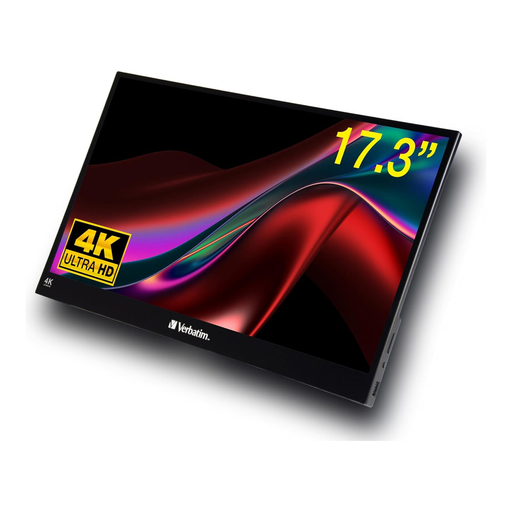
The portable touchscreen format is an option for flexible use with compatible devices; bear the glossy finish in mind when considering the lighting where you plan to use it.
The description lists 3840 × 2160 pixels, an IPS display with HDR, and HDMI and USB-C connections.
 No image available
An option if you’d also like to use the refresh rates listed in the product title alongside viewing reference images; check the colour mode and suitability for your specific workflow separately.
27 inches, 3840 × 2160 pixels and Mini LED. The title lists a dual mode with 4K at 160 Hz or FHD at 320 Hz, USB-C with 65 W and a height-adjustable stand.
No, not just because you’re using a 4K monitor. If your workflow is based on sRGB, an sRGB mode that suits your needs is what matters. Adobe RGB features are mainly useful if your set workflow uses them. The coverage figures quoted are specific to the model or manufacturer.
No. EIZO lists up to 60 W for the CS2740, while ASUS lists 96 W Power Delivery for the PA279CRV. Compare video output, cable and charging requirements with the specifications for your particular laptop.
For consumer purchases in Germany, the statutory warranty against the seller is separate from any voluntary guarantee, as explained by the Verbraucherzentrale. Goods ordered online can generally be returned within 14 days of receipt under the right of withdrawal; check the information provided by the seller. For purchases made on or after 31 July 2026, the warranty period may be extended after a repair in the circumstances described by the Verbraucherzentrale.
No. The Umweltbundesamt advises disposing of old electrical equipment separately, for example at a recycling centre or a suitable retail take-back point. Check in advance which return options are available locally.