Detail-focused 3D artists
If you compare UV edges with the results on your 3D model, you’ll need a clear layout showing both views. The Blender Foundation explains the role UV islands and texture transitions play in this work.


A 4K monitor can be useful for checking texture seams if you can fit the UV view and 3D preview side by side at a comfortable scaling level. However, the higher resolution won’t fix UV or texture errors. For colour-critical work, you’ll also need a colour mode suited to your output target and an appropriate calibration workflow. Image and colour specifications alone don’t tell you whether a monitor will be audible in a quiet room, so check the noise levels of the specific model.
If you compare UV edges with the results on your 3D model, you’ll need a clear layout showing both views. The Blender Foundation explains the role UV islands and texture transitions play in this work.
If you assess colours for a specific output target as well as checking seams, look for suitable colour modes and a calibration workflow that fits the way you work. Manufacturer specifications and measurements from a single test unit answer different questions.
If you check textures in a very quiet room, noise levels should be part of your decision. Assess them on the specific model rather than trying to infer them from image specifications or connections.
First, check that your work views fit on the screen at a comfortable scaling level. Then match the colour mode and calibration to your output target, and assess noise levels separately.
| Consideration | What to check when buying | Who it matters to |
|---|---|---|
| Texture seams and views | Check the native resolution, the screen space available with the stand in place, and a typical project at your preferred scaling level. | If you want to assess the UV view and 3D result at the same time, a clear, readable layout matters. Around 36% of consumers put detailed inspection first. |
| Colours for your output target | Identify the colour space you need, then check the colour modes and, where relevant, profiling and calibration on the specific model. | If you assess textures for a specific colour target, you’ll need a workflow that suits it. Around 29% of consumers prioritise colour assessment. |
| Working in a quiet environment | Look for a noise test of the specific model, or try it in your own room at your usual brightness and with your typical connections. | If you concentrate on your work in a quiet home office, audible operating noise could affect your decision. Around 21% of consumers prioritise quiet operation. |
| Laptop and work equipment | Check that the monitor is compatible with your video output, cables, data connections and, where relevant, charging requirements. | If you want to connect a laptop and peripherals at your workstation, the devices and cables need to support the features you need. Around 14% of consumers prioritise connection convenience. |
More pixels can make details easier to see, but they won’t change UV islands or their colour edges.
Check the texture on both the model and in the UV view, and review the Seam Bleed setting if needed. The Blender Foundation describes this setting as a way to extend colour beyond the edges of UV islands.
Manufacturer claims about colour-space coverage and measurements from a single test unit describe different things.
Start by deciding on your output target, then choose the colour mode and calibration workflow that suit it.
Profiling and calibration may involve extra work.
Specifications for resolution, colour and connections don’t tell you how audible a monitor will be in your own setup.
If you’re particularly sensitive to noise, don’t base your choice on picture quality alone. Check the noise levels of the specific model.
The DesignVue range includes the PD2706U, a 27-inch 4K monitor for design work.
According to ASUS Germany, the ProArt PA279CRV is designed for users who need 4K, documented colour modes and a range of connections.
The ColorEdge CG2700X is a 27-inch 4K model for colour-critical work that requires regular calibration.
Dell describes the UltraSharp U2725QE as a 27-inch 4K monitor with Thunderbolt hub features.
The UltraFine 27UP850K-W is a 27-inch 4K IPS option with USB-C and an adjustable stand.
This selection includes portable and desktop 4K monitors for viewing fine detail, including models with sRGB or wider colour-space specifications. The image specifications listed don’t indicate how noisy a monitor will be in a quiet home office, so check the specific model for yourself.
 No image available
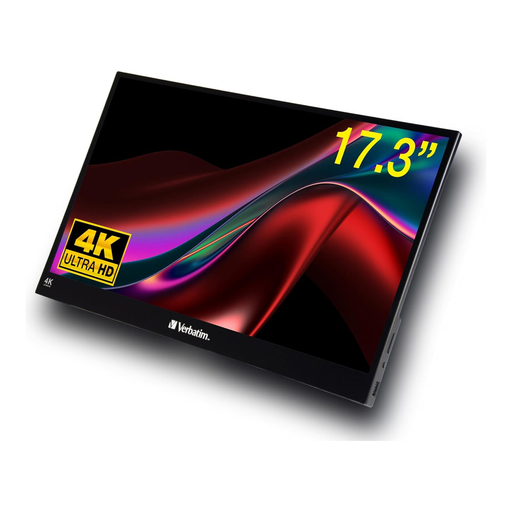
A portable option if you’re looking for a 4K view for checking textures.
3840 × 2160 pixels, 60 Hz and 100% sRGB; with USB-C and Mini HDMI inputs and a built-in stand.
 No image available
A 27-inch desktop option if you’re looking for a 4K screen for detailed inspection.
4K UHD, IPS, 60 Hz and HDR Ready.
 No image available
A 27-inch option if you’re looking for a 4K screen with colour-space specifications for checking textures.
3840 × 2160 pixels, IPS, 120 Hz and HDR500; the product name also lists USB-C with 90 W Power Delivery, as well as PIP and PBP.
 No image available
A portable option if you’re looking for a 4K monitor for working in different locations.
4K with 3840 × 2160 pixels; the product title also lists HDR, USB-C and HDMI.
 No image available
A 27-inch option if you’re looking for a 4K screen for viewing fine detail.
UHD with 3840 × 2160 pixels; the product title also lists 4K at 160 Hz and FHD at 320 Hz.
No. It displays the existing view with more pixels, but it won’t correct UV or painting settings. The Blender Foundation describes Seam Bleed as a setting that extends colour beyond the edges of UV islands to help prevent visible artefacts.
Open a typical project with UV and 3D views, choose a scaling level that’s easy for you to read, and check the seams in your target application. For colour decisions, the selected mode should suit your output workflow; a single colour value can’t assess the whole process.
For monitors with an energy label, compare the ratings: the European Commission describes the EU energy scale for electronic displays as running from A to G. For a private online purchase in Germany, you generally have a 14-day right to cancel; the Verbraucherzentrale says the cancellation period may start when the contract is made or when the goods are received. The right to cancel because you’ve changed your mind is separate from your statutory rights for faulty goods; a guarantee is voluntary.