For a clear typography preview, text and work windows need to remain readable at your preferred scaling; 4K alone won’t guarantee that. Microsoft Support notes that text can look blurry if you use a resolution lower than the screen’s native resolution. If you use a laptop, also check that the monitor, cable and laptop support USB-C video and suitable charging power. The monitor itself will still need a power socket. For colour-critical designs, choosing the right colour mode and following a controlled colour workflow are important too.
Who is this selection for?
Typography and layout reviewers
If you assess font sizes, spacing or page layouts, you need a detailed preview that remains readable at your chosen scaling. Microsoft Support explains why using the screen’s native resolution is important for sharp text.
Laptop users with limited sockets
If you want to send the video signal and charge your laptop through a single connection, compare the supported video output and Power Delivery rating with your laptop’s requirements. VESA describes DisplayPort Alt Mode as a way to transmit video over USB-C.
Designers checking colour
If you assess colours as well as text, choose a colour mode and workflow that suit your output. 4K resolution alone won’t answer that question. BenQ and ASUS list different colour modes for certain models.
What should you look for when buying?
| What matters |
What to look for |
Who will value this most? |
| Sharpness and readable text |
Assess the native resolution, screen size and preferred scaling together with the fonts and windows you normally use. |
When comparing font sizes and spacing, I want to see the details without making the text too small for everyday work. Around 34% of consumers put sharpness and readability first. |
| Video and laptop power through one connection |
Check video compatibility, Power Delivery output, your laptop’s power requirements and the cable together. |
With limited sockets, I’d like to avoid using a separate laptop charger if possible, without forgetting that the monitor still needs power. Around 33% of consumers prioritise connecting their laptop for both video and charging. |
| Colour mode for design work |
Match the colour space you need with suitable modes and an appropriate profiling or calibration process. |
When I assess colours as well as text, I want to check my design in the colour mode relevant to my output. Around 20% of consumers put colour accuracy first. |
| Setup and available space |
Compare the dimensions of the casing and stand, as well as height adjustment and, where available, pivot, for the specific model. |
When desk space is limited, I want to know whether the monitor will fit and can be adjusted to suit my sitting position. Around 13% of consumers prioritise setup and space requirements. |
Common misconceptions
-
USB-C automatically means video output and enough power to charge a laptop
The socket alone doesn’t confirm compatible video output or sufficient charging power. You may still need a separate laptop charger.
Before you buy, check that your laptop, monitor and cable all support the video connection and Power Delivery you need.
-
4K guarantees readable work windows
Usable text size also depends on screen size and scaling. A lower output resolution can make text look blurry; Microsoft Support recommends taking the display’s resolution into account.
Check your usual font sizes and windows at the native resolution, using a scaling level that feels comfortable.
-
Colour space or HDR specifications are enough to prove colour accuracy
Manufacturers’ descriptions of colour modes don’t automatically confirm how accurate a particular device will be in your output workflow.
Set your target colour space and check which colour mode and profiling or calibration steps suit your work. Assess text readability separately, too.
Colour-critical work may require extra steps for profiling or calibration.
Key brands at a glance
BenQ
The DesignVue range includes the PD2706U, a 27-inch 4K model designed for layout work.
- BenQ lists an sRGB mode, a factory calibration report and an adjustable stand for the PD2706U.
- The stated 90 W USB-C charging output needs to suit your laptop; it doesn’t guarantee compatibility.
Dell
The UltraSharp U2725QE is a 27-inch 4K model with a Thunderbolt hub, for buyers who factor connectivity into their choice.
- Dell lists a USB hub and an IPS Black panel for this model.
- Check the power specifications for the connection setup you’ll use before relying on the monitor to replace your laptop charger.
ASUS
The ProArt PA279CRV is a 27-inch 4K model with colour modes and USB-C Power Delivery.
- ASUS lists sRGB and other colour modes, as well as height adjustment and pivot, for this model.
- Colour specifications and the stated 96 W charging output are manufacturer claims. Check compatibility with your laptop and make sure the colour workflow suits your needs.
EIZO
According to EIZO, the FlexScan EV2740X combines a 27-inch 4K display with USB-C docking.
- EIZO lists DisplayPort Alt Mode, up to 94 W through the USB-C upstream port, LAN and KVM.
- Office features alone don’t confirm that a monitor is suitable for colour-critical proofing.
LG
The UltraFine 27UP850K-W is a 27-inch 4K IPS model with an adjustable stand.
- LG lists a resolution of 3840 × 2160 pixels and 95% DCI-P3 as typical manufacturer specifications.
- If you want to do away with your laptop charger, check the charging output for the specific setup. The USB-C specification alone doesn’t tell you enough.
Joybuy products
The following Joybuy models are aimed at 4K text and layout previews; some list USB-C charging output for laptop setups. Check that video and power delivery are compatible with your laptop for each model.
 Image unavailable
Portable 23.8-inch 4K monitor
The 23.8-inch screen offers a more compact option for text and layout previews.
3840 × 2160 pixels, 60 Hz, 100% sRGB, built-in stand, USB-C and Mini HDMI inputs.
View at Joybuy
 Image unavailable
MSI PRO MP273UPDE E6
The 27-inch screen offers another size option for 4K text and layout previews.
27 inches, 4K UHD, IPS, 60 Hz, HDR Ready.
View at Joybuy
 Image unavailable
Samsung M8 M80F (2025)
The 32-inch screen is a larger option for previewing text and layouts.
32 inches, VA, 4K UHD, 60 Hz, webcam. USB-C and 65 W Power Delivery are listed for laptop setups; check that video output and charging power suit your device.
View at Joybuy
 Image unavailable
INNOCN CB27U1
The 27-inch screen and stated 4K resolution are designed for detailed typography and layout previews.
27 inches, 3840 × 2160 pixels, IPS, 120 Hz, HDR500, USB-C with 90 W Power Delivery. Check compatibility with your laptop and cable.
View at Joybuy
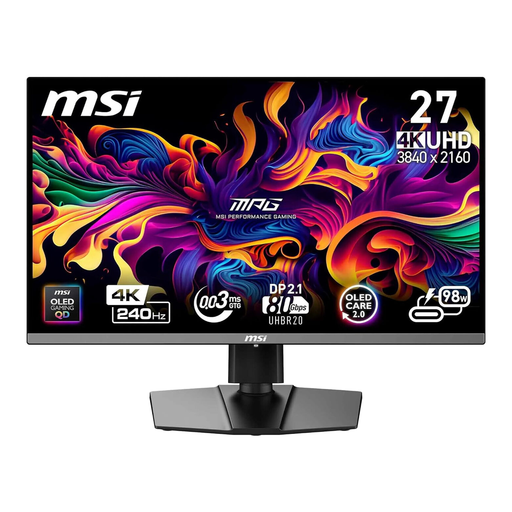 Image unavailable
MSI MPG 272URXDE
The 26.5-inch screen is a compact option for high-resolution text and layout previews.
26.5 inches, 4K UHD, QD-OLED, 240 Hz, USB-C Power Delivery at 98 W. Make sure the charging output suits your laptop.
View at Joybuy
Frequently asked questions
Will a USB-C monitor really save you a socket?
It may save the socket for a separate laptop charger, but not the one for the monitor. Your laptop, monitor and cable must support video output and suitable Power Delivery; a USB-C socket alone isn’t enough.
Should I lower the output resolution below 4K to make text larger?
First, try adjusting scaling at the native resolution. Microsoft Support notes that text can look blurry if you use a resolution lower than the monitor’s native resolution.
What running costs can I compare before buying?
Compare the EU energy label and the model-specific information in EPREL rather than assuming that the maximum USB-C charging output reflects typical power consumption. The European Commission explains that the energy label also includes information for HDR. To estimate costs, you’ll also need to know how long you use the monitor and your electricity tariff.
What are my rights when buying online in Germany?
For eligible online purchases from a business seller, consumers generally have 14 days from delivery to withdraw from the purchase; exceptions and conditions on return costs apply. The EU’s Your Europe information also states that faulty goods are covered by a minimum two-year legal guarantee. This is separate from any additional manufacturer’s warranty.


