Those checking digital graphics
If you assess the edges and text in vector graphics for digital output, look for good readability at your chosen screen size and scaling, as well as a suitable sRGB mode.


Start by choosing a monitor based on what you’ll be producing. For digital vector graphics, a clear 4K image and a suitable sRGB mode are important. For colour-critical print workflows, you’ll also need to consider the required colour gamut and have a coordinated colour management and calibration process. Check, too, that you can position the screen comfortably for both settings at your sit-stand desk, and that its USB-C or Thunderbolt features are compatible with your laptop.
If you assess the edges and text in vector graphics for digital output, look for good readability at your chosen screen size and scaling, as well as a suitable sRGB mode.
For work destined for print, the colour gamut and calibration options should suit your specific output requirements and planned colour management workflow.
If you switch between sitting and standing and regularly connect a laptop, check both the stand’s adjustment range and whether its ports and charging features meet your needs.
First, decide what you’ll be producing and how easy you need the screen to be to read. Then check that the screen position and, if relevant, the laptop connection will work with your setup.
| What matters | What to look for when buying | Who is this important to? |
|---|---|---|
| Fine lines and text | Check the resolution, screen size and readability in your own applications at your preferred scaling. | If I need to assess fine lines and small labels, I want to be able to see them clearly at my workstation. Around 31% of consumers prioritise checking fine detail. |
| Colours suited to the intended output | For digital output, check the sRGB mode; for print work, check the required colour gamut and calibration options. | If my graphics are intended for a particular print workflow, the colour gamut and colour management need to suit that purpose. Around 31% of consumers focus on their colour workflow. |
| Adjusting the screen position | Check the height adjustment, tilt and, if required, VESA mounting against your desk and both working positions. | If I switch between sitting and standing, I want to be able to position the screen comfortably in both. This is a priority for around 23% of consumers. |
| Connecting a laptop | Check that the monitor’s connection features, the charging power required and your peripherals are all compatible. | If I regularly plug in and disconnect my laptop, I need a suitable connection for video, data and, where required, power. Around 15% of consumers prioritise connecting a laptop. |
Colour gamut and calibration features describe the properties of an individual monitor. Whether colours will match the print also depends on the intended output and the rest of your colour management workflow.
Decide on your intended output first, then compare the colour modes and the checks you plan to carry out.
Depending on your workflow, you may need to allow extra time for colour management and calibration.
Adjustment ranges vary between models, and a stand may not offer enough movement for your sitting or standing position.
Measure the screen positions you need, then check that the stand, VESA size and any planned monitor mount are suitable.
If the stand doesn’t offer enough adjustment, you may need a suitable monitor arm.
Ports and stated charging power vary between monitors and need to be compatible with your particular laptop.
Check the video and data capabilities of your laptop’s port, as well as the power it requires.
Depending on the connection and features, you may need a separate charger, cable or dock.
The DesignVue PD2725U is a 27-inch 4K option for digital design work, with an sRGB mode and an adjustable stand.
The ColorEdge CG2700X is designed for more demanding graphics and print workflows.
The ProArt PA279CRV is a 27-inch 4K option with several manufacturer-stated colour gamuts and ergonomic adjustments.
The UltraSharp U2725QE is aimed at users who want a Thunderbolt hub as well as 4K resolution.
The UltraFine 27UP850K-W is a 27-inch 4K option with USB-C and a height-adjustable stand.
The Joybuy products below include 4K monitors to explore in more detail, with a range of screen sizes and designs.
 No image available
The 32-inch screen may be worth considering for checking fine detail, provided it suits your available space and viewing distance.
4K UHD with 3840 × 2160 pixels; OLED display.
 No image available
The portable design may suit a setup used at different laptop workstations. Check that its ports and positioning work with your device.
4K UHD with 3840 × 2160 pixels; 60 Hz; 100% sRGB according to the product name; built-in stand; USB-C and Mini HDMI inputs.
 No image available
The 27-inch 4K design is an option for checking vector detail. Compare its readability with your preferred scaling.
IPS; 60 Hz; HDR Ready.
 No image available
When checking fine detail, consider the screen size alongside readability at your preferred scaling.
3840 × 2160 pixels; IPS; 120 Hz.
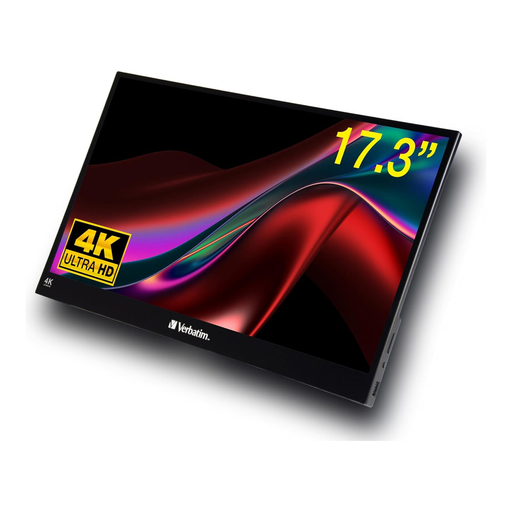 No image available
The portable design may suit use in different locations. Check that the size and ports are compatible with your laptop or tablet before buying.
4K display; USB-C and HDMI ports.
No. You’ll also need to check which colour gamut and colour management process suit your intended output. Manufacturer specifications for colour gamuts and calibration features describe individual monitors; they don’t tell you whether the entire print workflow will match.
No. The German Federal Institute for Occupational Safety and Health describes sit-stand working as switching between positions and notes that standing for long periods can also be tiring. Set up your desk and screen for the positions you actually use.
Compare the EU energy label and EPREL information for the specific models. Energy labels for electronic displays include details such as the efficiency class and power use in SDR and HDR modes. To estimate your own costs, you’ll also need to factor in how long you use the monitor and your electricity tariff.
For a qualifying distance purchase, you generally have 14 days from delivery to cancel. Exceptions and the rules on return costs apply. EU law also provides a minimum two-year legal guarantee for faulty goods, which is separate from a voluntary manufacturer’s warranty.