If your laptop outputs video over USB-C and the monitor provides enough power, a 4K monitor with Power Delivery could mean you no longer need a separate laptop charger – although the monitor itself still needs a power connection. For colour-critical work, the colour space must also suit your intended output, and you’ll need an appropriate colour-management workflow. When checking fine details, native resolution, suitable scaling and enough desk space all matter.
Who is this type of monitor for?
Laptop users with limited sockets
If you want to avoid using a separate laptop charger, look for a USB-C port that supports video output and offers enough power for your laptop. BenQ Germany and EIZO Germany list these features for their respective models.
Designers working to colour approval
If you’re checking colours against a specific screen or print output, the colour space and modes should suit that output. Profiles and calibration are part of the workflow; EIZO Germany notes that calibration can’t compensate for a colour space that’s too limited.
Anyone checking fine details
Native 4K resolution and comfortable scaling are useful for checking small text, edges and multiple views of a vector file. Also check the screen dimensions against the space available on your desk; a high refresh rate isn’t automatically important for this kind of work.
What should you look for when buying?
| Buying priority |
What to check |
Who is it important to? |
| Laptop without a separate charger |
Check that the laptop’s port supports video output, and that USB-C Power Delivery provides the power your particular laptop needs. |
If you work on a laptop and sockets are in short supply, you’ll want a connection that carries video and provides enough power. Around 36% of consumers prioritise charging their laptop through the monitor. |
| Colours suited to your output |
Compare the colour space and modes of the specific model with your intended output; allow for profiles and calibration. |
If I’m approving colours for a particular screen or print output, the colour space displayed needs to match. Around 29% of consumers prioritise accurate colour reproduction. |
| Fine vector details |
Check for a native resolution of at least 3840 × 2160 pixels, as well as the screen size and your preferred operating system scaling. |
When checking small text and edges, I want to see the details clearly and display my own file comfortably. Around 21% of consumers prioritise this kind of detail checking. |
| Space, ergonomics and power use |
Check the stand’s dimensions and adjustment range against your workspace; compare typical and maximum power consumption, taking operating conditions into account. |
If desk space is limited and you also want the monitor to handle your laptop connection, its footprint and actual operating conditions matter. Around 14% of consumers make this their top priority. |
Common misconceptions
-
A USB-C port guarantees a one-cable setup
For video and charging to work, the features of your laptop’s port, the cable and the specific monitor all need to be compatible. The monitor’s power output may also be lower than your laptop requires.
Check your computer’s video output, its power requirements and the USB-C features listed for the exact monitor model.
If the combination doesn’t provide enough power, you may still need a separate laptop charger.
-
Wide colour coverage means you’re ready to proof
A suitable colour space alone doesn’t guarantee colour-accurate results. Calibration can’t by itself fix a colour space that’s too limited or inconsistencies across the panel.
Decide on your intended output, check that the colour space is suitable, and include the right profiles and checks in your colour-management workflow.
Profiling, calibration and checking your output workflow may require extra steps.
-
Typical wattage reflects the monitor’s full docking setup
For the EIZO FlexScan EV2740S, EIZO lists typical power consumption of 12 W and a maximum of 149 W. The maximum applies, among other conditions, at full brightness, with ports in use and full charging power.
Compare consumption figures only under equivalent operating conditions, and check whether laptop charging is included.
Power consumption may exceed the typical figure when charging a laptop or using the monitor more intensively.
Relevant brands and models
BenQ
The BenQ PD2706U combines a 27-inch 4K screen with USB-C Power Delivery, making it an option for workspaces where graphics checking and laptop connectivity go hand in hand.
- BenQ Germany lists 90 W Power Delivery, DisplayPort Alt Mode, 100% sRGB, 100% Rec.709 and 95% DCI-P3 for this model.
- Whether the charging power is enough depends on your laptop; colour-space specifications don’t replace a suitable colour-management workflow.
ASUS
The ProArt Display PA279CRV is a 27-inch 4K model for workflows where different output colour spaces and USB-C charging matter.
- ASUS Germany lists 96 W USB-C Power Delivery, 100% sRGB, 99% Adobe RGB and 99% DCI-P3 for this model.
- The manufacturer’s colour-accuracy specification doesn’t guarantee colour-accurate results from a particular unit; your target profile and calibration still matter.
Dell
The UltraSharp U2725QE is a 27-inch 4K Thunderbolt hub monitor for workspaces where device connectivity matters as well as checking graphics.
- Dell lists IPS Black, 120 Hz and an integrated USB hub for this model.
- Dell’s product page doesn’t list integrated speakers. Check that the hub features and power supply are suitable for the computer you’ll connect.
EIZO
The FlexScan EV2740S combines a 27-inch 4K screen with USB-C docking, making it a potential option for checking screen details and working with sRGB-focused content.
- EIZO Germany lists up to 70 W USB-C power delivery, typical power consumption of 12 W and a seven-year warranty for this model.
- The stated maximum colour space is sRGB. EIZO also lists maximum power consumption of 149 W, including when running at full brightness, with ports in use and full charging power.
LG
The LG UltraFine 27UP850K-W is a 27-inch 4K IPS model with USB-C and an adjustable stand.
- LG Germany lists 95% DCI-P3 (typical) and support for Calibration Studio for this model.
- Compatibility with calibration software alone doesn’t guarantee colour-accurate results for a particular output. Check the full model specifications for USB-C charging power.
4K monitors at Joybuy
This selection features 4K monitors for checking vector graphics. USB-C connectivity, charging power and colour space vary by model.
 No image available
INNOCN CB27U1 27-inch 4K monitor
An option if you’re looking for native 4K resolution and USB-C laptop charging in one monitor.
3840 × 2160 pixels, 27 inches and 90 W USB-C Power Delivery. It also offers 100% sRGB and 99% Adobe RGB, as well as a height-adjustable stand.
Whether 90 W is enough for your laptop and its port supports video output depends on the specific computer; the monitor still needs its own power supply.
View at Joybuy
 No image available
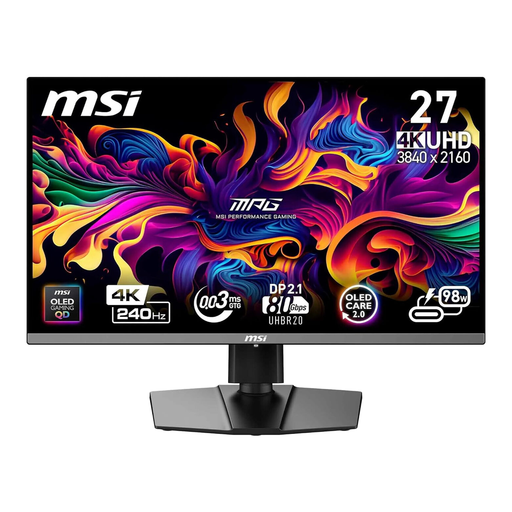
MSI MPG 272URXDE 26.5-inch 4K UHD QD-OLED monitor
Could be a good fit if you want to compare 4K resolution, colour-space specifications for your intended output and USB-C charging.
26.5 inches, 3840 × 2160 pixels and 98 W USB-C Power Delivery. This model is specified as covering 98% Adobe RGB and 99% DCI-P3.
Whether the charging power is sufficient and USB-C supports video output depends on your laptop; the monitor still needs its own power supply.
View at Joybuy
 No image available
MSI MPG 322URXDE QD-OLED 32-inch 4K UHD
A larger screen could be useful for viewing several versions of a file, if it suits your available space and preferred scaling.
32 inches, 3840 × 2160 pixels and 98 W USB-C Power Delivery. This model is specified as covering 98% Adobe RGB and 99% DCI-P3.
Check that your laptop can output video over USB-C and use the stated power; the monitor still needs its own power connection.
View at Joybuy
 No image available
KTC M27P6 27-inch 4K Mini LED monitor
A potential choice if native 4K resolution and USB-C video output and charging are compatible with your laptop.
27 inches and 3840 × 2160 pixels; the listed refresh rates are 160 Hz at 4K and 320 Hz at FHD. According to the product description, USB-C supports video output and 65 W charging. The stand offers height, tilt and swivel adjustment.
Check whether 65 W is enough for your laptop and whether its USB-C port supports video output; the monitor needs its own power supply.
View at Joybuy
 No image available
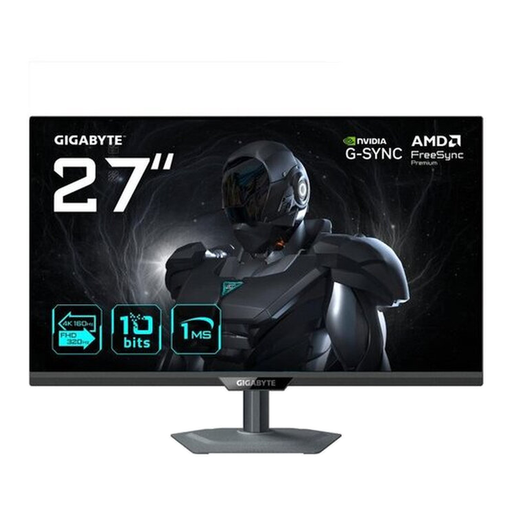
GIGABYTE G27UP 27-inch 4K UHD IPS gaming monitor
Could be worth considering for checking fine vector details if you’re looking for native 4K resolution and your laptop supports video output over USB-C.
27 inches and 3840 × 2160 pixels; the listed specifications include 95% DCI-P3 and USB-C with DisplayPort Alt Mode.
USB-C video output requires a compatible DisplayPort Alt Mode port on your computer. The specifications listed here don’t state a USB-C charging power for this model.
View at Joybuy
Frequently asked questions
Can a USB-C monitor power both a laptop and a screen from one socket?
A compatible monitor can charge your laptop over USB-C, but the monitor itself still needs its own power connection. Your laptop, cable and monitor must support video output, and the available charging power needs to suit your laptop.
How do I set up a monitor for colour-critical vector graphics?
Start by identifying the colour space and profile for your intended output. EIZO describes calibration and, where appropriate, soft proofing as parts of a colour-management workflow. According to EIZO, calibration can’t extend a monitor’s colour space if it’s too limited.
Does a low typical wattage also mean low power consumption when charging a laptop?
Not necessarily: EIZO lists typical power consumption of 12 W and a maximum of 149 W for the FlexScan EV2740S, including when running at full brightness, with ports in use and full charging power. Always compare power figures alongside their respective operating conditions.
What are my rights in Germany if a monitor bought online is faulty?
According to the Verbraucherzentrale, consumers buying new goods can claim statutory warranty rights from the seller within two years of delivery; this is separate from any voluntary guarantee. Online purchases are also generally covered by a 14-day right to cancel from the date you receive the goods, subject to the applicable conditions.
Do monitors have an energy label in Germany?
Yes. The European Commission includes computer monitors among electronic displays covered by the EU energy label, which uses a scale from A to G. The energy rating alone doesn’t tell you anything about colour accuracy or a USB-C port’s charging capability.


