What should you look for when buying?
First, check that your laptop can output video through the monitor connection you plan to use and can receive enough power to charge. Then consider your editing layout, delivery format and the energy label to weigh up connectivity, screen space, colour checking and power consumption.
| What you need |
What to check before buying |
Who is this most relevant to? |
| Connect a laptop and save power sockets |
Check that the specific USB-C port supports video output, confirm its Power Delivery output and cable compatibility, and compare these with your laptop’s specifications. |
If I want to use my laptop, monitor and cable with as few connections as possible at my editing desk, they need to work together with my device. Around 36% of consumers put a suitable laptop connection first. |
| Keep the preview and timeline easy to read |
Compare the screen size and space it takes up with your editing layout and preferred scaling. |
If I want to read the video, tracks and tools at the same time, how they’re arranged on screen matters just as much as the resolution. Around 29% of consumers prioritise a clear timeline alongside the preview. |
| Assess colours for the delivery format |
Consider the target colour space, available presets and, where relevant, the calibration and checking process you plan to use. |
If my project is intended for a specific colour space, I want to choose the right mode and check colours in a consistent way. Around 21% of consumers prioritise colour checking for their delivery format. |
| Estimate power consumption and running costs |
Compare the kWh per 1000 hours shown on the EU energy label, and factor in how long you use the monitor and your electricity tariff. |
If I want to estimate ongoing power consumption, I need a comparable usage figure and my actual usage data. Around 14% of consumers put predictable running costs first. |
Joybuy products for 4K timelines and USB-C
This Joybuy selection features 4K monitors with USB-C for laptop-based editing setups with limited power sockets. Charging power, screen size and other features vary by model, so check compatibility with your laptop.
 No image available
INNOCN CB27U1, 27-inch 4K UHD
For a 4K timeline with a laptop connection; according to the product description, USB-C video and charging are supported for compatible laptops.
3840 × 2160 IPS, 120 Hz, USB-C with 90 W PD, PIP/PBP and height-adjustable stand.
View at Joybuy
 No image available
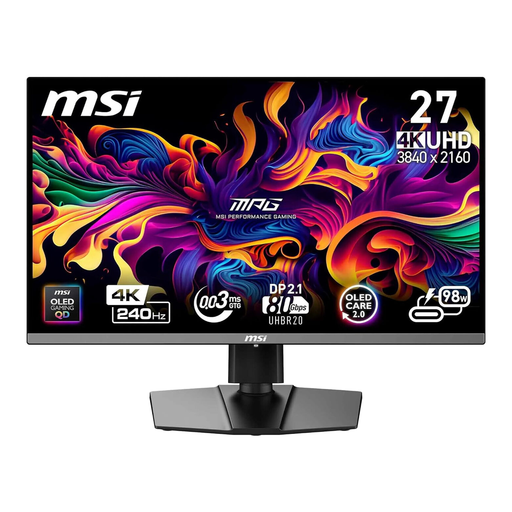
MSI MPG 272URXDE, 26.5-inch 4K UHD QD-OLED
A more compact 4K screen for your preview and timeline. Compare its size with your editing layout and preferred scaling.
26.5 inches, 3840 × 2160, 240 Hz and USB-C PD with 98 W. The product description recommends enabling OLED care features to reduce the risk of burn-in.
View at Joybuy
 No image available
MSI MPG 322URXDE, 32-inch 4K UHD QD-OLED
The larger screen could be a good fit for a wide preview and timeline layout, provided you have enough desk space and the scaling suits your workspace.
32 inches, 3840 × 2160, 240 Hz and USB-C with 98 W PD. The product description recommends enabling OLED care features to reduce the risk of burn-in.
View at Joybuy
 No image available
ASUS ROG Swift OLED PG32UCDMR, 32-inch 4K UHD
For an editing setup where you need a larger 4K screen and a laptop connection; according to the description, USB-C video and charging are supported for compatible laptops.
32 inches, 3840 × 2160, 240 Hz, 10-bit and USB-C with 90 W PD and USB hub.
View at Joybuy
Frequently asked questions
Can a USB-C monitor replace my laptop charger?
Only if your laptop can output video through the port you’re using, the available charging power is sufficient and the cable supports the functions you need. For the PD2706U, BenQ Germany lists DisplayPort Alt Mode, data transfer and 90 W through the USB-C port. That’s a monitor specification, not a guarantee that it will work with every laptop. The monitor still needs its own power supply.
Is an HDR logo enough to assess my video reliably?
No. VESA distinguishes between accepting an HDR signal and having a certified DisplayHDR performance level. For your project, also check the delivery format, the right colour mode and the checking process you plan to use.
How can I compare the power consumption of different monitors?
Compare the kWh per 1000 hours figure on the EU energy label for each model. To estimate your own costs, multiply this figure by your hours of use divided by 1000, then multiply the result by your electricity price in euros per kWh.
What are my rights when buying online from a retailer for personal use?
According to consumer information from the European Union, if goods are faulty, you have at least a two-year statutory guarantee against the seller. For an eligible online distance purchase, you generally have 14 days from delivery to cancel. Exceptions and possible return costs may apply. This is separate from any voluntary manufacturer’s warranty.
Where can I dispose of an old monitor in Germany?
Electrical and electronic waste must not go in household rubbish. The German Environment Agency lists recycling centres and retailer take-back options. Ask your local waste disposal service or the retailer concerned about the specific return arrangements.


