Reviewing photos at a small desk
If you’re comparing lots of wedding photos, you’ll need space for your file list and input devices as well as the image. ASUS Germany and LG Germany list 27-inch models as examples of this screen size.


If you mainly review and organise wedding photos, choose a 4K monitor that fits on your desk with its stand and has the right connections for your computer. If you’re doing colour-critical work for prints or an album, calibration, profiling and your intended print workflow matter too. Gamut specifications alone don’t guarantee that the print will match what you see on screen.
If you’re comparing lots of wedding photos, you’ll need space for your file list and input devices as well as the image. ASUS Germany and LG Germany list 27-inch models as examples of this screen size.
If you want to judge colours for a particular print, build a monitor profile, calibration and soft proofing into your workflow. EIZO documents hardware calibration for the CS2740, while Adobe Photoshop Help explains profiling and soft proofing.
If you regularly connect a laptop to review or edit photos, check the video signal and charging requirements together. ASUS Germany lists 96 W USB-C Power Delivery for the PA279CRV; BenQ specifies Thunderbolt 4 for the PD2732U.
First, check that the monitor and stand will fit on your desk and that you can connect it to your computer. Then decide whether you’ll only be reviewing photos digitally or also need a colour-critical print workflow. For the 4K UHD models documented here, ASUS Germany, BenQ Germany and EIZO Germany specify a resolution of 3840 × 2160 pixels.
The approximate percentages refer to consumers choosing a 4K monitor for this workflow, grouped by their main buying priority.
| Buying criterion | What to check | Who it matters most to |
|---|---|---|
| Photo selection and windows | Check the native resolution of 3840 × 2160 pixels and your preferred scaling on your computer. | When reviewing photos, I want to see image details and the file list at the same time, without scaling pushing my work windows out of the way. That’s why around 31% of consumers put photo selection first. |
| Desk space and positioning | Compare the available desk width and depth with the dimensions of the specific model, including its stand. | If my desk is narrow, I also measure the depth of the stand to make sure there’s room for my keyboard and notes. That’s why around 25% of consumers prioritise a monitor that fits their workspace. |
| Laptop connection | Check your laptop’s video output, ports, cables and charging requirements together. | If I connect my laptop regularly, I want one suitable connection to handle the video signal and, if needed, power. That’s why around 25% of consumers put laptop connectivity first. |
| Colours for print | Decide on your output medium and factor in calibration, a monitor profile and, where needed, soft proofing. Adobe Photoshop Help explains why profiles and soft proofing matter when previewing a print. | If I’m preparing prints or an album where colour accuracy matters, I want to tailor the preview to the specific output process. That’s why around 19% of consumers prioritise print colours. |
The print preview also depends on the monitor profile and intended output process. A wide colour gamut alone doesn’t guarantee a match with the final print.
Before you buy, decide whether you’ll mainly be reviewing photos or editing them for a specific print process where colour accuracy matters.
Depending on your workflow, you may also need calibration hardware and time for profiling and soft proofing.
The monitor casing and stand take up space too, which you may need in a student room for input devices or notes.
Measure the available space and compare it with the full dimensions of the specific model, including the stand.
A port name or stated charging power doesn’t, on its own, confirm that your laptop can output the required video signal through that connection.
Check your laptop’s video output, port standard, cable and charging requirements against the monitor.
The ProArt Display PA279CRV is documented as a 27-inch 4K model with several stated colour gamut specifications.
The 27-inch 4K SW272U photo monitor and 27-inch 4K PD2732U Creative Pro monitor are both documented models.
The ColorEdge CS2740 is a documented 27-inch 4K option for workflows involving hardware calibration and print preparation.
The 27UP850K-W is a 27-inch 4K model with an adjustable stand and USB-C.
The Joybuy monitors listed here offer useful points of comparison for screen size and potential laptop connections. Check the resolution listed for the specific model against your 4K requirements.
 No image available
The 27-inch screen size gives you a specific measurement to compare with the space available on your desk.
The product specifications list 3840 × 2160 pixels, Mini-LED and Rapid IPS. The display modes are listed as UHD 160 Hz and FHD 320 Hz.
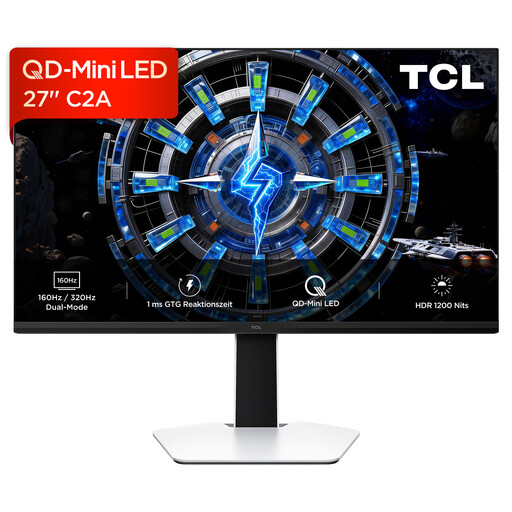 No image available
The stated screen size can help you compare the monitor with the space available on your desk.
The product name says 4K UHD, but also lists a resolution of 3180 × 2160 pixels. Check the product details page to confirm the actual resolution before buying.
 No image available
The stated screen size and height-adjustable stand give you specific features to compare against the space available in a student room.
The product title lists 3840 × 2160 pixels, IPS, 120 Hz and USB-C with 90 W Power Delivery. Check that your laptop and cable support the video connection and power delivery you need.
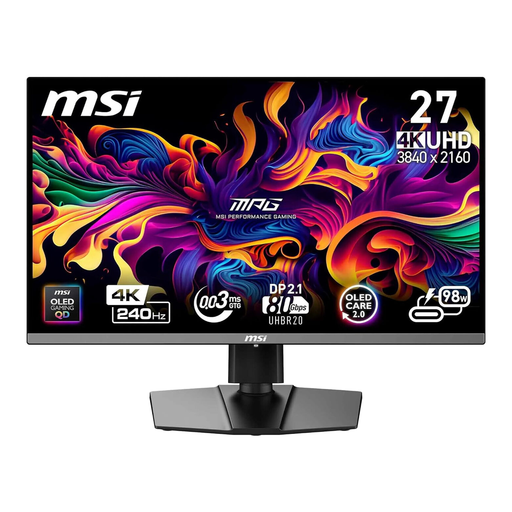 No image available
The 26.5-inch screen size gives you a specific measurement to compare when desk space is limited.
The product title lists 240 Hz and USB-C Power Delivery at 98 W. Check your laptop’s connection requirements, whether or not you need these features.
 No image available
At 32 inches, check the space the monitor and stand will take up against the dimensions of your desk.
The product title lists 3840 × 2160 pixels, 240 Hz, a height-adjustable stand and USB-C with 98 W Power Delivery. Check that the connection features are compatible with your laptop.
Not if you’re only organising photos. If you mainly review them digitally, choose a monitor to suit your workflow. For colour-critical print preparation, you’ll also need a suitable monitor profile and, where appropriate, soft proofing.
Adobe Photoshop Help recommends calibration and profiling for colour-critical work; you may need measuring hardware for this workflow. A colour mode or manufacturer specification doesn’t automatically replace the profile for the monitor you’re actually using.
That depends on your laptop, cable and monitor. ASUS Germany lists 96 W Power Delivery for the PA279CRV; you should still check that your computer’s video output and charging requirements are compatible with the connection you plan to use.
According to Verbraucherzentrale, consumer purchases in Germany are generally covered by a two-year statutory warranty period from delivery, while online purchases generally come with a 14-day right to cancel from the date you receive the goods. Exceptions and the terms of the specific contract should be taken into account; a voluntary manufacturer’s warranty is separate. This information is based on the Verbraucherzentrale article dated 13 August 2026.