What should you look for when buying?
First decide whether you’ll be judging colours for online shop images or a print process. Then check the space and connections available at your workstation.
| Consideration |
What to check before buying |
Who is this important to? |
| Assessing online shop colours |
Check for an sRGB mode and options for calibration and monitor profiling; match your export settings to the web output. |
If I mainly publish product images online, I want a clear sRGB and profiling workflow. Consumers whose main concern is this colour workflow account for around 33 %. |
| Assessing print colours |
Check the Adobe RGB coverage of the exact model, the calibration method, the sensor you need and the print profile. |
If I prepare product photos for a specific print process, I want to assess colour space and soft proofing together. Consumers who prioritise this print workflow account for around 27 %. |
| Setting up on a small desk |
Measure the available width and depth; compare them with the dimensions including the stand, cable clearance and, where relevant, VESA mounting. |
If my desk has limited space, the complete setup, including the stand and cables, needs to fit. Consumers whose main concern is space account for around 27 %. |
| Connecting a laptop and computer |
Check video, USB data, KVM and the power delivery you need separately against your devices’ connections. |
If I connect a laptop or switch between computers, I want to know which connections and switching features I’ll actually need. Consumers who prioritise connectivity account for around 13 %. |
Joybuy products for product photography
This selection includes monitors for sRGB online shop images and workflows that also take Adobe RGB into account. Before choosing, check the colour-space specifications and dimensions against your intended output and available space.
 No image available
MSI MAG 274UPDFDE E16M 27" UHD 160Hz/FHD 320Hz Mini-LED Rapid IPS
If you also take Adobe RGB into account when working with product photos, you can compare the stated colour gamut coverage with your workflow.
The product description lists 100 % Adobe RGB and 143 % sRGB. The title specifies 27 inches, UHD, Mini-LED, Rapid IPS, 160 Hz and FHD 320 Hz. The stated depth with the stand is 227,9 mm; check that you have enough space.
View at Joybuy
 No image available
Portable 23.8-inch 4K monitor, 3840 × 2160, 60 Hz
If a smaller display could suit your workspace, the stated 23.8-inch screen size gives you a clear figure to compare when checking available space.
The product title specifies 4K UHD at 3840 × 2160, 60 Hz and 100 % sRGB. It also lists a built-in stand and USB-C and Mini-HDMI inputs.
View at Joybuy
 No image available
MSI PRO MP273UPDE E6 27" 4K UHD IPS 60Hz HDR Ready Monitor
If you’re assessing product images for sRGB output, check whether the stated sRGB picture mode suits your colour-management workflow.
The product description lists an IPS panel, 10-bit colour depth, an sRGB picture mode and VESA 100 × 100 mm. The title specifies 27 inches, 4K UHD and 60 Hz.
View at Joybuy
 No image available
Samsung ViewFinity S7 S70H 27" 4K UHD IPS Monitor
If you’re assessing sRGB online shop images and considering a VESA setup, compare the colour-space specification and mounting option with your setup.
The product description lists 99 % sRGB, HDR10 and VESA 100 × 100 mm. The dimensions with the stand are given as 616,3 × 470,4 × 200,5 mm.
View at Joybuy
 No image available
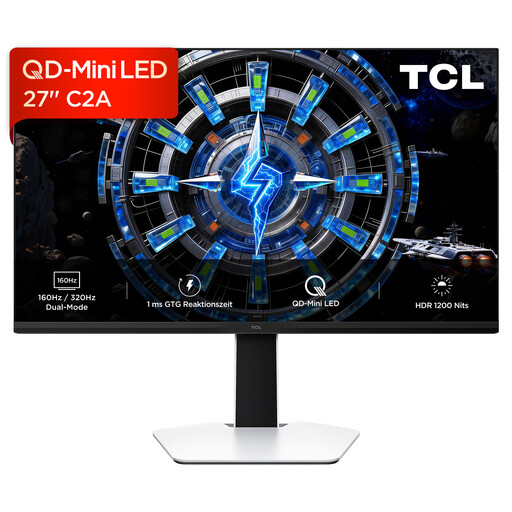
TCL 27C2A 27" QD-Mini LED Monitor
If you’re comparing a 27-inch monitor with an adjustable stand, check the screen height and setup against your desk.
The product title specifies 4K UHD, QD-Mini LED and a resolution of 3180 × 2160. Before buying, check that this resolution matches the 4K format you want.
View at Joybuy
Frequently asked questions
Are 4K resolution and a high Adobe RGB figure enough to ensure product colours match?
No, those specifications alone aren’t enough. The International Color Consortium describes calibration and profiling as related steps for consistent screen colours. You should also match your workflow to your intended output: a colour-space figure alone doesn’t prove that colours will match a particular print or another screen.
What should I measure when choosing a monitor for a small desk?
Measure the available width and depth, then compare them with the device dimensions, including the stand and cable clearance. If you’re considering a mount, check the VESA measurements and make sure the mount and desk are suitable. ASUS lists VESA 100 × 100 mm for the PA279CRV.
Does a hardware-calibratable monitor come with everything needed for calibration?
Not necessarily: EIZO recommends a calibration sensor as an optional accessory for the CS2740. Check which sensor and software you need for the exact model; EIZO lists a built-in self-calibration sensor for the CG2700X.
What consumer information is relevant when buying a monitor in Germany?
When you buy as a consumer, you generally have statutory rights against the seller for defects for two years; the Verbraucherzentrale distinguishes these from a manufacturer’s warranty. EU energy labelling requirements apply to electronic displays, including monitors, making it possible to compare individual models. Whether consumer rights apply to a specific purchase depends, among other things, on the role of the parties to the contract.


