Laptop users with limited sockets
You want to view reference images in 4K and check whether the monitor can also charge your compatible laptop.


A 4K monitor with USB-C can replace a compatible laptop’s separate power adapter at your desk, provided the monitor’s video output and charging power meet your laptop’s requirements. The monitor itself still needs a power socket. For reference images, you’ll also want a suitable colour mode and, for colour-critical work, an appropriate calibration process. The screen size and the space it takes up should also suit your workspace.
You want to view reference images in 4K and check whether the monitor can also charge your compatible laptop.
You compare the colours in your reference images and need suitable colour modes or a calibratable workflow, depending on your output needs.
You want to view reference images and work windows side by side, so you need to balance usable screen space, desk space and comfortable scaling.
First, check that USB-C video output and charging power are suitable for your laptop. Then decide on your colour workflow and output requirements, and choose a screen size that fits your workspace.
| What matters | What to check before buying | Who it matters most to |
|---|---|---|
| Sockets and laptop connectivity | Check that the monitor’s USB-C video output and Power Delivery match your laptop’s charging requirements. The monitor still needs its own power socket. | If I have few sockets at my desk, I want to know whether my laptop can receive a video signal and enough power through the same USB-C connection. Around 42% of consumers put the right connection and laptop charging first. |
| Colours in reference images | Choose a colour mode to suit your output needs; for colour-critical work, also consider how you’ll calibrate the display. | If I’m assessing colours for a particular output, I need suitable colour modes and, where necessary, a calibration process. Around 33% of consumers prioritise assessing the colours in their reference images. |
| Screen space, detail and desk space | Check the screen size against the space available on your desk, and make sure your preferred scaling is comfortable to read. | If I want to see reference images and work windows at the same time, I need a usable screen area that fits on my desk. Around 25% of consumers prioritise screen space and detail. |
Your laptop and monitor need to be compatible for both video and charging, and the monitor itself also needs a power connection. BenQ lists 90 W Power Delivery for the PD2706U, while ASUS lists 96 W for the PA279CRV. Whether that’s enough for your laptop depends on its charging requirements and the connection it supports.
Check your laptop’s USB-C video mode and charging requirements against the details for the exact monitor model.
Colour gamut coverage alone doesn’t confirm that the specific file will be displayed accurately in your particular setup.
Decide on your output requirements and check the colour mode and calibration options. For colour-critical work, you should plan for a suitable calibration process.
This workflow may involve extra calibration work and, in some cases, additional equipment.
The EU energy label also shows energy consumption in kWh per 1,000 hours. Depending on the model, figures for SDR and HDR may be listed separately. The European Commission explains this energy consumption information for electronic displays.
Compare the consumption figures for specific models under similar usage conditions, rather than looking only at the efficiency class.
The DesignVue PD2706U and PD3225U are 4K options with built-in power delivery and different screen sizes.
According to the manufacturer, the ProArt PA279CRV combines a 27-inch 4K screen with colour modes and laptop connectivity.
The ColorEdge CS2740 is a 27-inch 4K option for a planned, calibratable colour workflow.
Dell positions the UltraSharp U2725QE as a 27-inch 4K hub monitor for a workspace that needs plenty of connectivity.
The Modern MD272UPHGDE is a 27-inch 4K option for a workspace that needs USB-C charging and device switching.
This selection includes portable and desktop 4K displays for reference images, including models with USB-C. Whether they can also charge a laptop depends on the Power Delivery output and compatibility of the specific model.
 No image available
For 4K reference images or as a second screen for your laptop; check which connections your device supports first.
3840 × 2160 UHD, 60 Hz and 100% sRGB; built-in stand, USB-C and Mini HDMI inputs, plus built-in dual speakers.
 No image available
For 4K reference images and use with a compatible laptop, if USB-C video and charging over a single connection suit your setup.
3840 × 2160 IPS, 120 Hz and USB-C with 90 W Power Delivery; features PIP/PBP and a height-adjustable stand.
 No image available
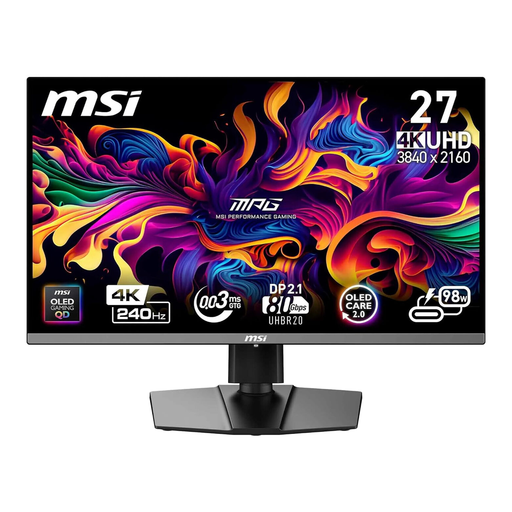
A 4K option for reference images. If you want to connect a laptop, check USB-C compatibility and your laptop’s charging requirements.
QD-OLED, 240 Hz and USB-C with 98 W Power Delivery.
 No image available
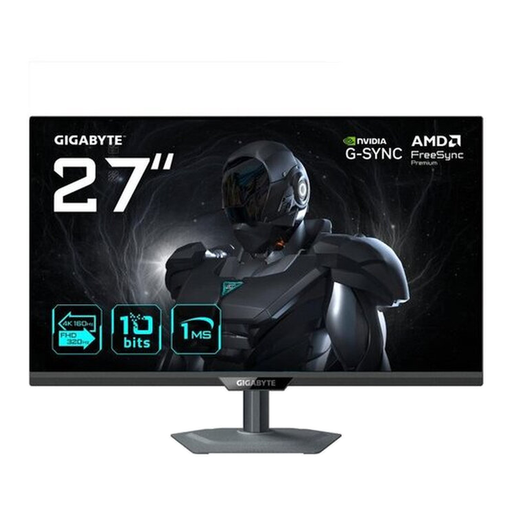
For 4K reference images. If you’re using a laptop, check that the specified USB-C power output meets its charging requirements.
MiniLED, UHD dual mode with 4K at 160 Hz or FHD at 320 Hz, and Type-C with 65 W. The product title also specifies a height-adjustable stand.
 No image available
For 4K reference images. If you’re using USB-C, check that it’s compatible with your computer and supports the function you need.
3840 × 2160 IPS. The product description lists USB-C with DisplayPort Alt Mode and 95% DCI-P3.
No. The monitor needs its own power connection. You can only do without a separate laptop power adapter if your laptop and monitor support compatible USB-C video output and the monitor provides enough charging power.
Choose a colour mode to suit your output needs and, for colour-critical work, plan for a suitable calibration and profiling process. EIZO describes hardware calibration for the CS2740; colour gamut figures alone don’t guarantee an accurate print result.
For monitors used in similar ways, compare the EU energy label figures in kWh per 1,000 hours, and check whether SDR and, where applicable, HDR figures are listed separately. To estimate your own costs, you’ll also need your usage hours and electricity tariff.
Electronic displays covered by EU regulations must meet energy labelling requirements. The label shows the efficiency class, while further model information is available through the European product database, EPREL. This labelling does not mean that buyers have to register the monitor.
No. When you buy from a seller, your statutory consumer rights apply to that purchase; a guarantee is an additional voluntary benefit offered under its own terms. The Verbraucherzentrale states that new goods come with two years of statutory rights for faulty goods.