If you mainly choose between similar burst shots based on sharpness, look for a native 4K resolution and a screen size that suits your desk, then check fine details at 1:1 in your photo software. For colour-critical output, suitable colour modes and a reliable calibration process become more important. Ports and charging power matter most if you want to connect your laptop to the monitor.
Who would benefit from a 4K monitor for choosing between shots?
Reviewing burst shots
If you compare lots of similar shots at your desk, you’ll want to check focus and fine details closely. Adobe describes the 1:1 view in Lightroom Classic as a display at 100%; ASUS lists native 4K resolution for relevant ProArt models.
Photographers with a print workflow
If you edit colours for colour-critical output after choosing your shots, suitable colour modes and calibration options may also be important. BenQ lists these features for individual models such as the SW272U.
Laptop users working from home
If you regularly connect a laptop at a fixed workstation, the video signal, ports you need and power delivery should all be compatible with your device. ASUS and Dell list USB-C or Thunderbolt features with power delivery on certain models.
What should you look for when choosing one?
Start by checking sharpness in your photo software, then choose any additional features your colour workflow, laptop and workspace actually need.
| Consideration |
What to check before buying |
Who is this important to? |
| Subtle differences in sharpness |
Check the native resolution and screen size of the specific model; Adobe describes the 1:1 view in Lightroom Classic as a display at 100%. |
When I’m comparing very similar burst shots, I want to be able to check fine focus details in my photo software. Around 37% of consumers say comparing sharpness is their main priority. |
| Colour after selecting shots |
Check that the colour modes and calibration options suit your output; BenQ lists both as manufacturer specifications for the SW272U. |
When I edit selected shots for colour-critical output, I need a suitable colour mode and, where appropriate, a calibration process. Around 27% of consumers say this colour workflow is their main priority. |
| Connecting a laptop |
Check that the video output, USB-C or Thunderbolt features, charging power required and cables are compatible with your laptop. |
When I regularly connect my laptop at a fixed workstation, I want suitable ports to handle both the video signal and power. Around 18% of consumers prioritise laptop connectivity. |
| A setup that suits your space |
Check the dimensions of the monitor and stand, height adjustment and screen finish against the space available and lighting conditions. |
When I spend a long time reviewing photos at my desk, the monitor and stand need to suit my space and sitting position. Around 18% of consumers prioritise how easily the monitor can be set up. |
Which misconceptions should you avoid?
-
Assuming 4K will automatically tell you which shot is sharpest
Resolution describes the display, not the quality or focus of your burst shots.
Also check critical areas of the image in your photo software’s 1:1 view.
-
Prioritising a wide colour gamut without the right output workflow
Colour modes and calibration are separate considerations from checking detail; they won’t offer the same benefit if you’re only selecting shots based on focus.
Before buying, decide whether you’ll edit your selected shots for colour-critical output.
-
Assuming USB-C guarantees one-cable operation
Power delivery varies between monitors, and your laptop also needs to support the features you require.
Check your laptop’s video connection and charging requirements against the specifications of the monitor you’re considering.
Useful brands to consider
ASUS
The ProArt PA279CRV and PA279CV are documented 27-inch 4K options. ASUS lists sRGB and Adobe RGB modes for the PA279CRV.
- ASUS lists 96 W USB-C and a height-adjustable stand for the PA279CRV.
- According to ASUS, the PA279CV focuses on sRGB and 65 W USB-C. These specifications apply to the models mentioned, not the entire ProArt range, and may vary by region.
BenQ
The PhotoVue SW272U and Creative Pro PD2732U are documented 27-inch 4K models for workflows that need colour tools or extra connectivity as well as photo review.
- BenQ lists hardware calibration and 90 W USB-C for the SW272U; the PD2732U is specified with an Adobe RGB mode, KVM and Thunderbolt 4 with 90 W.
- These manufacturer specifications don’t guarantee the colour accuracy of an individual unit you buy; extra features aren’t essential if you’re only choosing shots based on sharpness.
EIZO
According to EIZO, the ColorEdge CG2700X is designed for demanding photo, graphics and video workflows on a 27-inch 4K display.
- EIZO lists a built-in sensor for regular self-calibration on the CG2700X.
- This extra feature isn’t necessary if you’re only choosing the sharpest shot from a burst; these specifications refer to the CG2700X.
Dell
According to Dell, the UltraSharp U2725QE combines a 27-inch 4K display with a Thunderbolt hub and adjustable stand.
- Dell lists a 120 Hz refresh rate and power delivery of up to 90 W for this model.
- These features may be useful for a combined office and laptop workflow, but they don’t offer a proven advantage when assessing the sharpness of individual still images.
LG
LG lists the 27UP850K-W as a 27-inch 4K IPS monitor with USB-C and an adjustable stand.
- LG typically lists 95% DCI-P3 coverage for this model and describes calibration support through LG Calibration Studio.
- DCI-P3 coverage isn’t the same as Adobe RGB coverage; these are manufacturer specifications for this specific model.
4K monitors for reviewing photos at Joybuy
The Joybuy products below are 4K displays for reviewing photos at your workstation. Check that the size, ports and, where relevant, colour workflow suit the way you’ll use the monitor.
 No image available
MSI MAG 274UPDFDE E16M, 27-inch, UHD 160 Hz/FHD 320 Hz, Mini-LED Rapid IPS
A 27-inch 4K option for reviewing photos at your desk.
The product name lists UHD 160 Hz/FHD 320 Hz, as well as Mini-LED and Rapid IPS.
Joybuy
 No image available
Portable 23.8-inch 4K monitor, 3840 × 2160 pixels, 60 Hz
A more compact 4K option if a portable display suits your workspace.
The product name lists 23.8 inches, 3840 × 2160 pixels, 60 Hz, 100% sRGB, USB-C and Mini-HDMI.
Joybuy
 No image available
MSI PRO MP273UPDE E6, 27-inch, 4K UHD, IPS, 60 Hz
A 27-inch option for comparing similar shots on a 4K display.
The product name lists 4K UHD, IPS and 60 Hz.
Joybuy
 No image available
INNOCN CB27U1, 27-inch, 4K UHD, IPS, 120 Hz
A 27-inch 4K option for reviewing photos at your workstation.
The product name lists 3840 × 2160 pixels, 120 Hz, 99% Adobe RGB and USB-C with 90 W Power Delivery.
Joybuy
 No image available
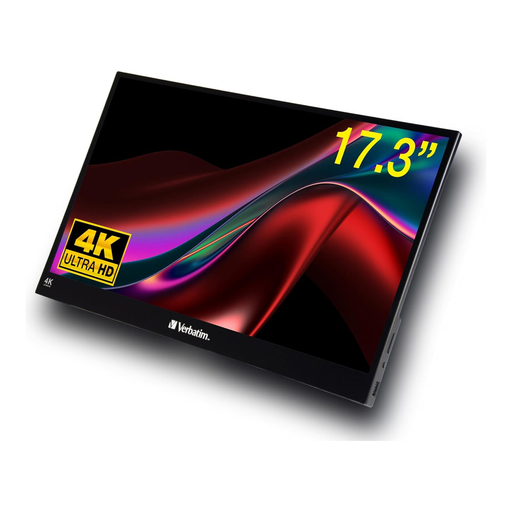
Verbatim portable touchscreen monitor, 17.3-inch, 4K
A portable 4K option if a smaller display suits your workspace and the way you work.
The product name lists a 17.3-inch screen, USB-C and HDMI ports.
Joybuy
Frequently asked questions
Is a 4K monitor enough on its own to identify the sharpest shot in a burst?
No. Also check relevant image details at 1:1 in your photo software; Adobe describes this view in Lightroom Classic as a display at 100%. Resolution and screen size affect how the image is displayed, not the focus of the shot.
Do I need a monitor with Adobe RGB for choosing between photos?
Not just to compare sharpness. If you’ll edit selected photos for colour-critical output, check that the colour mode and calibration options suit your intended output. For other workflows, sRGB-focused features may be more important.
What monitor features should I check for a home workstation?
Check the available desk space, stand adjustments and potential reflections against your planned setup. The Federal Institute for Occupational Safety and Health covers screen work in ASR A6; its scope shouldn’t automatically be applied to every form of personal use at home.


