
Lieferung heute & morgen

Qualitätsgarantie

Willkommens-Angebote freischalten: KOSTENLOSE Lieferung | Bis zu 80 % RABATT | Kostenlose 30-Tage-JoyPlus-Testphase
App herunterladen
Purchasing a 4K projector promises a big-screen experience for your home cinema, exciting gaming nights, or flexible presentations. However, the market is filled with technical jargon and marketing promises that make an informed decision difficult. Many buyers invest in a device that fails to meet their expectations because crucial features were overlooked or misinterpreted.
This guide serves as your roadmap. It highlights the critical pitfalls to avoid and explains which technical specifications you should truly focus on to find the right device for your needs.
Before we dive into the technical details, it's important to understand the most prevalent marketing traps. These often lead to disappointment and unnecessary expenses.
To avoid a bad purchase, you should concentrate on a few crucial technical features. These significantly determine the image quality and everyday usability.
Brightness is critical for determining the environment in which you can use the projector. The value is measured in ANSI lumens and can be roughly categorized as follows:
The native resolution indicates how many physical pixels the projector has.
For most users, a native Full HD projector with 4K support offers an excellent price-to-performance ratio.
Modern projectors take a lot of the setup work off the user's hands. Look for the following features, especially if you need a flexible or portable device:
Here are some models tailored to different use cases that take the aforementioned pitfalls into account.
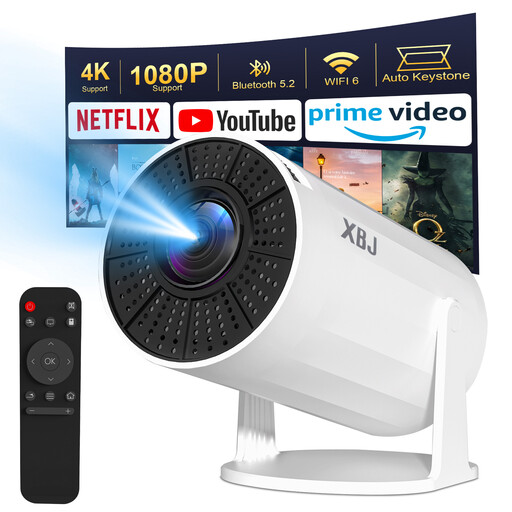
Why This Fits Their Persona: Ideal for users seeking a straightforward and extremely flexible mini-projector for the bedroom or spontaneous movie nights. The rotating design allows for easy projection onto the ceiling without a tripod.
The device bypasses the trap of unrealistic brightness promises with a clear specification of 200 ANSI lumens, which is sufficient for darkened rooms. The integrated Android 11 system provides direct app access.
Advantage: The combination of 180° rotation, automatic keystone correction, and a compact design offers maximum flexibility. Pro: WiFi 6 for stable connections.
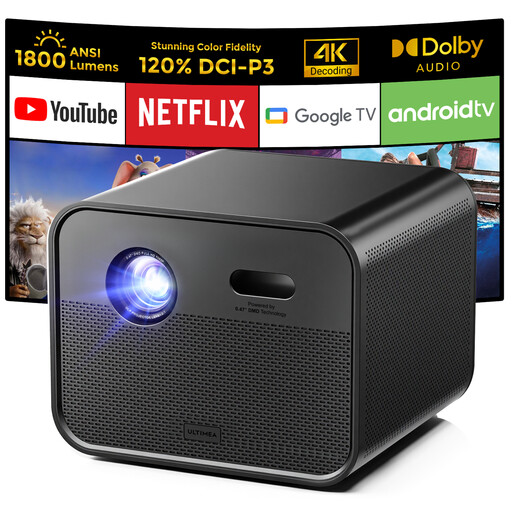
Why This Fits Their Persona: Perfect for users who demand high image quality and brightness for their living room home cinema. The DLP technology ensures good contrast, and the high brightness allows for use even in rooms that are not completely dark.
This model relies on a native Full HD 1080p resolution and specifies a brightness of 1800 ANSI lumens. This helps you avoid both the downscaled resolution trap and misleading brightness claims.
Advantage: The high brightness and DLP technology deliver a clear, high-contrast image. Pros: Integrated Google TV for comprehensive app support, autofocus, and 6D keystone correction.
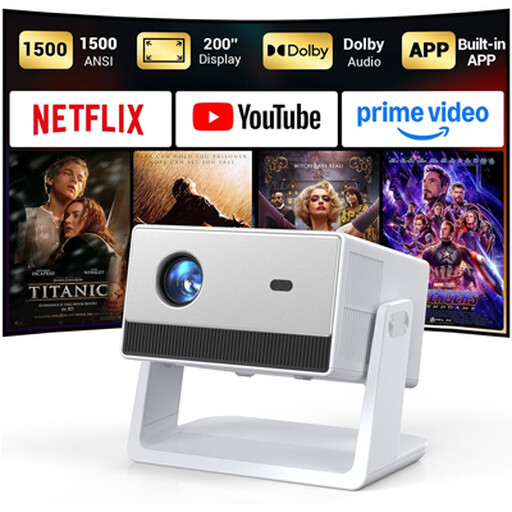
Why This Fits Their Persona: For anyone who wants a seamless, plug-and-play solution as a full-fledged TV replacement. The focus is on ease of use and guaranteed access to major streaming services without additional devices.
This model directly addresses the "license trap." According to the manufacturer, it is officially licensed for Netflix, ensuring smooth playback in high quality—a common problem with other Android projectors.
Advantage: Integrated streaming system with guaranteed compatibility for Netflix, YouTube, and Prime Video. Pros: Dolby Audio support, 1500 ANSI lumens, adjustable stand.
We have compiled a complete, up-to-date list of products that fully meet these strict selection criteria and safety regulations.
1. How many ANSI lumens does a projector need for a living room? For a typical living room that cannot be completely darkened, a value between 800 and 1500 ANSI lumens is a good guideline. This will give you a clear and visible image even with some ambient light. For daylight use, significantly higher values are required, which are usually only achieved by professional-grade devices.
2. What is the difference between 4K support and native 4K resolution? A projector with 4K support can process a 4K video signal (3840 x 2160 pixels) but projects the image at its lower, native resolution (e.g., 1920 x 1080 pixels). A projector with native 4K resolution has chips that can actually display 8.3 million individual pixels, resulting in a visibly sharper and more detailed image.
3. Can I watch Netflix in HD on any smart projector? No. Just because a projector has an Android operating system doesn't mean all apps will work perfectly. To play Netflix in HD or 4K quality, the device needs an official certification from Netflix. Without this license, the app may not even appear in the app store or may only stream content in low standard definition (SD). Look for the "Netflix Certified" note in the product description.