
Lieferung heute & morgen

Qualitätsgarantie

Willkommens-Angebote freischalten: KOSTENLOSE Lieferung | Bis zu 80 % RABATT | Kostenlose 30-Tage-JoyPlus-Testphase
App herunterladen
A 5 m LED strip is ideal for creating indirect lighting behind your TV, under shelves, at your desk or along the ceiling. Options range from a simple self-adhesive LED strip with remote control to a connected Matter LED strip controlled by an app or voice assistant. However, differences in length, IP rating, colour technology and power supply determine whether the LED strip is really suited to where you plan to use it.
Many products are advertised as offering millions of colours or particularly dynamic effects. The technical details are more useful when choosing a strip. Is it designed for dry rooms or damp conditions? Can different sections be controlled separately? Are there marked cutting points? And is it compatible with your existing smart home system?
A standard RGB LED strip combines red, green and blue. Usually, the whole strip displays the same colour at a time. RGBIC LED strips use integrated circuits to control multiple sections independently. This makes colour gradients, chasing effects and several colours at once possible.
You won’t necessarily need RGBIC for every use. A simple RGB model may be enough for single-colour backlighting behind a TV. For gaming, music modes or dynamic scenes, however, segmented control is an important feature to consider.
The IP20 rating generally indicates that a product is intended for use in dry indoor spaces. A strip with this rating should not be placed close to splashing water. IP44 offers greater protection against solid objects and splashing water, but it does not make the strip fully waterproof or allow it to be submerged.
Even with a product advertised as suitable for outdoor use, you should check the power supply, plug and connections separately. For bathrooms, kitchens or covered outdoor areas, make sure the manufacturer’s specifications cover the complete set.
Dust, grease, textured wallpaper and silicone-based surfaces can all reduce adhesion. Before installation, make sure the surface is smooth, dry and clean. Additional clips may be useful for longer runs. An LED strip should not be bent sharply, especially near the LEDs or plug connections.
A 5 m LED strip is a practical length for furniture, sections of wall and the back of a TV. Measure the required length before you buy. Check whether the strip can be cut at marked points and whether the cut-off sections can be used again.
For the power supply, check the input voltage, power adapter and maximum power consumption. A product rated at 24 W for five metres needs a suitable power adapter. Do not cover the adapter, and make sure it has enough ventilation. Running the strip while it is still wound up can cause heat to build up.
RGB produces coloured ambient lighting, but it is not the same as neutral or warm white light. If you also want to use the strip for practical lighting, look for RGBCCT or a stated white light option. For example, the Hama model 00176669 is listed as offering an adjustable range of 2,700 to 6,500 K.
Brightness is measured in lumens. According to the product specifications, the Hama Neon LED Strip offers 300 lm and a warm white setting of 2,700 K. Always consider lumen values alongside the strip’s length and the distance from the area you want to light. Indirect lighting often needs a different brightness level from direct task lighting.
A dimmable LED strip can be controlled using a remote, controller or app. An LED strip with app control usually offers extra features such as schedules, scenes and music modes. If you’re looking at a Wi-Fi LED strip, check whether it only supports a 2.4 GHz network.
Matter makes it easier to connect compatible devices to platforms such as Apple Home, Google Home, Alexa or Samsung SmartThings. However, actual device support depends on the model, app and smart home hub you have. If you don’t need smart home features, an LED strip with a remote may be the simpler option.
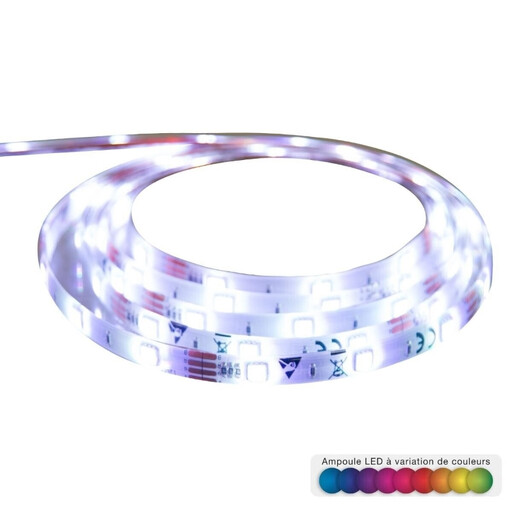
Why this product suits this need: This mains-powered 5 m set has 150 LEDs, a self-adhesive backing and an infrared remote. It’s a good choice for simple decorative lighting behind furniture or a TV.
The specifications clearly state the strip’s length, number of LEDs, power supply and IP20 rating. This makes it clear that it’s intended for dry indoor spaces.
5 m length, 150 LEDs, IR remote and dimmable brightness, according to the product description.
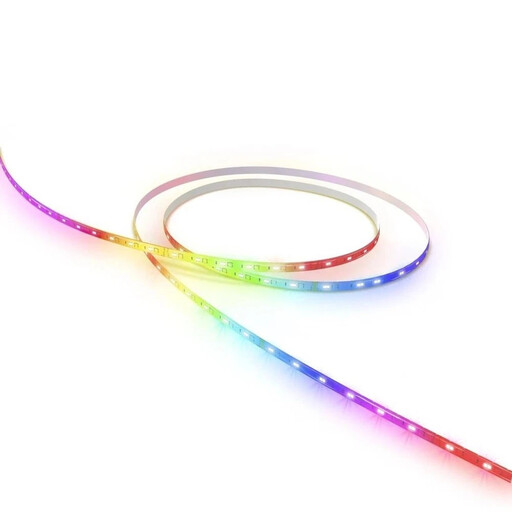
Why this product suits this need: This model combines coloured lighting with adjustable white light, app control, schedules and Matter compatibility for connected homes.
The product specifications explicitly state an IP20 rating. This means you can choose it for dry indoor spaces without having to guess whether it can withstand damp conditions.
RGBCCT with 2,700–6,500 K, stepless dimming, marked cutting points and Matter over Wi-Fi, according to the manufacturer’s specifications.
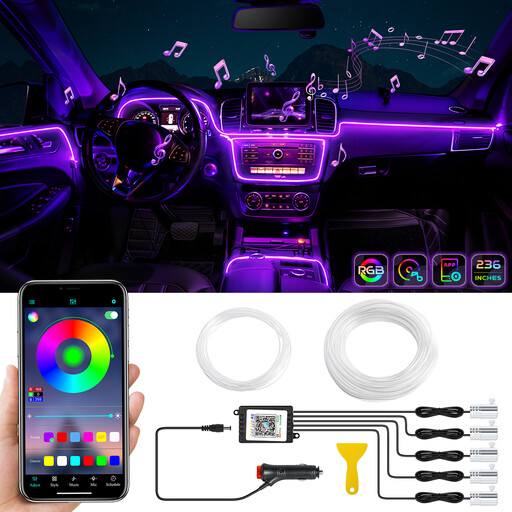
Why this product suits this need: Designed for car interior lighting, this 12 V set offers Bluetooth app control and a music mode. Its cuttable optical fibre can be fitted in different positions.
The stated operating voltage of 12 V and the installation instructions make it clear that this set is designed for use in a vehicle, not for direct connection to 230 V mains power.
6 metres of optical fibre, 16 million colour options, 29 preset modes and a Bluetooth app for iOS and Android, according to the product description.
We’ve put together a complete, regularly updated list of products that meet these strict selection criteria and the safety regulations in force across the EU.
For TV backlighting, the LED strip is usually attached to the back of the TV, a few centimetres in from the edge. App-controlled scenes and RGBIC effects are worth considering for gaming setups. In a car, follow the 12 V specifications for the set and make sure the cables are routed safely. The lighting must not obstruct your view or access to the controls.
Power consumption depends on the model, brightness and colour. For example, product specifications may list 12 to 24 W for five metres. When buying, check the maximum power consumption of the whole set, not just that of an individual LED.
Only if the model is designed to be cut, and only at the marked cutting points. Cutting in the wrong place can damage the tracks and components. Check the instructions before cutting.
It’s not possible to give a reliable general lifespan without specific information from the manufacturer. Lifespan is affected by factors such as how long the strip is used, heat dissipation, the power adapter, installation and physical strain. Don’t bend or cover an LED strip, or run it while it is still wound up.